11
C. Measuring Current
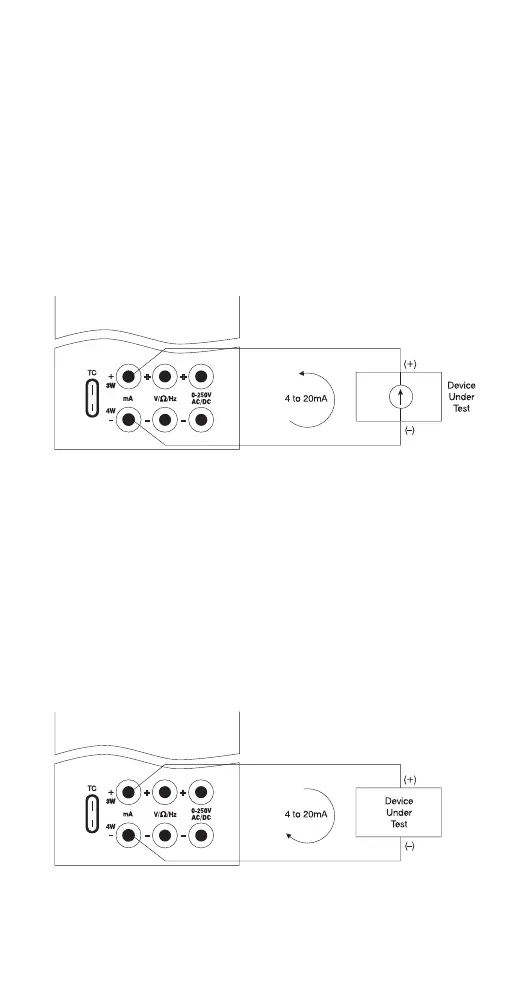
1. Select the mA input mode. Note: To power
the loop while reading current, select the
“mAPW” mode.
2. Connect the device under test as shown in
Figure 3.
3. Current can either be measured directly in
mA or as a percentage such that 4 to 20 mA
corresponds to 0 to 100%.
D. Sourcing Current
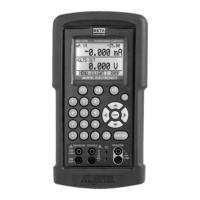
1. Select the mA output mode on the calibrator.
2. Connect device under test as shown in
Figure 4.
3. Enter the value of desired output current.
Note: If the loop is open “OL” will appear in the
display.
Figure 3.
Figure 4.


 To Next Page