2. Quick Start Instructions
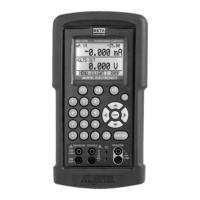
A. Key Functions
Key Function
Input/Output Toggles the function selected
from measurement mode to
source mode.
V/mA/Hz Selects between volts, mil-
liamps, and frequency modes
TC/RTD Selects between temperature
modes either T/C or RTD.
Ohms and mV ranges are also
included in these functions.
Ranges/Units This key toggles through all
the ranges for a chosen func-
tion. Example: If T/C mode is
selected the Range key tog-
gles through the ranges J, K,
T, E, etc.
0-9 keys These keys allow a user to
enter an output value.
Example: to output 20 mA
select mA output and Press
the “2” key then the “0” key
followed by the “ENTER” key.
Arrow ↑↓ These keys allow small
changes to be made to an out-
put value. Press either the up
or the down arrow key to set
the value as desired.
CE The clear entry key allows the
user to clear a value before the
enter key is pressed.
Shift This key has a blue text color
6


 To Next Page