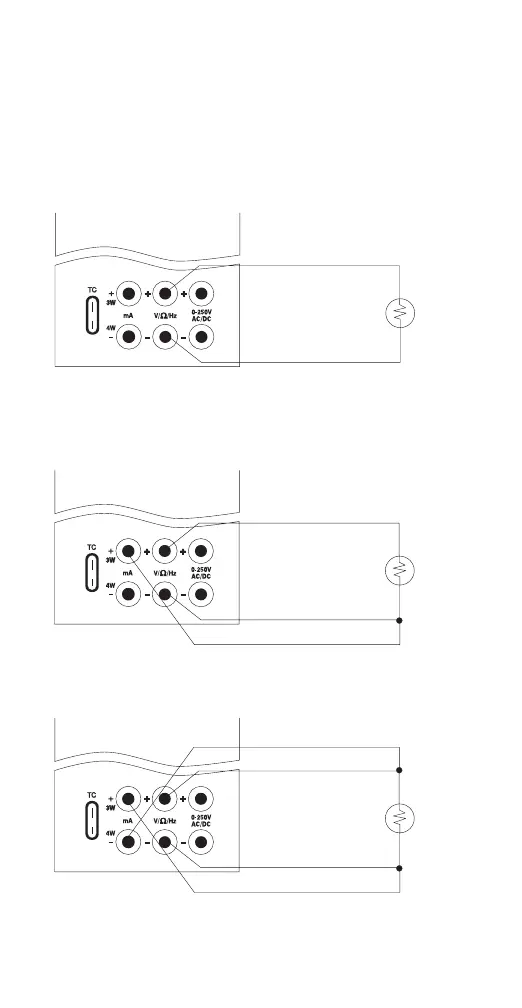
14
2. Make sure the MC1000 is in the Input Mode
(Note: that it will indicate 2, 3, or 4W in the
upper left corner of the LCD).
To set the desired wire configuration use the
“Up/Down arrow” keys to toggle through the
2, 3, and 4 wire modes.
Measuring a 2 Wire RTD or Using the
Continuity Function
Measuring a 3 Wire RTD
Measuring a 4 Wire RTD
Figure 9.


 To Next Page