EasyManua.ls Logo

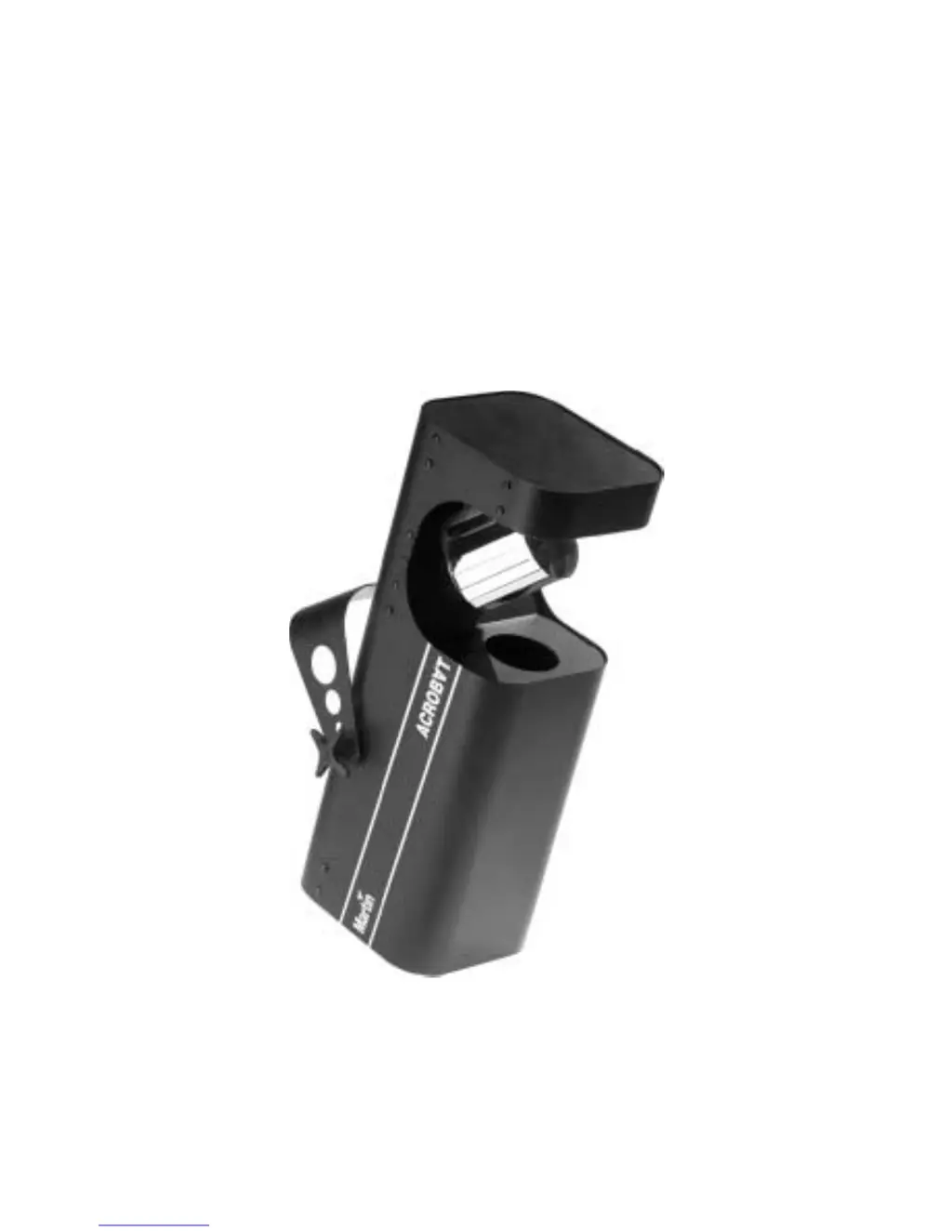
Martin Acrobat - User Manual

Martin Acrobat
24 pages
Print Icon
To Next Page IconTo Next Page
Loading...
Acrobat
user manual

Questions and Answers

  • C
    Christopher ColonAug 15, 2025
    How to troubleshoot a completely dead Martin Home Lighting fixture?
    • Z
      zleeAug 15, 2025
      If your Martin Home Lighting fixture is completely dead, first ensure that the power is switched on and the cables are properly plugged in. If the issue persists, check the primary fuse and replace it if blown. If the primary fuse is not the cause, there may be a blown secondary fuse, which requires contacting a Martin technician for service.
  • S
    Sarah RobinsonAug 18, 2025
    What to do if my Martin Acrobat Home Lighting has no light?
    • R
      Robert JacksonAug 18, 2025
      If there is no light from your Martin Home Lighting fixture, the lamp may be missing or blown. Disconnect the fixture and replace the lamp.
  • S
    Shari HallAug 21, 2025
    Why Martin Acrobat resets but doesn't respond to the controller?
    • C
      Christina ParsonsAug 21, 2025
      If your Martin Home Lighting fixture resets correctly but doesn't respond to the controller, it could be due to several reasons. First, ensure the controller is properly connected and inspect all connections and cables for damage, correcting any poor connections and replacing damaged cables. If the issue persists, the DMX data signal might be reversed, requiring a phase-reversing cable in the link before the fixture. Finally, check the DIP-switch settings to ensure they are correct.
  • S
    Susan GonzalezAug 25, 2025
    Why does the lamp in my Martin Acrobat Home Lighting cut out intermittently?
    • K
      Kristina GrayAug 25, 2025
      If the lamp in your Martin Home Lighting fixture cuts out intermittently or burns out too quickly, several factors could be responsible. Extreme vibrations could be the cause, so try relocating the fixture away from speakers. A blocked air vent may also cause the lamp to malfunction, so increase the clearance around the fixture. For issues related to operating voltage or dust buildup, contact a Martin technician for service or professional cleaning.
  • R
    Roberta DillonAug 27, 2025
    What causes intermittent flicker in Martin Acrobat Home Lighting?
    • D
      Diane MitchellAug 27, 2025
      If your Martin Home Lighting exhibits intermittent flicker or strange behavior, it could be due to a data link that is not terminated. Insert a termination plug in the output of the last fixture on the link. Another possibility is that one of the fixtures is transmitting as a master or is defective. Bypass one fixture at a time until normal operation is regained by unplugging both connectors and connecting them directly together. Have the defective fixture serviced by a qualified technician.
  • A
    Amanda RobinsonAug 31, 2025
    How to troubleshoot when Martin Lighting Equipment fixture is completely dead?
    • T
      Teresa JohnsonAug 31, 2025
      If your Martin Lighting Equipment fixture is completely dead, start by checking that the power is switched on and all cables are securely plugged in. If the issue persists, the primary fuse may have blown, requiring a replacement. If the secondary fuse has blown, contact a Martin technician for service.
  • K
    Kenneth YoungSep 3, 2025
    Why does the lamp in my Martin Lighting Equipment cut out or burn out quickly?
    • E
      Elizabeth JohnsonSep 3, 2025
      If your Martin Lighting Equipment lamp cuts out intermittently or burns out too quickly, it could be due to extreme vibrations. Try relocating the fixture away from speakers. Other potential causes include a blocked air vent, so increase clearance around the fixture. Also, dust buildup inside the fixture can cause this issue. In this case, contact a Martin technician for professional cleaning.
  • C
    Cody ButlerSep 7, 2025
    What to do if Martin Lighting Equipment resets but doesn't respond to the controller?
    • A
      angela37Sep 7, 2025
      If your Martin Lighting Equipment resets correctly but does not respond to the controller, the DMX signal might not be transmitted. Ensure the controller is properly connected and inspect all connections and cables for damage, correcting poor connections and replacing damaged cables as needed. Another potential cause is a reversed DMX data signal, which can be resolved by inserting a phase-reversing cable in the link before the fixture. Finally, check the DIP-switch settings, as an incorrect address or other setting could be the cause.
  • T
    Thomas KimSep 12, 2025
    Why is my Martin Lighting Equipment flickering or behaving strangely?
    • M
      Monica WattsSep 12, 2025
      If you experience intermittent flicker or strange behavior with your Martin Lighting Equipment, it may be due to a data link that is not terminated. Try inserting a termination plug in the output of the last fixture on the link. Alternatively, one of the fixtures may be transmitting as a master or is defective. Bypass one fixture at a time by unplugging both connectors and connecting them directly together until normal operation is regained. Have the defective fixture serviced by a qualified technician.

Summary

Introduction

Acrobat Safety Information

Critical safety precautions for operation, including electric shock, fire, and fall hazards.

Lamp Replacement

Installing the Lamp

Step-by-step guide for safely replacing the fixture's lamp.

AC Power Connection

Mains Lead Installation

Instructions for correctly installing a plug on the power cord for mains connection.

Stand-Alone Operation

Single Unit Mode

How to operate the fixture as an independent unit without external control.

Master;Slave Operation

Synchronized operation of multiple Acrobats without a controller.

Master;Slave Linking

Instructions for linking fixtures in a master/slave configuration.

MC-1 Controller Operation

DMX Operation

DMX Modes Overview

Overview of the available DMX operational modes (1, 6, and 7 channel).

DMX Address Setup

Procedure for setting the fixture's DMX start address.

Basic Service

Troubleshooting

Martin Acrobat Specifications

General IconGeneral
BrandMartin
ModelAcrobat
CategoryHome Lighting
LanguageEnglish