MICROSENTRY™ REFRIGERATION MONITOR
Section 4: System Components
4.1 Condenser Fan
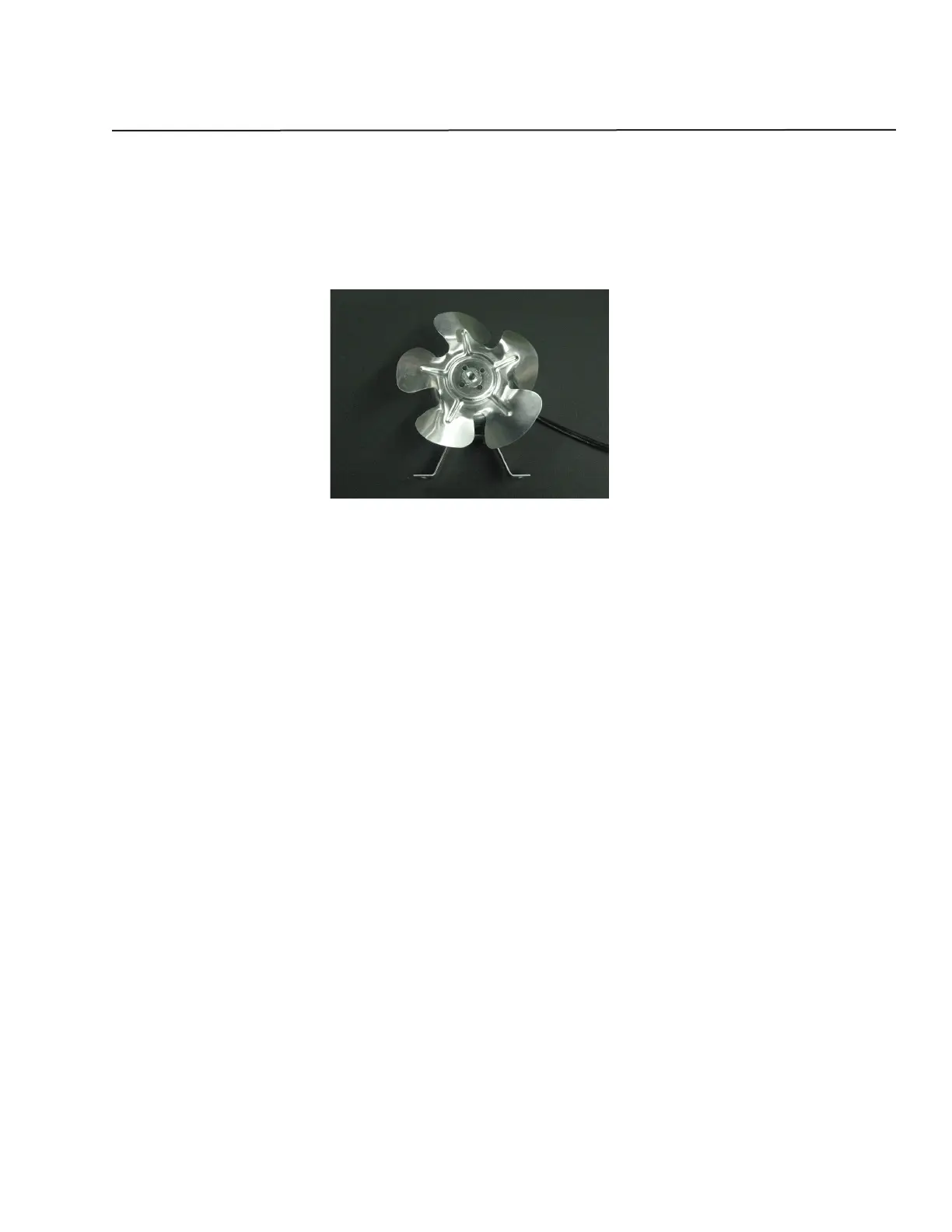
The condenser fan is used to force air over the condenser coil. The fan will cycle on and off with the compressor
which means that when the compressor is running so is the fan and when the compressor is not running neither is
the fan (see Figure 4.1).
Figure 4.1
To check the condenser fan:
Make sure the motor shaft turns freely. This can be done by rotating the fan blade by hand and observing any •
excessive resistance.
Check for resistance between terminals. If no resistance is found, replace the condenser fan.•
Check for continuity between terminals and fan casing. If continuity is found, replace the condenser fan.•
Check current draw. Typical current draw will be 0.15 amp without fan resistance. If current draw is 0.19 amp •
or more, check for resistance in air movement or objects touching the fan blade. If this is not found, replace
the condenser fan.
Removing the Condenser Fan:
Disconnect power to the unit.1.
Remove access panel and rear panel.2.
Remove the grille by removing the screws and disconnecting the wires to the rocker switch. Be sure to mark 3.
where these wires go for reassembly.
Remove the screws that secure the baseplate to the cabinet on the bottom of the unit.4.
Gently slide the mechanical out the back of the unit to gain access to the condenser fan.5.
Disconnect the neutral white wire lead (black ribbed wire) and hot wire lead (black smooth wire) from the wire 6.
harness.
Remove the condenser fan.7.
Installing the Condenser Fan:
Reverse the removal procedure for installation (see above).
11


 To Next Page