MICROSENTRY™ REFRIGERATION MONITOR
Section 3: Sealed System Components
3.1 Gaining Access to Mechanical Baseplate
The mechanical baseplate is located in the rear of the unit. Most major mechanical and electrical components on
the unit mount directly to the baseplate. This creates easy access for servicing of the sealed system and mechani-
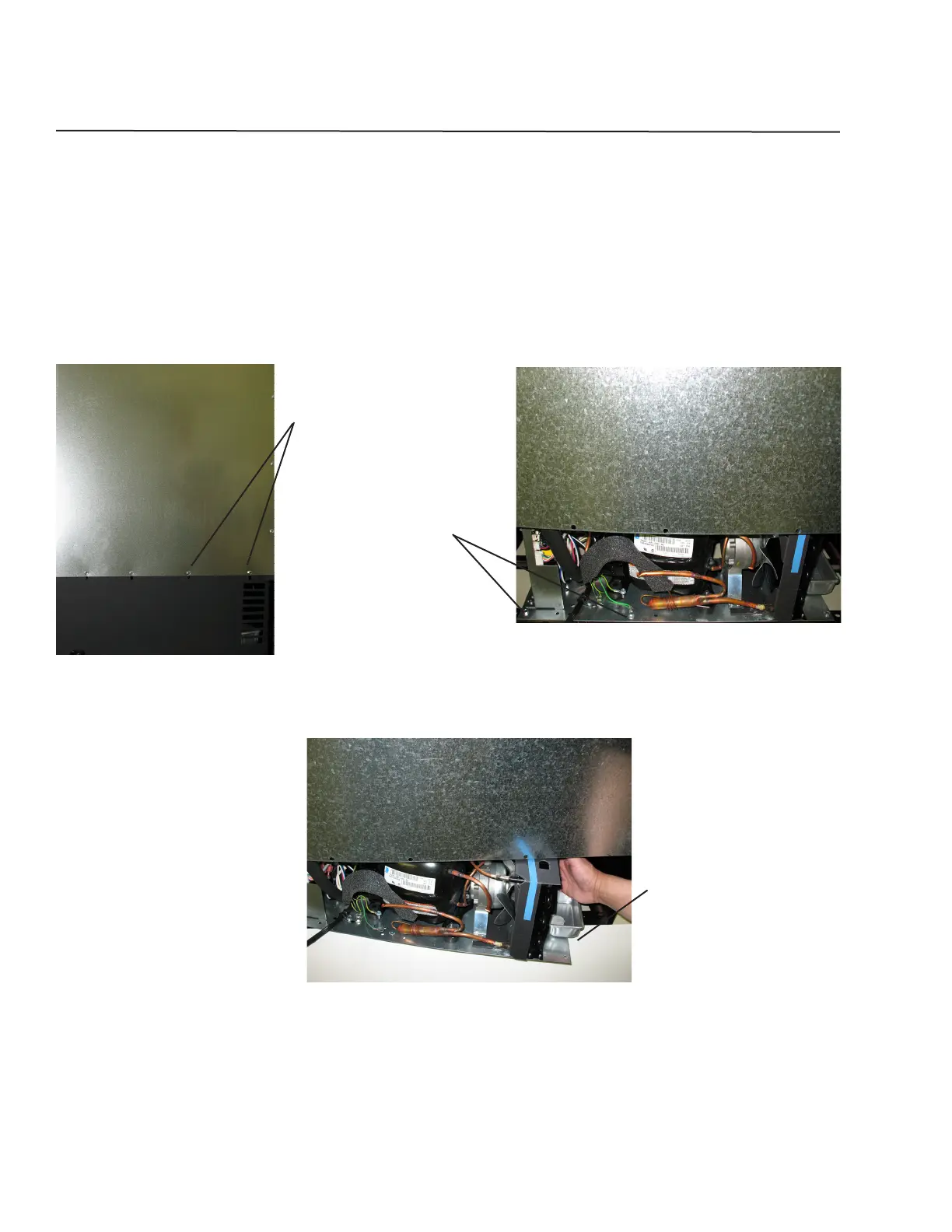
cal/electrical components. To gain access to the mechanical baseplate, remove the screws that hold the lower
shroud in place and then remove the shroud (see Figure 3.1). To facilitate working on any component mounted
to the mechanical base, remove the screws that hold the baseplate to the chair frame and slide out the baseplate
enough to allow working room required (see Figures 3.2 and 3.3).
Figure 3.1
Remove screws.
Figure 3.2
Remove screws securing the
mechanical baseplate.
Figure 3.3
Slide out the mechanical
baseplate.
6


 To Next Page