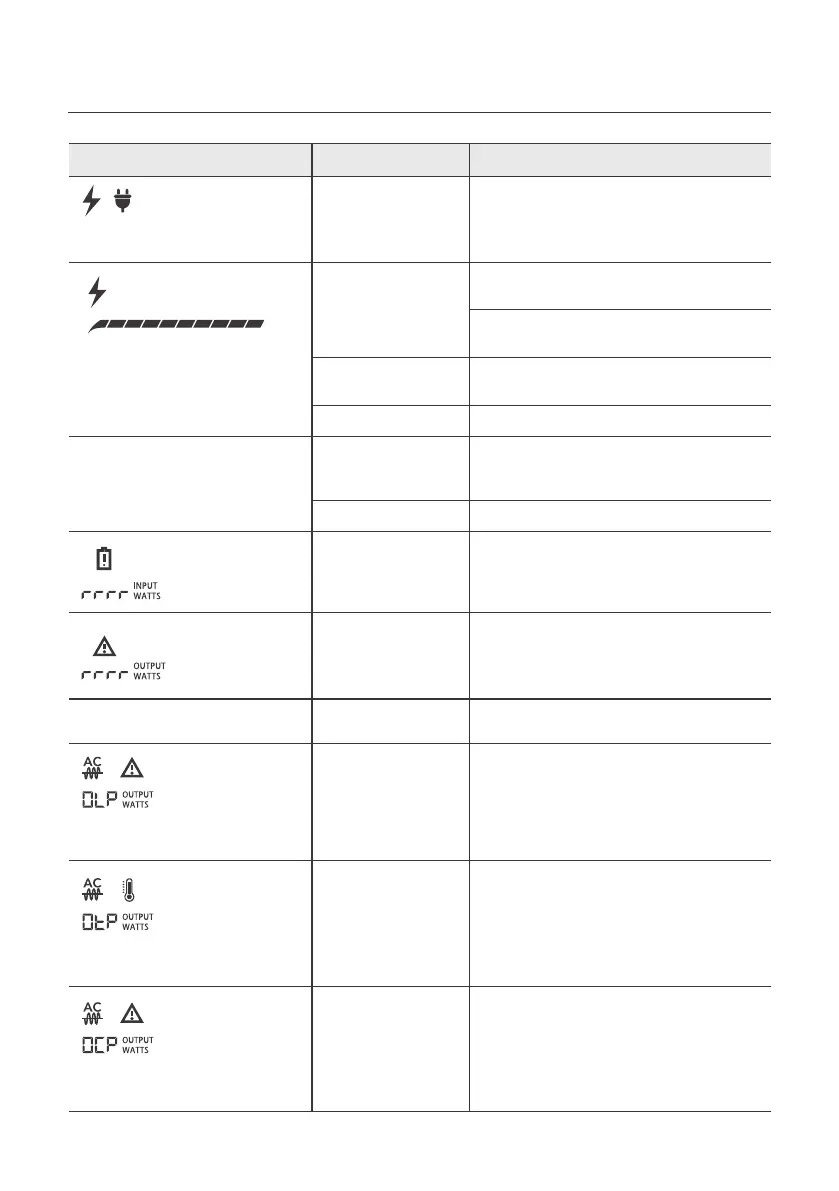
4. Troubleshooting
Indicator/Content Problem Solution
No response after pressing the
button.
Icon flashes.
Icon flashes.
AC output power can’t be
displayed
Icons flash together.
Icons are not displayed.
Icons flash together.
Icons flash together.
Icon stays on.
Icon is not displayed.
Battery Level Indicator does
not scroll.
Icon stays on.
Icon stays on.
AC Input Failure
System Halted
Battery Failure
Inverter Failure
AC Output Failure
AC Output
Overload Protection
Over Temperature
Protection
AC Output Short
Current Protection
DC Input Failure
Battery Failure
Check the connection between the
main socket with the product and the
connection between the main socket
with AC charging cable.
After discharging the power station until
the battery is drained, charge the product
and restart it.
Please restart the product after removing
the AC Input & Solar Input. If the fault
hasn't been solved, please contact
Marxon support team.
Please restart the product after removing
the AC Input & Solar Input. If the fault
hasn't been solved, please contact
Marxon support team.
Contact Marxon Support Team.
Normal operation will be resumed
automatically after you remove the
overloaded device and restart the product.
Electrical appliances should be used
within rated power.
Please confirm whether the fan inlet and
outlet are blocked, if not, normal operation
will be resumed automatically after the
product temperature drops.
Normal operation will be resumed
automatically after you remove the
overloaded device and restart the product.
Please confirm there is no short circuit
with the electrical appliances and its
startup power is within the peak power.
Contact Marxon Support Team.
Check and make sure the DC input is
connected with the correct polarity.
Check whether the solar panel or car
lighter interface works normally.
Let the product stand for 2Hrs to cool
down and then restart to charge.
Contact Marxon Support Team.
Battery Failure
High Temperature
Charge Protection
Icon stays on.
Icon stays on.
The AC output port cannot power
the appliance normally.
The product cannot be charged
by either the solar panel or the
car input.
AC input wattage can't be
displayed, and AC charging fails.
The AC output port cannot power
the appliance normally.
The AC/DC output port cannot
power the appliance normally.
11



 To Next Page