53DO NOT DIVE.
SWIM SPA CONTROLS - ICON SPA TOUCH
THE SPA SCREEN
ALL EQUIPMENT ACCESS
The Swim Spa Equipment Icon
takes you to the Spa Screen, which shows all available
equipment* to control. The display shows icons that are related to the equipment installed on a
particular swim spa model, so this screen may change depending on the installation.
The icon buttons are used to select and control individual devices.
Some devices, like pumps, may have more than one ON state, so the icon will change to reflect the
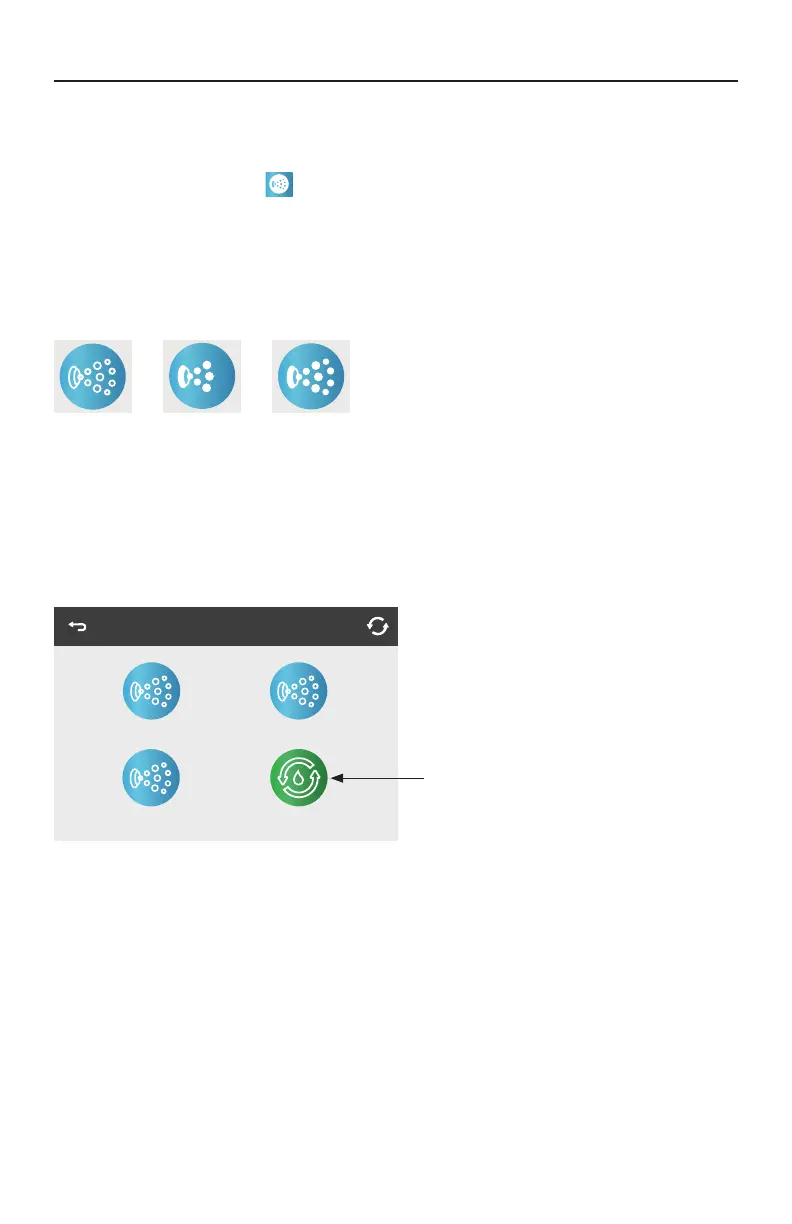
state of the equipment. Below are some examples of 2-speed Pump indicators.
Jets Off Jets Low Jets High
If the swim spa has a Circulation Pump, a Circulation Pump Icon will appear to indicate its activity,
but outside of Priming Mode, the Circulation Pump cannot be controlled directly.
If equipped, it is only controllable in
Priming Mode during initial power-up.
* One exception: The Main Spa Light is not shown on the Spa Screen; it is only shown
(and controlled) on the Main Screen.
Spa
Jets 1 Jets 2
Circ.
Jets 3
Circulation Pump




 To Next Page