15
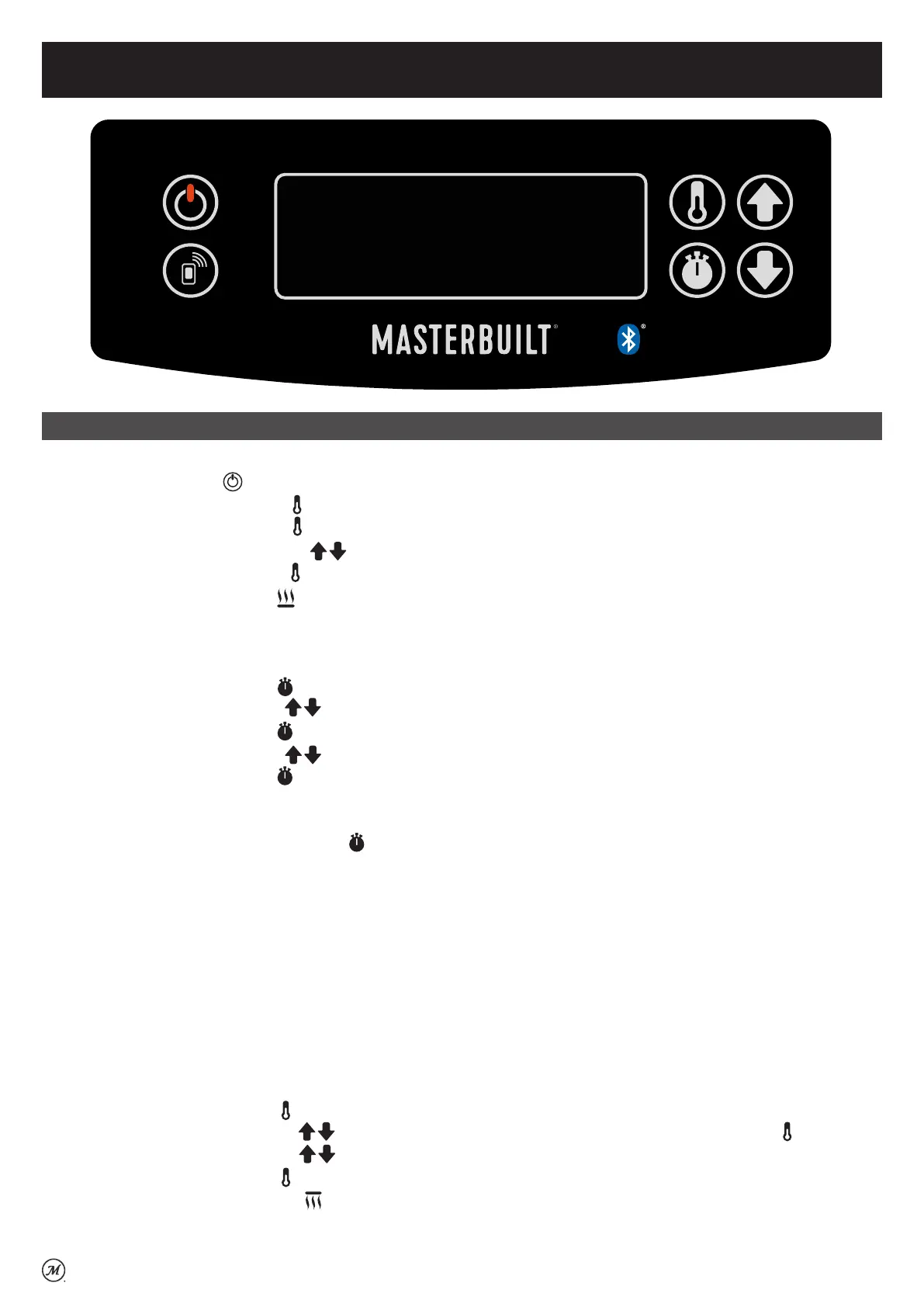
CONTROL PANEL
Operating Instructions
To set temperature for smoking:
• Press ON/OFF button . LED will display temperature/meat probe/time in sequence.
• Press the SET TEMP button once. LED will display boTM (bottom element).
• Press the SET TEMP button again to select the bottom element.
• Press the UP or DOWN arrows to select temperature. The maximum temperature setting is 135°C.
• Press the SET TEMP button again to lock in the temperature.
• The bottom element icon will illuminate to indicate temperature has been set.
To set timer:
• Countdown Timer:
• Press the SET TIME button once-LED display for hours will blink.
• Use the UP or DOWN arrows to set hours.
• Press the SET TIME button again to lock in hours. The minutes LED will start blinking.
• Use the UP or DOWN arrows to set minutes.
• Press the SET TIME button to lock in minutes and start the timer.
• Duration (Count-up) Timer:
• This timer will start counting from 00:00.
• Press and hold the SET TIME button once - LED display will start counting from 00:00.
NOTE: When outside temperature is cooler than 20°C and/or altitude is above 1067m, additional cooking
time may be required. To ensure that meat is completely cooked use a meat thermometer to test internal
temperature or use meat probe, if featured.
Grill + Finish Element:
• The Grill + Finish element provides two unique benefits:
1. Food can be slow-smoked and then positioned under the top broiler element to crisp or caramelise a
sauce.
2. Food can be cooked under the Grill + Finish element quicker than traditional smoking, similar to a
broiler in an oven.
Setting the Grill + Finish element:
• Press the SET TEMP button once. LED will display boTM (bottom element).
• Press the UP or DOWN arrows to select ToP (Grill + Finish element) and press SET TEMP again.
• Press the UP or DOWN arrows to select High/Medium/Low.
• Press the SET TEMP button again to lock in the setting.
• The Grill + Finish element icon will illuminate to indicate temperature has been set.
NOTE: A time does not have to be set. The element will begin heating once the temperature is set.



 To Next Page