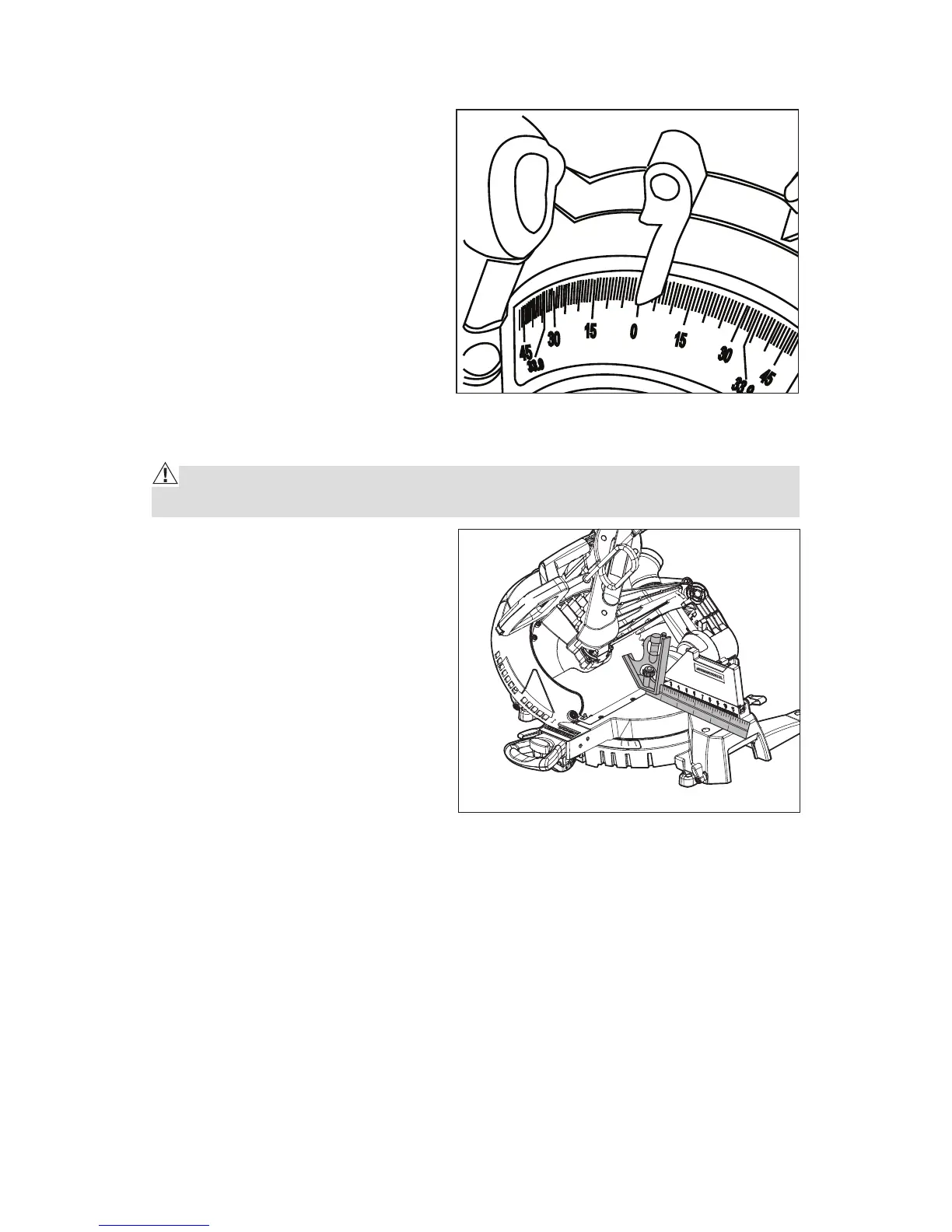
BEVEL ANGLE INDICATOR ADJUSTMENT (Fig. 7) If Necessary
1. Check to see if the bevel angle
indicator is pointing to 0° on the
bevel scale.
2. If the indicator is not on 0°,
loosen the bevel angle indicator
screw, adjust the indicator to
0° on bevel angle scale, and
tighten screw.
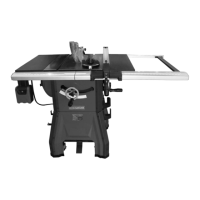
ADJUSTING THE BLADE TO THE MITER TABLE 45° Bevel, 0° MITER (Fig. 8)
WARNING: Failure to unplug your saw could result in accidental starting
causing serious injury.
1. Raise the saw arm.
2. Set the bevel angle scale to 45°.
The miter scale should be on 0°.
Lower and lock the saw arm into
the” DOWN” position.
3. Place a combination square
on the miter table with the rule
against the table and heel of the
square against the saw blade.
NOTE: Be sure to rest the square
against the body of the blade and
not against the teeth of the blade.
4. If the blade is not 45° square with the miter table, perform steps 5 through 7.
5. Loosen the 45°lock nuts by hex wrench.
Fig. 7
Fig. 8
Blade 45° Square to Miter Table



 To Next Page