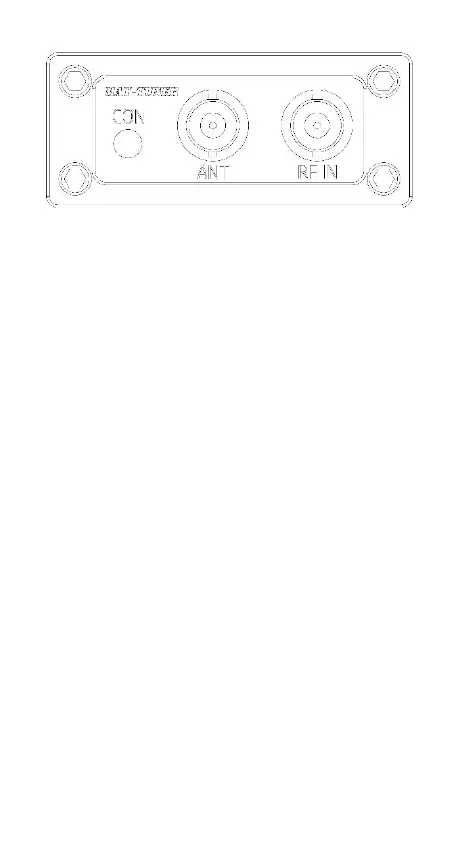
Rear Panel
CON: Connect to the "TUNER" socket of the transmitter
through the attached control cable.
ANT: Connect the coaxial cable to the antenna.
RF IN: Connect to the "ANT" socket of the transmitter
through a 50 ohm coaxial cable.
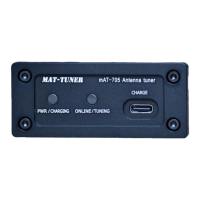
Charge
☆Two built-in 10440 lithium batteries, 3.7V, 350mAh.
☆TYPE-C USB charging cable.
☆Charging current is 500mA, about 1 hour.
☆Charging voltage is 4.5-5.5V.
☆The "PWR/CHARGE" red indicator light is on while
charging. The red indicator light will go out after the
battery is fully charged.
☆When the tuner is being charged, the "PWR/CHARGE"
indicator flashes red to indicate that the lithium battery has
failed. Please check the lithium battery and replace it if
necessary.
☆The “PWR/CHARGE” green indicator flashes when the
tuner starts, means the tuner’s battery needs to be charged.
Operating
☆The mAT-705 tuner has no mechanical power switch. Its
startup and shutdown are controlled by the IC-705 trans-
mitter, which turns on and off along with the transmitter.
☆Before use, make sure that the control cable and RF
cable are properly connected. Pay attention to whether the
control cable has been inserted in enough places.
★ Turn on the power of the IC-705 transmitter, the
"PWR/CHARGE" of the mAT-705 tuner will auto-
matically light up in green. If this indicator flashes, it
means the tuner needs to be charged.


 To Next Page