08
Use of Interactive Map
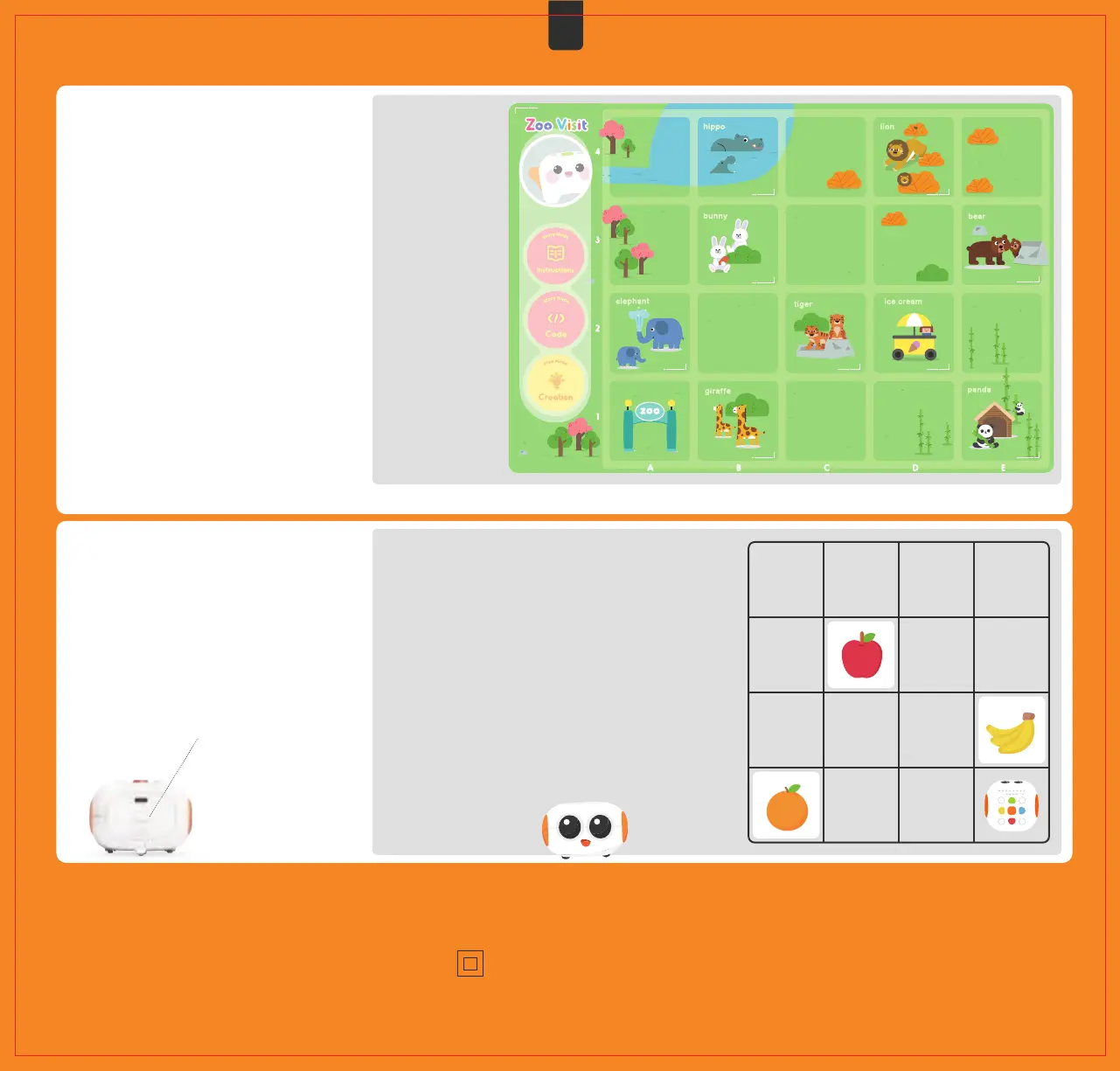
Tale-Bot Pro can recognize a specific map or sticker through the OID sensor at the bottom, so as to realize the interaction and feedback between the robot and the map or sticker.
How to access Interactive Map mode?
Find the interactive game task identification area.
Place the robot in the interactive game task
identification area.
Perform the tasks as per the voice instructions.
How to exit Interactive Map?
To exit Interactive Themed Map mode, simply press the
Power button of the robot!
Interactive game
task identification
area
When Tale-Bot Pro passes
the banana, it will
automatically say “banana”.
Simply turn off the robot
to exit the Interactive
Themed Map mode.
Affix Interactive stickers on a normal map, and see what would
happen when Tale-Bot Pro passes these cards or stickers?
09 Charging Instructions
Tale-Bot Pro will sound an alarm when its battery level is less than 15%. Charge it immediately.
Use a 5V/2A power adapter to charge the robot.
None of the robot’s functions are available while charging.
This product is only to be connected to equipment bearing the following symbol:
EN
10



 To Next Page