17
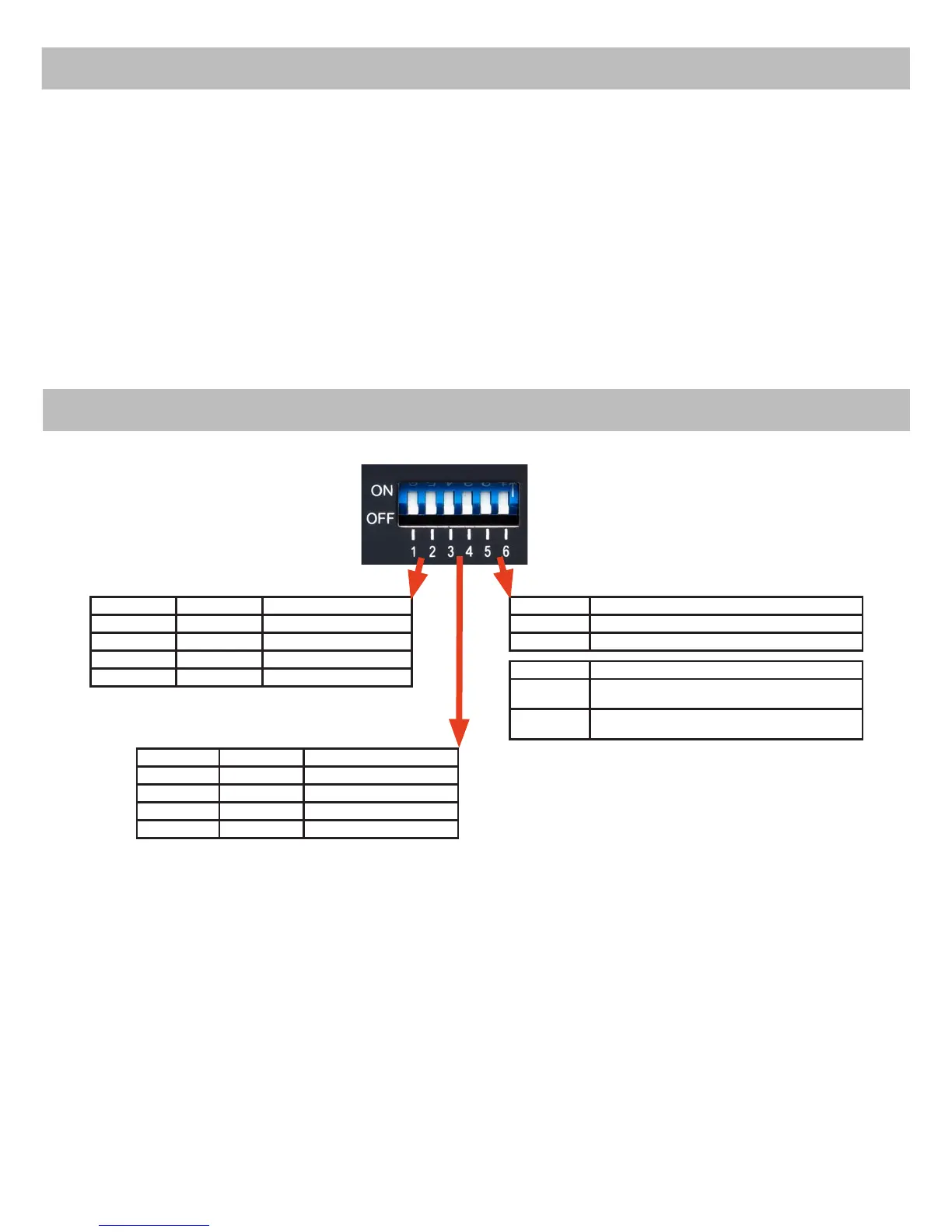
MODE Switches
Switch no. 1 Switch no. 2 Amplier overall gain
OFF OFF 0 dB
ON OFF - 4 dB
OFF ON + 2 dB
ON ON - 2 dB
Switch no. 3 Switch no. 4 Subwoofer gain
OFF OFF 0 dB
ON OFF - 4 dB
OFF ON + 2 dB
ON ON - 2 dB
Switch no. 6 remote control URC 2A
OFF remote control deactivated
ON remote control activated
Switch no. 5 Mode switch URC 2A
OFF
Mode switch on remote control bypasses
MATCH sound optimization if pressed
ON
Mode switch on tremote control activates AUX
input if pressed
Affects all eight output channels!
MODE Switch no. 5 has no function if remote control is
deactivated via MODE switch no.6
Please note:
It is possible to deactivate / reactivate both Mode swit-
ches no.5 and 6 via the PC-tool software.
Only affects subwoofer channels!
optional remote control URC 2A as “setup switch”
as well.
Notice: Firmware and software updates are availa-
ble on our website www.audiotec-scher.com
The PC tool software will automatically install the
latest rmware on the last selected memory location
if your device is not up-to-date.
Important: Car-specic setups of other MATCH
ampliers (e.g. PP 50DSP / PP 52DSP) can not be
used for the PP 82DSP!
But it is possible to upload “.afp“-les of a PP50
DSP to the PP 82DSP via the PC tool software. This
is only a compatibility mode and all adjustments
should be checked carefully after using a PP50
DSP afp-le.



 To Next Page