Rev. Descrizione Redatto/Gestito Approvato Cod.Ident. Pagine Data Em.
0.6 Manuale Istruzioni GN UTEC B041.M01.EN 35/47 07/2014
Results
21.
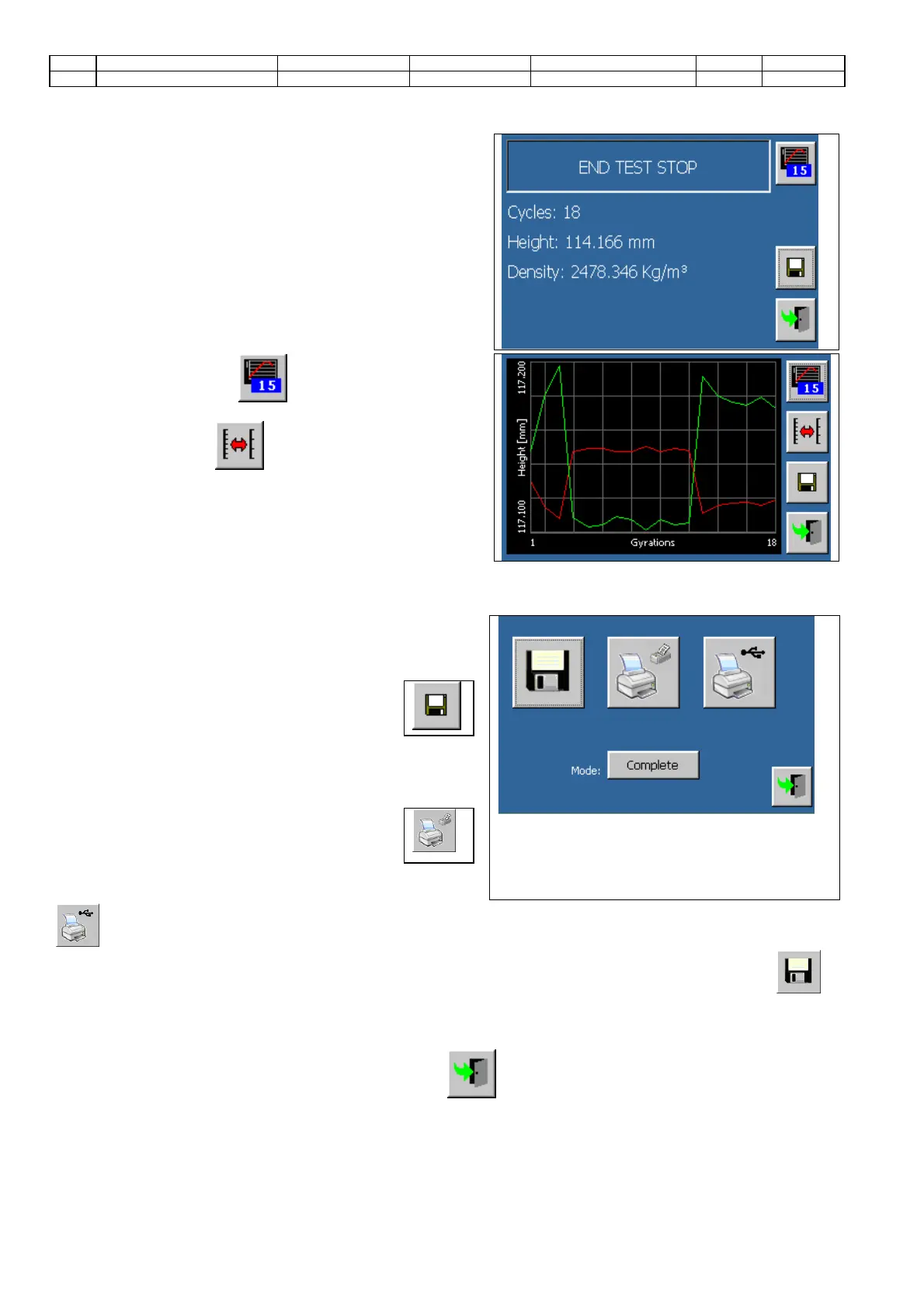
Test results screen will be displayed automatically at the
end of the compaction phase (numeric visualization).
22. Touch the button to
alternate the numeric
visualization with the graphic one, and vice versa.
23.
Touch the button to alternate on the y-axis the
visualization of the scale of the three lines.
Data storage and print
24.
Press the button to enter the screen that
allows the operator to store and print the
compaction results
25. Select the print mode (partial: numeric values only –
complete: numeric values and graphs). The print mode
does not have any importance when the results are
printed through an USB printer (PC compatible).
26. Press the button to print the test results
through the thermic printer (if assembled on
the machine).
27.
Check that a printer (PCL compatible) is connected to the
machine and press the button
to print the test results through the USB printer.
28. Check that a memory device has been inserted into the appropriate slot (SD-Card,
Pen drive) and press the button to save the test data. Test results will be saved on the SD-
Card or on the
Pen-Drive (the first device has the priority over the second one).
The file will be named with the “test description” name (previously set in the first screen of the parameters
section), and will include the compaction test date and time.
Close the storage and print screen touching the icon .


 To Next Page