Hydrogen Generator NM Series 2 User’s Manual
12
Function buttons
The functions of these buttons depend on the place in the Menu tree.
The actual function is displayed just above each button. Fig.13
Start button
Pushing this button will start the hydrogen production.
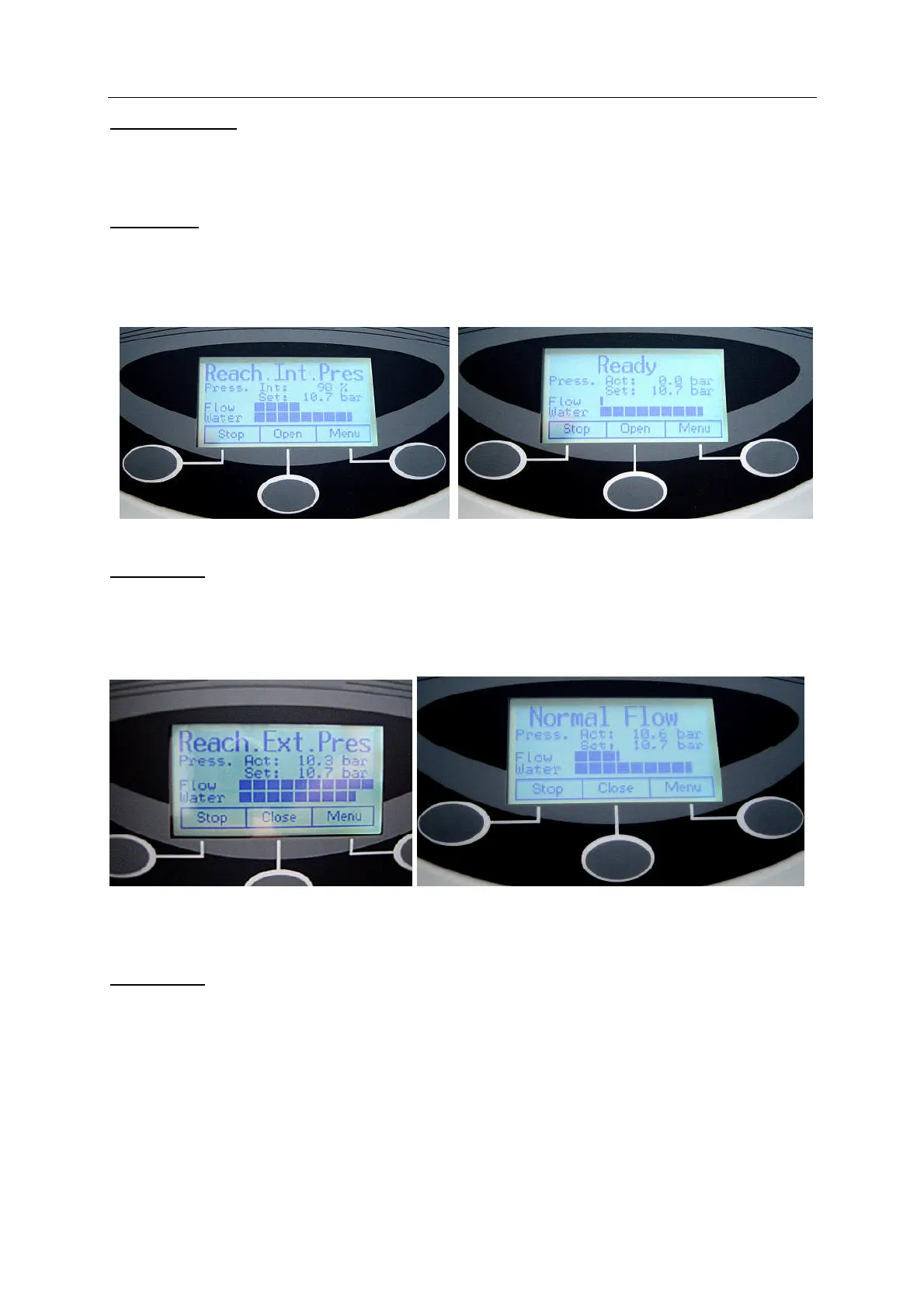
The display will show “Reaching Int. Pressure” Additionally the percentage of internal pres-
sure reached will be displayed.(Fig.14).
When the final internal pressure is reached (11 bar /160 PSI), the display will show “Ready”.
Fig.15
Fig.14 Fig.15
Open button
This function will appear after the generator has been started. When this button is pushed
the proportional valve slowly opens, in order to reach the external pressure, as defined in the
“Pressure Adjust” Menu. The display shows “Reach Ext. Press (”Fig.16).
When the button is pushed before the internal pressure has been reached, it will flash, and
the valve will start to open as soon as the internal pressure has been reached.
Fig.16 Fig.17
Note : The proportional valve may need up to two minutes to build up the adjusted
pressure.
Menu button
With this buttons the user can enter the Menu tree.


 To Next Page