SETU VTEP configuration guide for Elastix Page | 18
E1 to SIP Routing Configuration in SETU VTEP
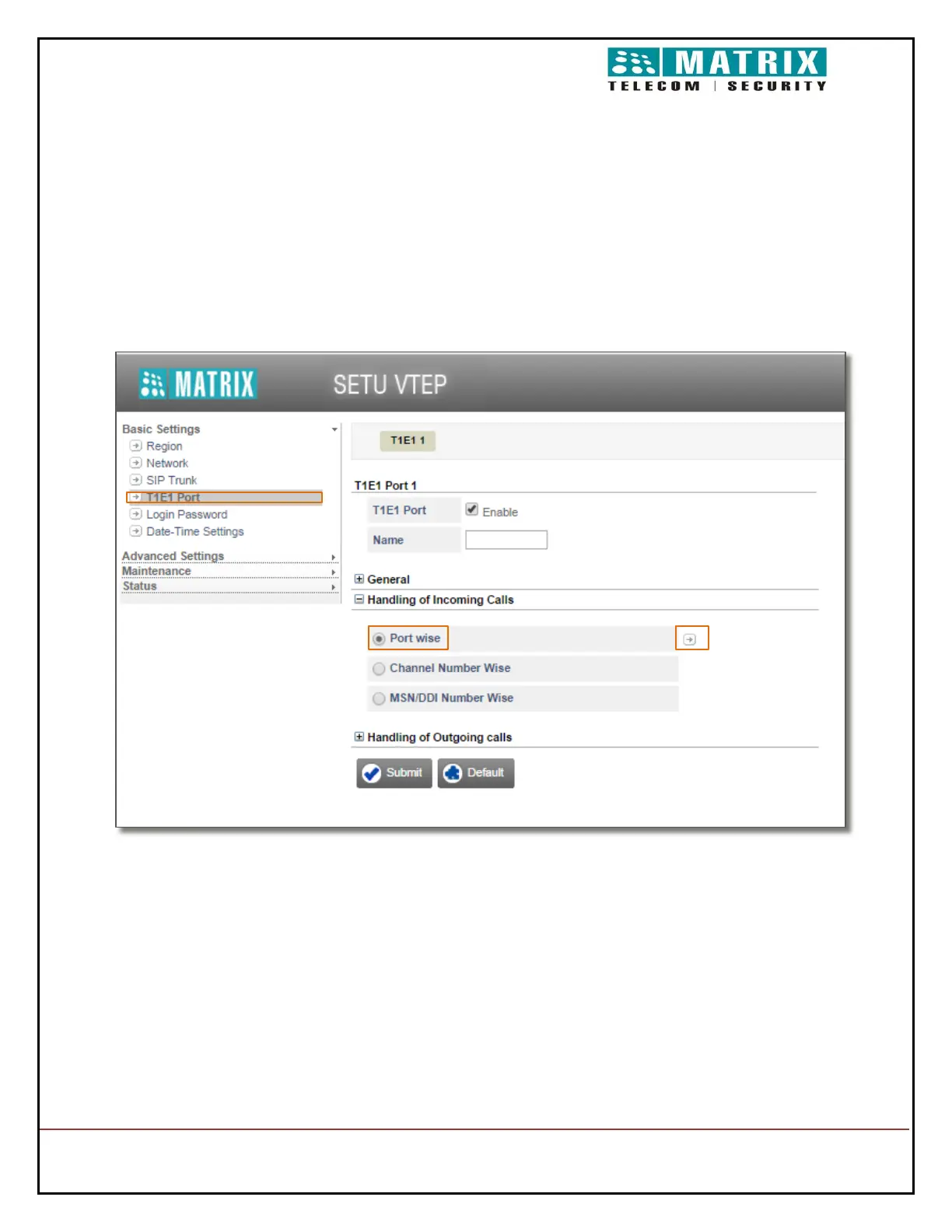
Under Basic Settings on the left navigation bar, click the T1E1 Port. The T1E1
parameters page opens.
Click Handling of Outgoing Calls to expand.
Select Radio button Port Wise
Click arrow beside Port Wise. A new window will open
In Route all Incoming calls( with CLI & without CLI ) option configure to the called party
number
In Select Destination for Routing Calls Configure Fixed
Click on Submit and Close


 To Next Page