SETU VTEP configuration guide for Elastix Page | 9
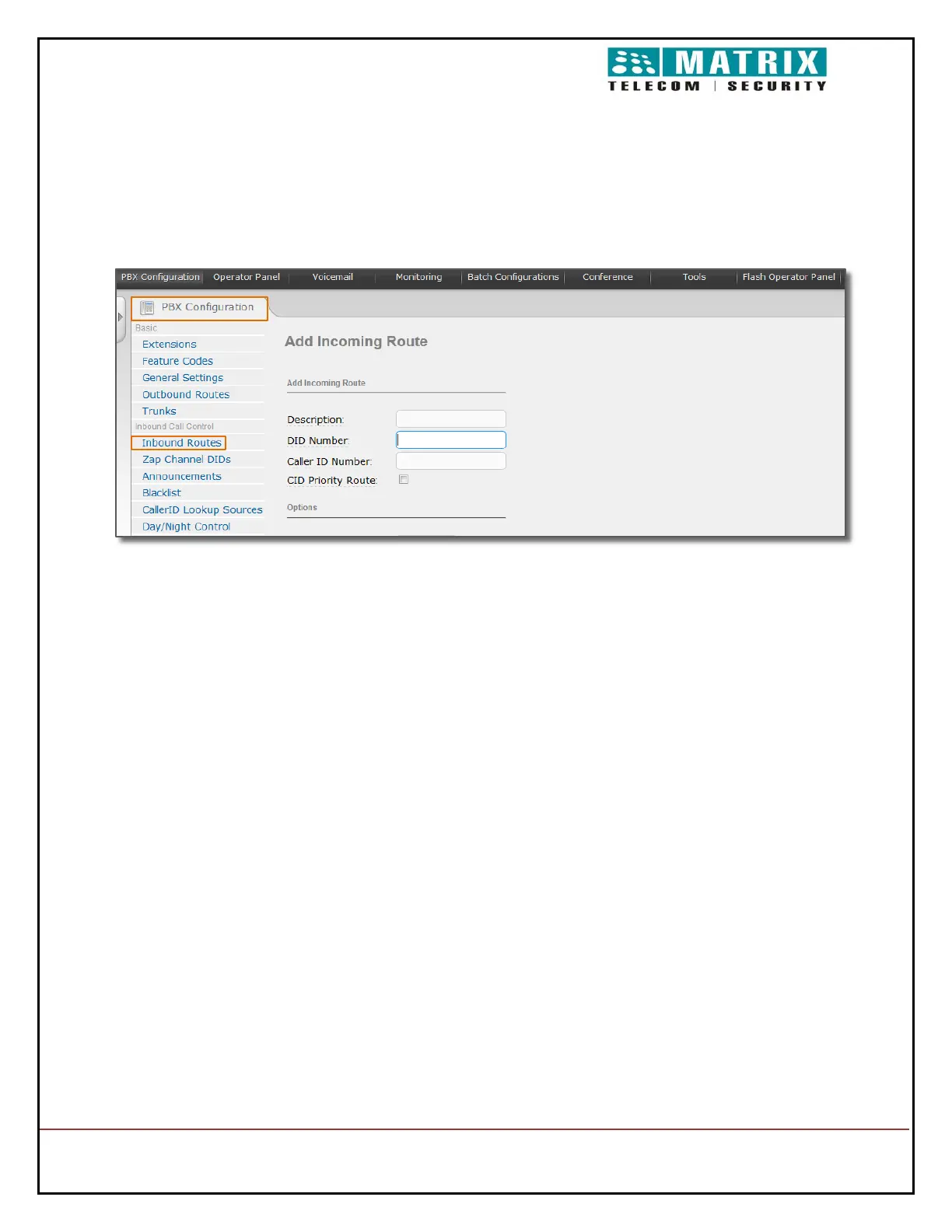
Incoming Call Configuration in Elastix:
Open PBX Configuration. Click on Inbound Routes
Configure Description field as name of Incoming route. (In this example it is configured
as Incoming_VTEP )
Set Destination for Incoming call Router ( selected 7700 extension in Example)
Click on Submit
Click on Apply Configuration Changes Here.


 To Next Page