124
10.8 NETPULSE & AM SETTING UP SOP
CHAPTER 10: TREADMILL SPECIFICATIONS AND ASSEMBLY GUIDE
PleaseseetheMerakiMRinstallationguide(Section4)foradditionaldetailsonmountingtheaccesspointtodifferentxtures.
http://docs.meraki.com/download/attachments/8519767/meraki_setup_MR24.pdf?version=1&modicationDate=1349988446756
STEP 4 -
After all the APs are up and running, perform a post installation coverage check. There are many free tools that can be loaded onto a
laptop that will allow you to check your RSSI (received signal strength intensity) values. InSSIDer is one such program, available on Metageek.
Withthisprogram,oranothersimilarprograminstalledonalaptoporsmartphone,checktheRSSIvaluesaroundthetnessequipment.Look
forvaluesthataregreaterthan-70dBm.Ifthesignalstrengthissignicantlylowerthanthisvalue(-75dBmorless),considerinstallingadditional
access points.
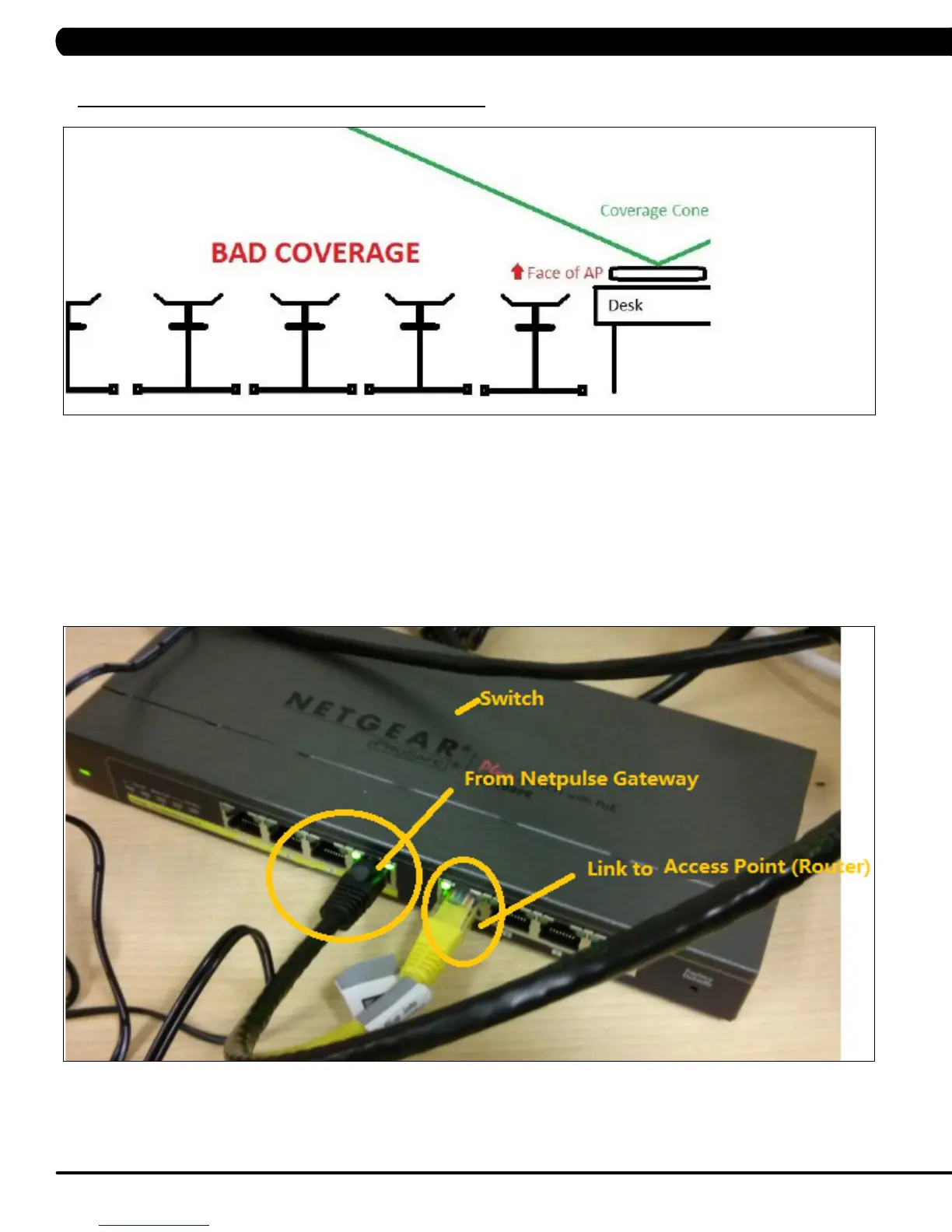
EXAMPLE 3 - IMPROPER INSTALLATION



 To Next Page