15
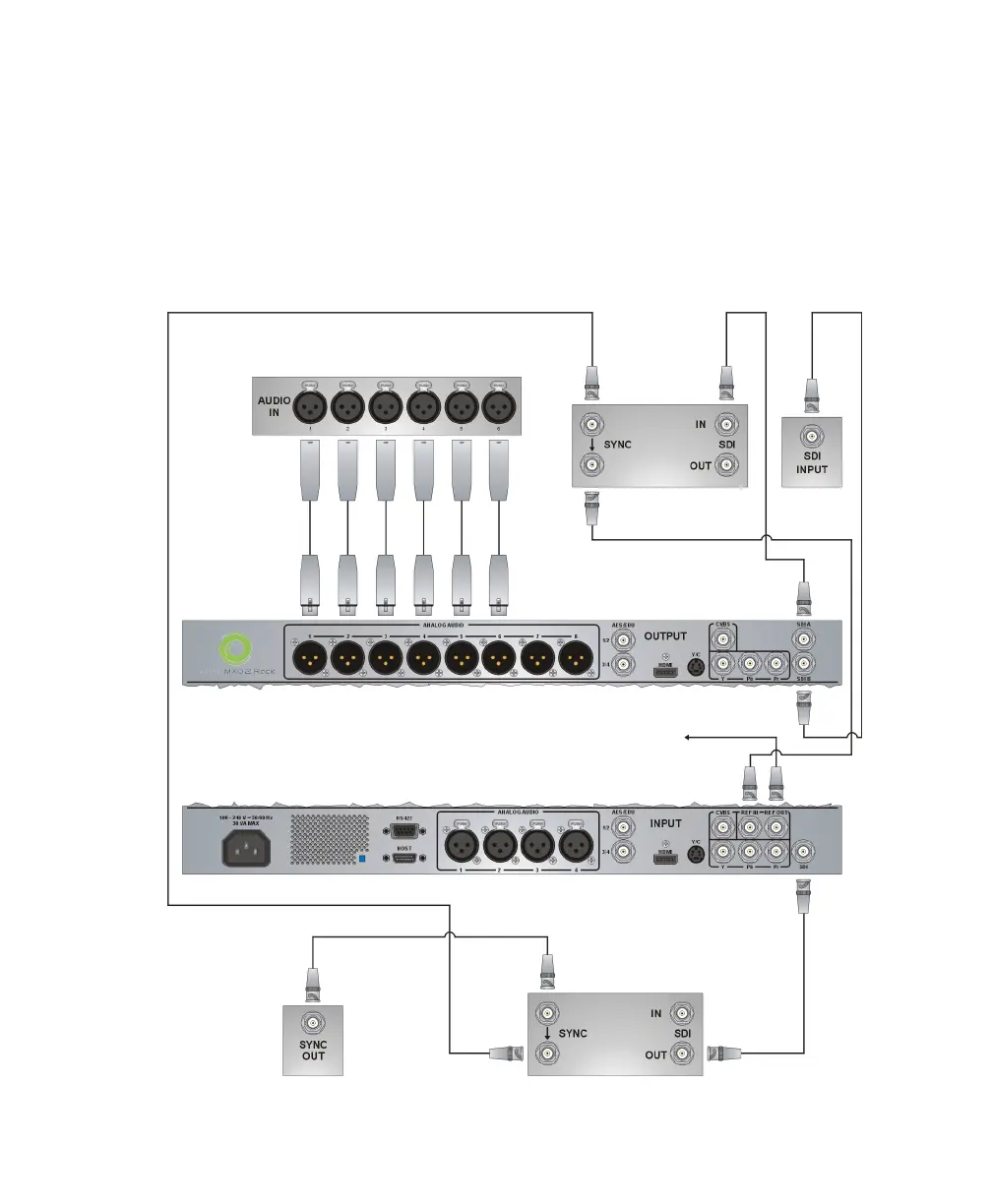
Typical MXO2 Rack digital video connections
Typical MXO2 Rack digital video connections
In the following illustration, we’ve connected a video monitor to view the signal that
will be recorded, and separate source and record decks. You may, however, use the
same deck as both your source and record device by making the input and output
connections to a single deck. We’re using SDI connectors for video and audio, and
monitoring the audio on a surround sound speaker system through XLR connectors.
The video is genlocked using a tri-level sync generator.
Recorder
(Deck 2)
Video
monitor
Surround sound
speaker system
Source
(Deck 1)
Tri-level
sync
generator
MXO2 Rack (partial view)
MXO2 Rack (partial view)
To another device’s
reference input. If not used,
terminate the signal with a
BNC 75-ohm terminator.



 To Next Page