EasyManua.ls Logo

Matsui DMZ-80 - User Manual

Matsui DMZ-80
31 pages
Print Icon
To Next Page IconTo Next Page
Loading...
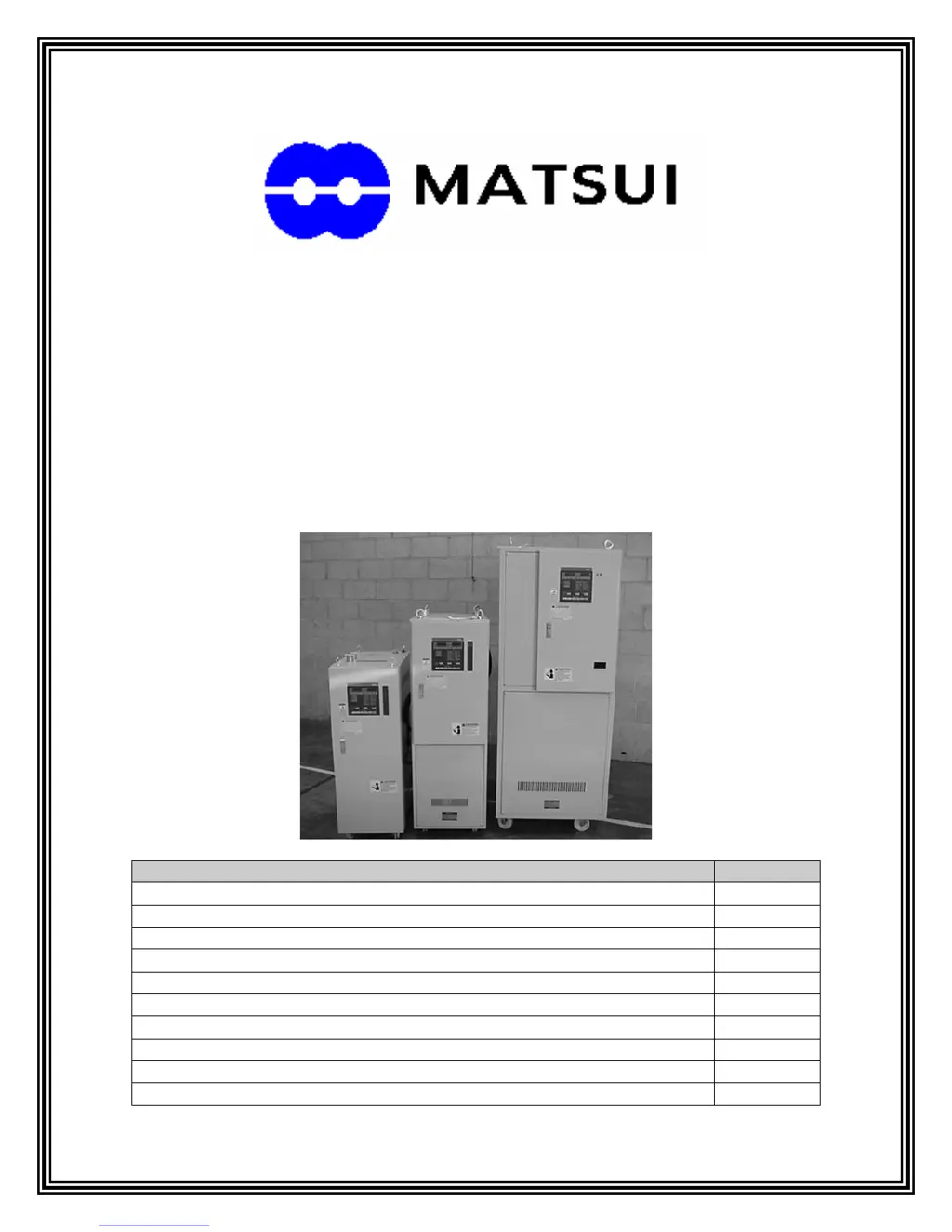
SERVICE MANUAL
MAINTENANCE AND TROUBLESHOOTING
GUIDE
FOR MATSUI DMZ DRYERS
Phone (847)290-9680 Fax (847) 290-9685 www.matsuiamerica.com
ITEM: PAGE:
INTRODUCTION 2
NOMENCLATURE 2-3
DAILY MAINTENANCE SCHEDULE 4
MONTHLY MAINTENANCE SCHEDULE 4
6 MONTH MAINTENANCE SCHEDULE 4
MAINTENANCE DESCRIPTIONS AND DIRECTIONS 5-12
ALARMS 13-18
TROUBLESHOOTING 19-22
FREQUENTLY ASKED SERVICE QUESTIONS 23-25
COMMON SPARE PARTS 26

Questions and Answers

  • X
    xmartinAug 13, 2025
    How to fix a Matsui DMZ-80 Dryer when the blower does not turn on?
    • K
      Kenneth LopezAug 13, 2025
      If the blower in your Matsui Dryer doesn't turn on, there are several things you can check. First, ensure the disconnect or breaker is turned on. Then, inspect the fuse and replace it if necessary, and verify all power connections are secure. Also, make sure that no value is entered in the 'TIMER' mode. Check the contactor coil for 100V; if present, replace the magnetic contactor. If there's no voltage, it's best to contact Matsui Service. Try resetting the overload. Follow the Maintenance Instructions to check the contactor; if it's fine, replace the overload relay. Finally, check for any loose or shorted wires.
  • T
    Tommy JohnsonAug 16, 2025
    What to do if the drying temperature highest or lowest alarm in Matsui Dryer?
    • J
      John WilcoxAug 16, 2025
      If the drying temperature in your Matsui Dryer is alarming high or low, first allow the dryer to complete its warm-up cycle and let the temperature stabilize. You should also install new filters. Check and correct any voltage problems. Address the issue by replacing the contactor or repairing the blower. Finally, replace or adjust the thermocouple.
  • M
    Madeline DavisAug 20, 2025
    Why does the blower overload relay trip in my Matsui DMZ-80 Dryer?
    • S
      Sabrina LopezAug 20, 2025
      If the blower overload relay trips in your Matsui Dryer, first check the corresponding blower for the proper amp setting and reset it. Also, check for any obstructions inside the blower and clear them. If the problem persists, replace the contactor and reset the overload relay.
  • J
    justinbarrAug 25, 2025
    What to do if the moisture content of resin does not go down in Matsui DMZ-80 Dryer?
    • M
      Mr. Keith HolmesAug 25, 2025
      If the moisture content of the resin in your Matsui Dryer isn't decreasing, increase the temperature to a minimum of 130°F (55° C). Install new filters. Ensure the strainer is clean and the water is turned on. Replace hoses with the proper type. Finally, inspect and replace components following the directions in the Maintenance section.
  • J
    jay03Aug 27, 2025
    Why drying temperature does not go up or down in Matsui Dryer?
    • T
      tmitchellAug 27, 2025
      If the drying temperature in your Matsui Dryer isn't changing, check the voltage at the coil of the contactor and the output of the controller for proper operation. Replace the contactor or service the controller as needed. Inspect the thermocouple wiring and replace the thermocouple if defective. Also, replace hoses with the proper type.
  • V
    valerieboyerAug 31, 2025
    Why drying temperature changes rapidly in Matsui DMZ-80 Dryer?
    • K
      Keith MarshallAug 31, 2025
      If the drying temperature in your Matsui Dryer changes rapidly, install new filters. Replace or adjust the thermocouple. Also, correct the thermocouple polarity.
  • J
    Jesse McleanSep 4, 2025
    How to increase blower airflow in Matsui DMZ-80 Dryer?
    • S
      Sarah MitchellSep 4, 2025
      To address low blower airflow in your Matsui Dryer, start by installing new filters. Replace any incorrect hoses with the proper type. Also, remove the intake and exhaust ports from the blower and clear any plugs or clogs.
  • A
    andrew37Sep 8, 2025
    What to do if PV or SV indicator does not display on Matsui DMZ-80 Dryer?
    • J
      joelchangSep 8, 2025
      If the PV or SV indicator on your Matsui Dryer isn't displaying, first, turn on the power supply. If that doesn't work, check the glass fuse (F-1) inside the control panel and replace it if necessary.

Summary

Introduction

Nomenclature

Desiccant Rotor

The heart of the DMZ dryer, responsible for absorption and regeneration cycles.

Regeneration

Process of drying absorbed moisture using heated air and a blower.

Process

Heated air flowing over plastic pellets in the drying hopper for moisture removal.

Aftercooler

Cools moist process air before the desiccant rotor, condenses gases.

Thermocouple

Measures air temperature for regeneration and process heaters.

Magnetic Contactors

Switches that turn heaters and blowers on/off based on controller commands.

Maintenance Schedules

Daily Maintenance

Procedures for daily checks of filters, temperatures, and hoses.

Monthly Maintenance

Procedures for monthly checks including filters, temperatures, and contactors.

Six Month Maintenance

Procedures for semi-annual checks and replacements of filters and strainers.

Maintenance Descriptions and Directions

Regeneration Filter

Description and location of the regeneration filter and cleaning instructions.

Process Filter

Description and location of the process filter and cleaning instructions.

Regeneration Temperature

Checking and setting the optimal regeneration temperature for the desiccant rotor.

Process Temperature

Monitoring and ensuring the correct drying air temperature in the hopper.

Thermocouple on Drying Hopper

Checking thermocouple damage, adjustment, and impact on drying.

Drying Hoses

Inspecting drying hoses for cuts, abrasions, or kinks that impede airflow.

Aftercooler Water Supply

Checking water flow to the aftercooler and cleaning the strainer.

Magnetic Heater Contactors

Checking heater contactor operation via voltage and resistance tests.

Magnetic Blower Contactors

Checking blower contactor operation similar to heater contactors.

Regeneration Heater

Checking regeneration heater resistance for proper operation.

Process Heater

Checking process heater resistance for proper operation.

Desiccant Rotor Operation

Checking desiccant rotor operation and adjustment for DMZ-40 models.

Rotor Spring Tension

Adjusting tension springs on the desiccant rotor top cover for proper fit.

Cabinet Interior

Cleaning dust and debris from inside the dryer for optimal performance.

Desiccant Rotor Disassembly

Procedure for safely disassembling the desiccant rotor for inspection or cleaning.

Rotor Inspection and Reassembly

Inspect rotor, covers, and spacers, then reassemble following steps.

Alarms

Reverse

Indicates a problem with the incoming power supply phase.

Overload

Indicates high amperage draw from blowers or heaters, tripping thermal relay.

Filter

Optional alarm for clogged filters; may require sensor adjustment.

Sensor

Sounds if a thermocouple becomes disconnected or damaged.

HEST (Highest Alarm)

Triggers when drying air temperature exceeds set process temp plus highest setting.

LEST (Lowest Alarm)

Triggers when drying air temperature drops below set process temp minus lowest setting.

Overheat

Triggered by overheat sensor when heat is higher than set value.

Heater (MR-2200 only)

Activates if a defect is sensed in the process or regeneration heaters.

Material Low

Optional alarm for low material level in the hopper.

Dew Point

This alarm is not used and will not light.

Troubleshooting

Blower Issues

Troubleshooting steps for blower not turning on or tripping overload.

Drying Temperature Issues

Diagnosing rapid changes or highest/lowest alarm for drying temperature.

Inadequate Drying

Troubleshooting steps for low drying temperature or high moisture content.

Temperature Controller Display

Diagnosing issues where PV or SV indicators do not display.

Frequently Asked Service Questions

High Dew Point; Wet Plastic

Common causes for high dew point and wet plastic material.

Smoke from Regeneration Exhaust

Reasons for smoke appearing from the regeneration exhaust port.

Dryer Temperature Limit

Explanation for dryer not reaching temperatures below 128°F.

Black Dust Under Contactors

Cause of black dust accumulation under heater contactors.

Matsui Filter vs. Car Filter

Explanation of why specific Matsui filters are necessary.

Desiccant Replacement Interval

Information on the lifespan of the desiccant rotor.

Dew Point Meter Installation

Reason for installing dew point meter on supply air.

Common Spare Parts

Matsui DMZ-80 Specifications

General IconGeneral
BrandMatsui
ModelDMZ-80
CategoryDryer
LanguageEnglish

Related product manuals