1
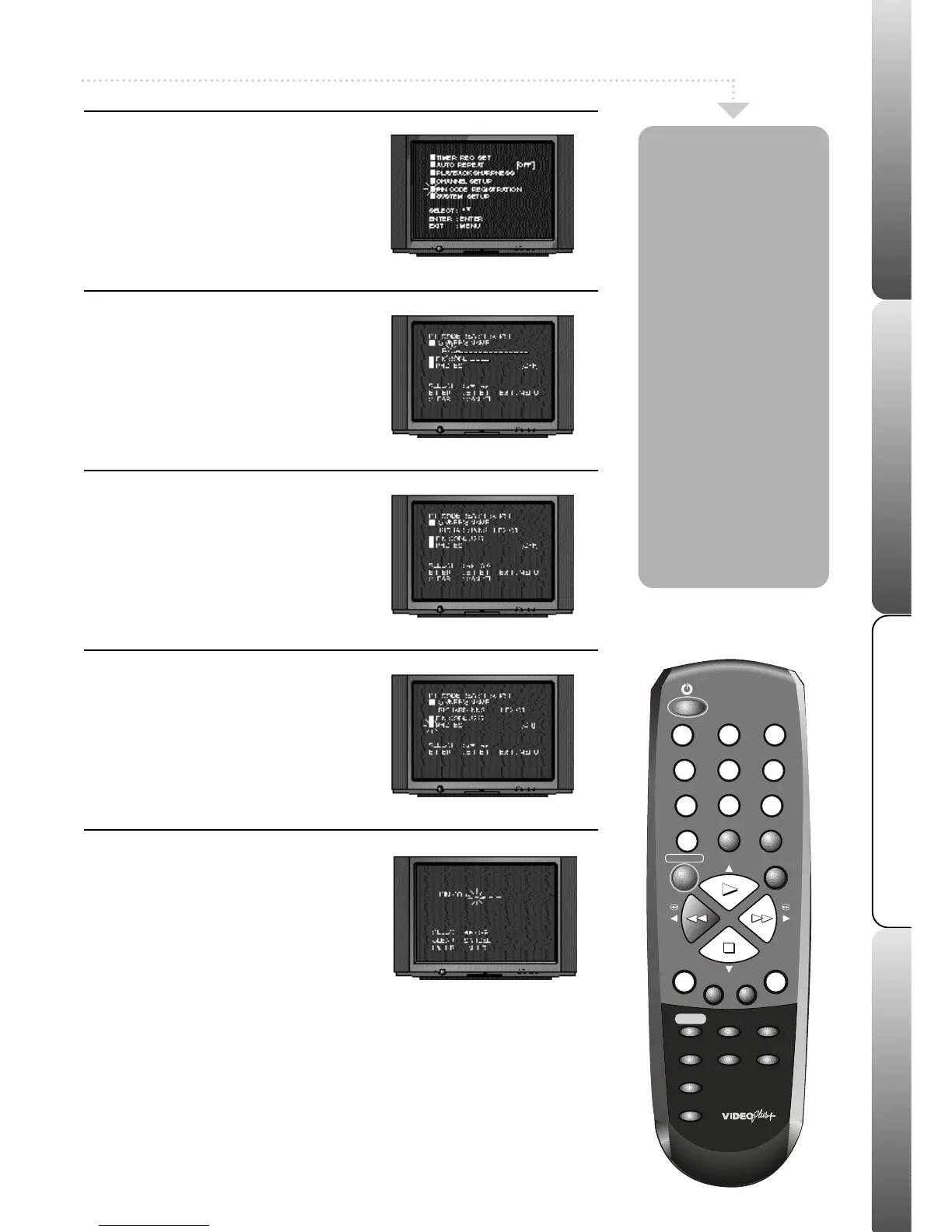
Select Pin Code
Press MENU; the main menu will appear.
Press PLAY or STOP to highlight PIN
CODE REGISTRATION.
Press ENTER; the pin code registration
screen will appear.
2
Enter Owners Name
Press ENTER to set the owners name. Press
PLAY or STOP until the desired letter is
displayed.Store the letter by pressing
F.FWD. You can enter up to 20 letters.
Press ENTER to store your OWNER’S
NAME.
3
Enter a Pin Code
Press PLAY or STOP to select PIN CODE,
then press ENTER.
Press the numbered buttons on the remote
control to enter a PIN code.
Your PIN code
can be a combination of any 4 digits.
Press
ENTER to store your PIN code.
4
Set Protection ON
Press PLAY or STOP to select PROTECT.
Press ENTER to select ON.
Press MENU twice to exit the menu, the
security protection is now on.
To switch protection off select OFF from the Pin
Code Registration menu.
5
Entering your Pin Code
After a power failure or after the VCR has
been unplugged from the mains for longer
than 30 minutes, the PIN code screen will
appear when you switch your VCR on.
Enter your PIN code using the numbered
buttons on the remote control, then press
ENTER. If you enter the correct PIN code,
“PIN CODE OK” will appear and you can
now use your VCR. If you entered an
incorrect PIN code, “ PIN CODE ERROR”
will appear and you can try to enter the
correct code again. If you enter an
incorrect PIN code more than 3 times your
VCR will lock itself and you will not be able
to use it. To unlock the VCR you must
unplug the VCR from the Mains supply for a
further 30 minutes, then plug the VCR back
in and enter the correct PIN code.
In an effort to fight
crime, we have equipped
your VCR with security
protection. When switched
ON you have to enter a PIN
code after your VCR has
been unplugged from the
mains for approximately
half an hour or longer.
You MUST write down your
PIN code and keep it in a
safe place.
The PIN code protection will
only work if your VCR is
unplugged from the mains
supply for approximately half
an hour or longer.
If your VCR needs to be
serviced, make sure that the
security protection is set to OFF,
otherwise you will be charged
for re-setting the feature.
PLEASE NOTE:
In the event of losing your PIN
code you will be charged by
Mastercare to reset your VCR.
11


 To Next Page
 Loading...
