z In order for the VIDEO Plus+ system to
work correctly your TV Station must be
in the positions in the table opposite.
z Only follow the guidance on these
pages if the order is different.
z See page 5 for more details on VIDEO
Plus+.
Advanced features Help & specificationRecordingBasic VCR features
1
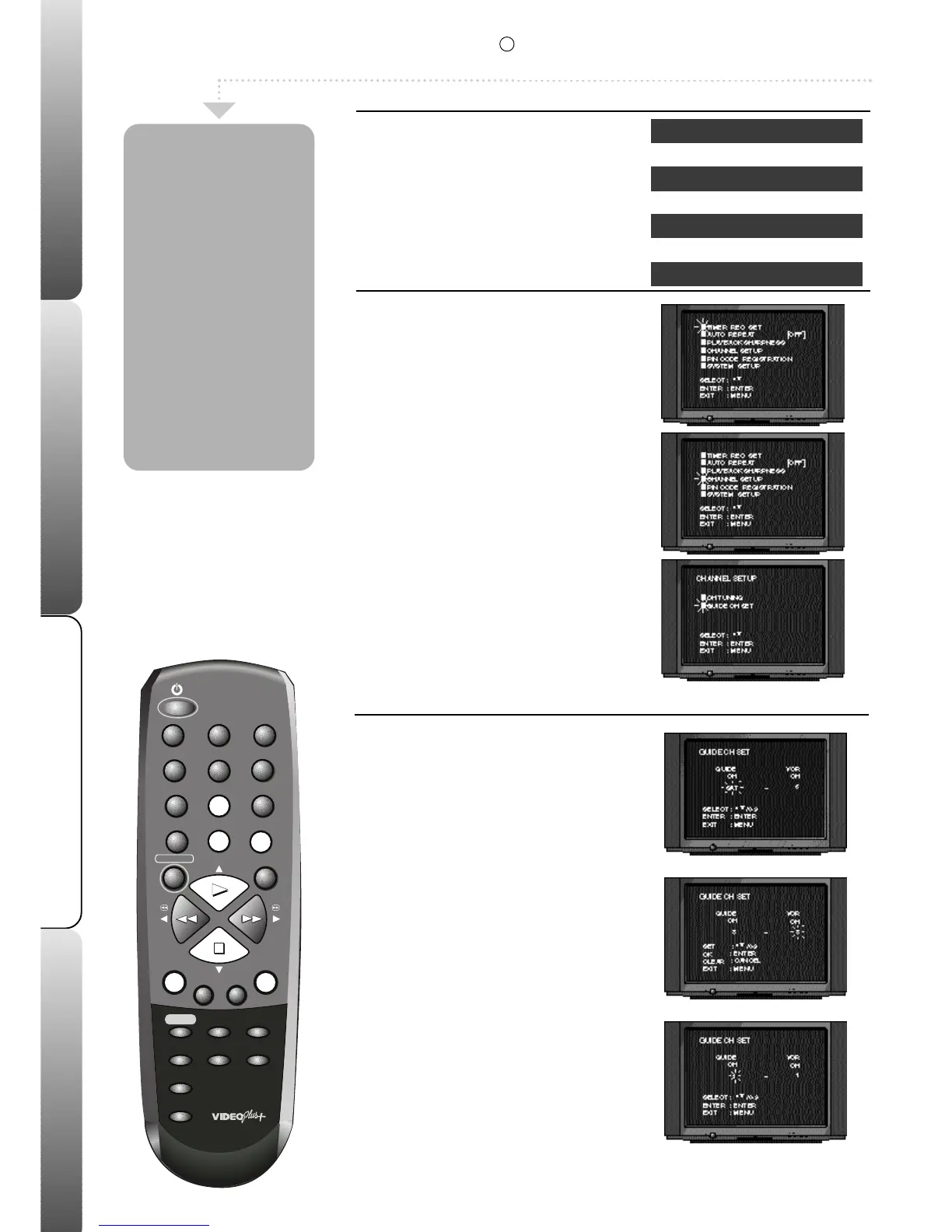
Select the MAIN menu
In the following example the Satellite
channel has been incorrectly stored in
channel 8 in the VCR.
Press MENU; the main menu will appear.
Press PLAY or STOP to select CHANNEL
SETUP.
Press ENTER.
Press PLAY or STOP to select GUIDE CH
SET.
Press ENTER.
2
Select the GUIDE CH
Press PLAY or STOP until 'SAT' flashes
under 'GUIDE CH'.
This indicates the Satellite.
Press ENTER.
Press NUMBERED button 8 to enter a
number 8 underneath 'VCR CH'.
This tells your VCR that the Satellite has been
stored in channel 8.
Press ENTER to store the new setting.
If you have connected your satellite using the
SCART socket you must select AV underneath
'VCR CH'.
Repeat stage 2 to adjust any other
channels.
Press MENU three times to remove the
menu.
Before VIDEO
Plus+ recordings
will work properly
BBC1 must be
stored in
channel 1, BBC2 in
channel 2, ITV in
channel 3 etc. If
your order is
different or you
are having
problems with
VIDEO Plus+
recordings, follow
the instructions on
this page.
Checking VIDEO Plus+
VCR Channel Station
1 BBC1
2 BBC2
3 ITV
4 Channel 4
5 Channel 5
6 Decoder (if fitted)
10
R
Set-Up
This feature is only available on certain models.



 To Next Page