- Name
Displays the name of the selected program.
- Description
Displays a short description of the selected program.
- Timer Type
• Select Zap for channel tuning reservation.
• Select Record for recording reservation.
- Repeat Type
• Select Once for one time of zapping or recording reservation.
• Select Repeated for repeated zapping or recording reservation.
• Repeats - This option is given only when you selected “Repeated” in the Repeat Type. You can reserve zapping or recording
per Daily / Weekly / Mon-Fri / User-defined.
- Date
Displays the current date. This entry is on when you selected “Repeat Type” as “once“.
- Start Time
You can set the time to begin recording or zapping.
- End Time
You can set the time to stop recording or zapping.
- Channel
This entry allows you to change the channel. Press LEFT/RIGHT key to call up Channel Selection menu. You can select a different
channel from this list using this option. To return to Timer entry menu, press EXIT.
15
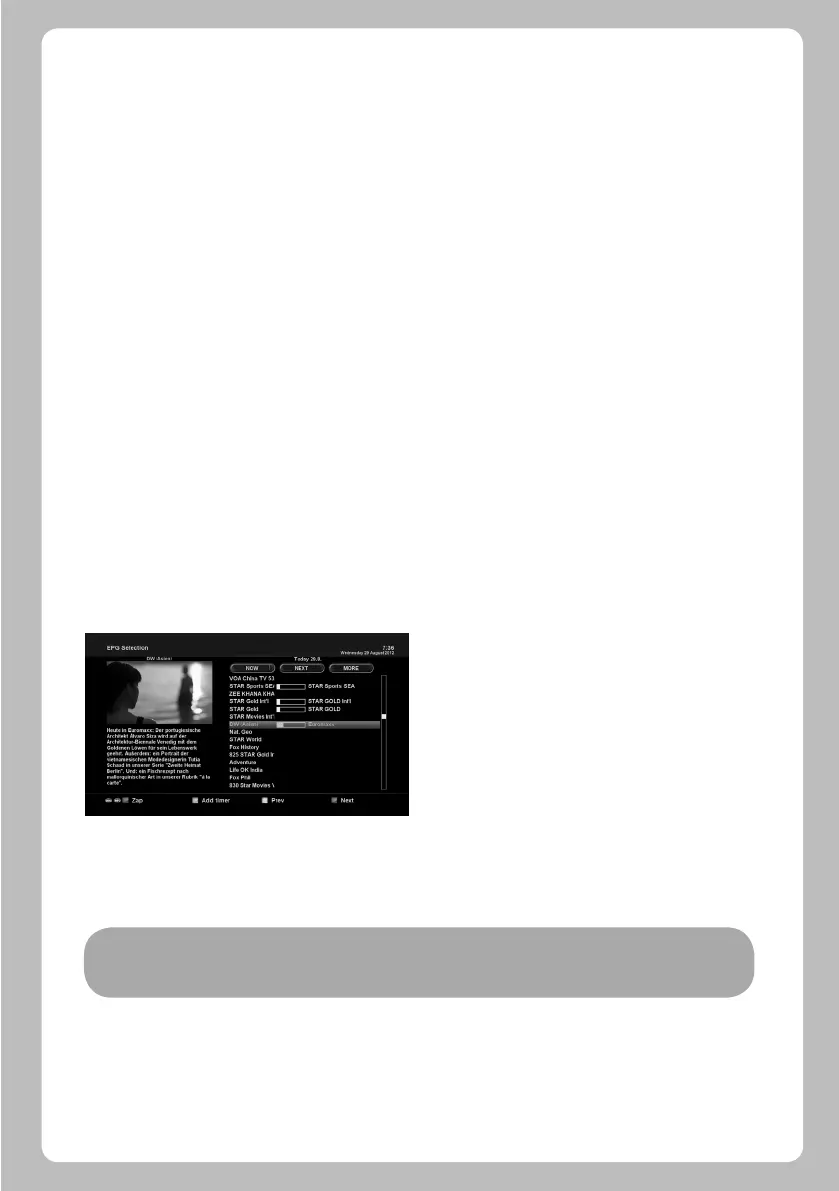
• Multi EPG
NOTE: Not all channels provide EPG information and thus in case of no EPG data, nothing will be displayed except for
the channel name.
- You can move the previous or next program within the same channel by using YELLOW (Previous)/BLUE (Next).
- You can switch to another channel by using UP/DOWN key.
- RED key is used to instantly tune into the selected channel.
- GREEN key is used to reserve recording or zapping of the selected program.


 To Next Page