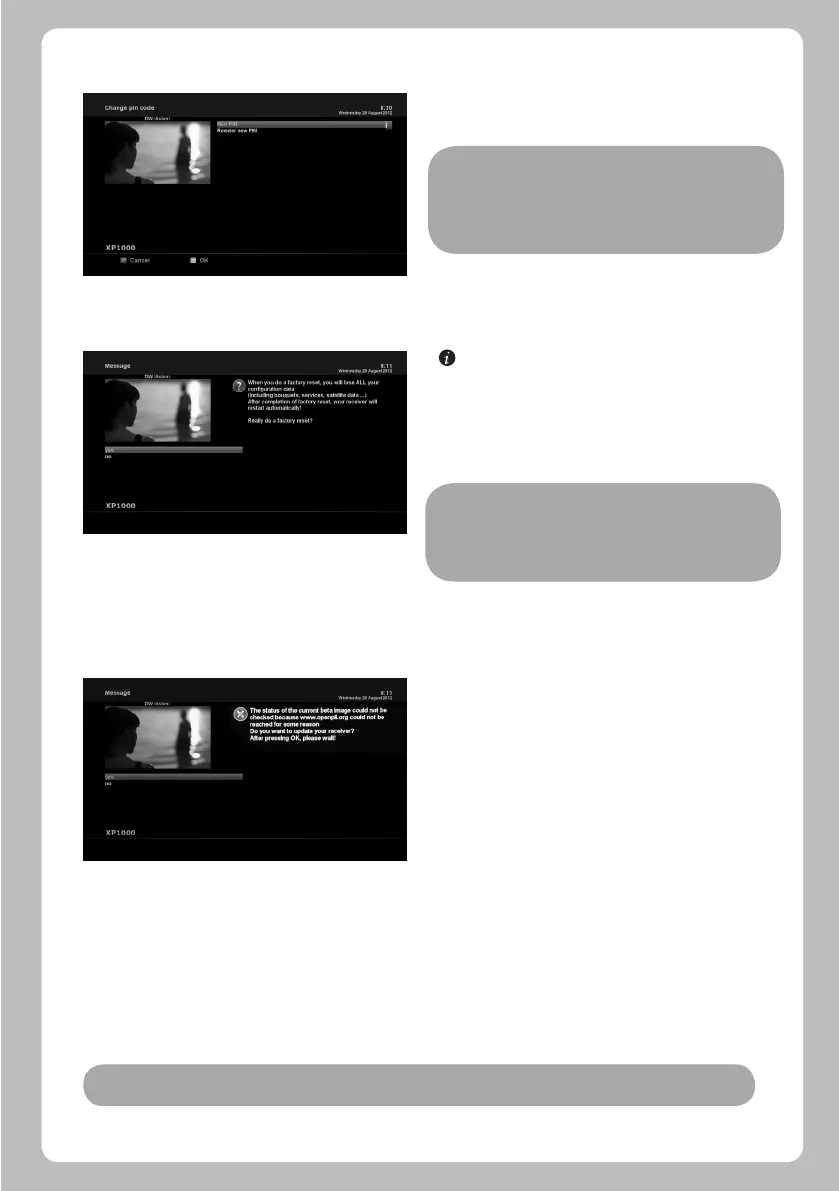
Here you can define a PIN code required to change services to
be included in the parental control list.
[ : MENU > Setup > Factory Reset]
If you want to erase all installed service list as well as all
configurations, run the Factory Reset process. Select YES in
the below menu to run the factory reset.
Upon the completion of factory reset process, your XP1000
will reboot automatically and start the First Time Installation
process.
XP1000 can be updated in two ways. Firstly, you can update
XP1000 software by going into Menu > Setup > Software Update.
You can also try USB update as in the following step.
Change service pin
5.2.5 Factory Reset
5.2.6 Software Update
NOTE:
If you do this factory reset, all of your configuration data
including bouquets, service lists, satellite parameters, and so
on will be erased.
Note: If the box boots in a normal way in step6, press CH+ button earlier.
NOTE: PIN code here is used for Change service and thus you
are recommended to use a PIN code different from
that used for Protect services.
25
Step1: Download new software image from www.xp-support.tv.
Step2: Extract new software image using winrar, winzip or other
extracting tool and copy on an USB stick. All files shall be under
/XP1000 directory.
/xp1000/kernel.bin
/xp1000/rootfs.bin
/xp1000/imageversion
/xp1000/noforce
Step3: Power down the XP1000 by the power switch.
Step4: Place USB stick in the USB slot at the rear side of the XP1000.
Step5: Power up the XP1000 by the power switch. Then, the record LED and standby LED will become red.
Step6: After about 3 seconds, open the front panel cover and press CH+ button.
Step7: The standby LED will become light red and record LED is still on.
Step8: Wait couple of minutes till the standby LED will become blue.
Your box is now updated with a “clean” factory default image.


 To Next Page