10 max mobility
®
Traveling and Shipping
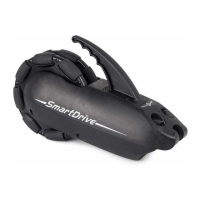
Because the SmartDrive houses a Lithium-Ion battery, special considerations have to be taken when traveling on an airplane.
e SmartDrive must be carried onto your plane and should be stored in the overhead bin. It is recommended that advanced
arrangements be made with each airline operator and approval received prior to departure date. A “SmartDrive Airline Pas-
senger / IATA Certicate” can be downloaded from the Max Mobility website [www.max-mobility] or provided upon request.
Use the provided foam stand for the SmartDrive to prevent movement and damage when transporting in a car. If riding in a cab, it is
recommended to have the driver hand you the SmartDrive so that it doesn’t get damaged from movement when placed in the trunk.
Also, special considerations need to be taken when shipping the SmartDrive due to the battery. Contact the shipping com-
pany being used for instructions on how to correctly package and label prior to shipping. Be sure to provide plenty of padding
/ protection for the SmartDrive to prevent damage during shipment.
5. Maintenance
Inspection
Always inspect the SmartDrive, omni-drive wheel, PushTracker, attachment hardware and thumb throttle buttons [if present]
for missing parts / damage prior to each use. Cease use and contact Max Mobility or your mobility equipment dealer if you
notice any of the following:
• Broken or cracked plastic
• Any of the rollers do not spin with little resistance, have ats worn in them or any other signicant damage
• Signicantly worn down rollers and / or damaged wheel plastic
• Ripping rubber on the PushTracker
• Missing or loose screws
• Adaptive clamp has rotated downward [on rigid wheelchairs]
• Broken or fraying cables
• Magnetic receptacle or plug has collected metal shards
• Any abnormal motor activation / deactivation activity [during use]
Cleaning
Cleaning of the SmartDrive can be done by wiping all of the parts down with a damp
wash rag. is should be done at least once a month, or as needed.
Roller Lubricating or Replacement
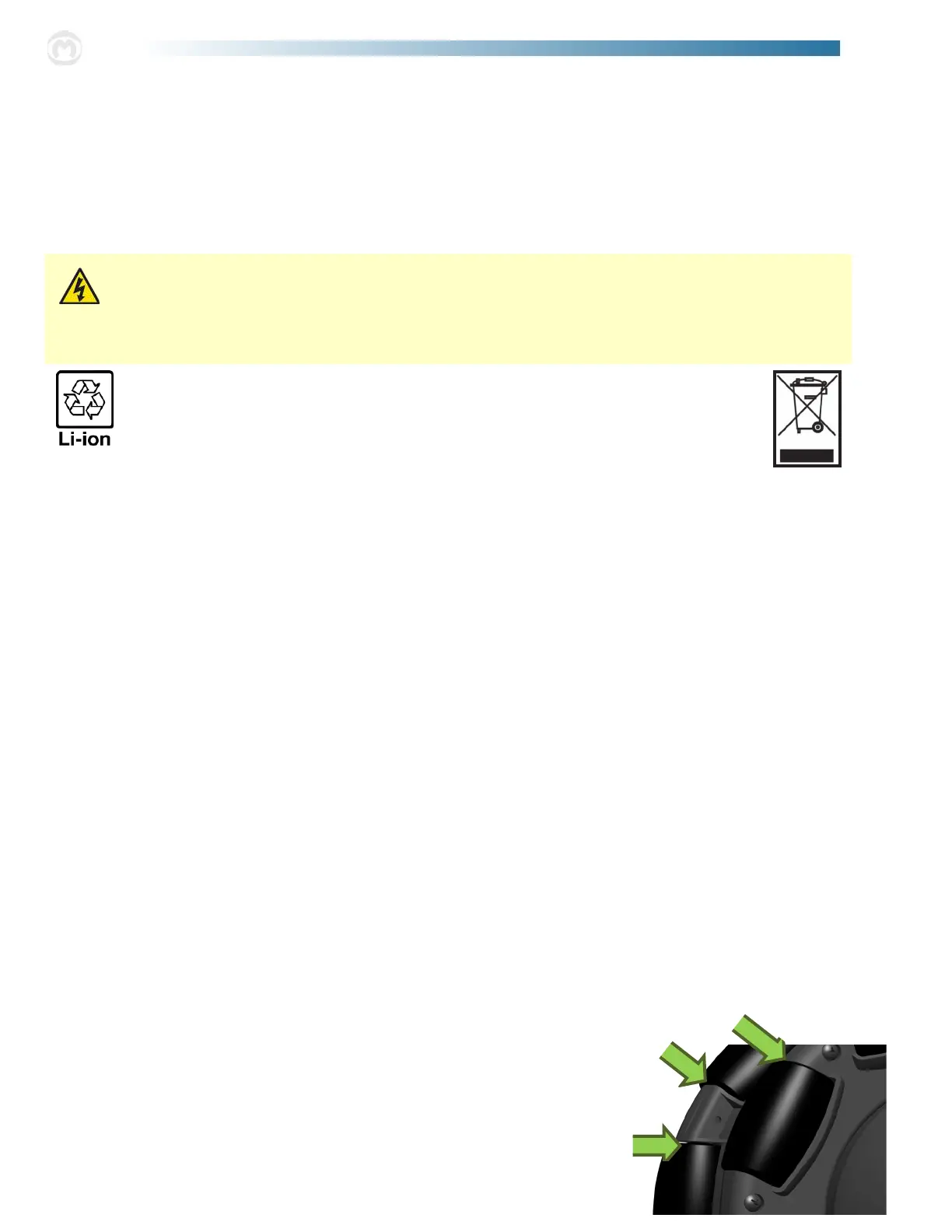
e omni-drive wheel contains 16 rubber rollers that may wear down, depending on
driving conditions, after extensive use. ese rollers are able to be replaced. Also, in
snowy climates, salt may cause corrosion to the bearings on these rollers and aect their
performance. Spraying lubrication on these bearings will increase their usable lives [see
graphic to the right]. Contact your mobility equipment dealer or Max Mobility for
information on replacing / maintaining the rollers on your SmartDrive.
Do not throw away the SmartDrive or PushTracker. Please properly dispose of each by recycling
at the end of its life or send it back to Max Mobility.
Always store and charge the SmartDrive and PushTracker in a cool, dry area. Hot and damp environments can
damage or short the unit, requiring a costly replacement.
Make sure the charging receptacles are completely dry before plugging in the charger, for this can cause a spark or short.
Also, never attempt to use the PushTracker while charging.
SmartDrive Battery Charging
To charge the SmartDrive, plug the battery charger cable into a wall outlet, at which point the green LED on the charger
box will illuminate. Connect the magnetic charger connector to the powered o SmartDrive magnetic receptacle [moving the
rubber plug to the side]. e magnets in the connectors will only allow the plug to connect in one direction. Once the unit
is connected and charging, the LED on the charger will turn red. When the LED on the charger turns back to green, the
SmartDrive is fully charged. Remove the connector from the SmartDrive and replace the rubber cap to protect the receptacle
on the SmartDrive. e estimated charge time for a full recharge of the SmartDrive battery is approximately 3 hours.
See the separate PushTracker User’s Manual provided for its charging instructions.


 To Next Page
 Loading...