−9−
9. MAIN UNIT ASSY. (3)
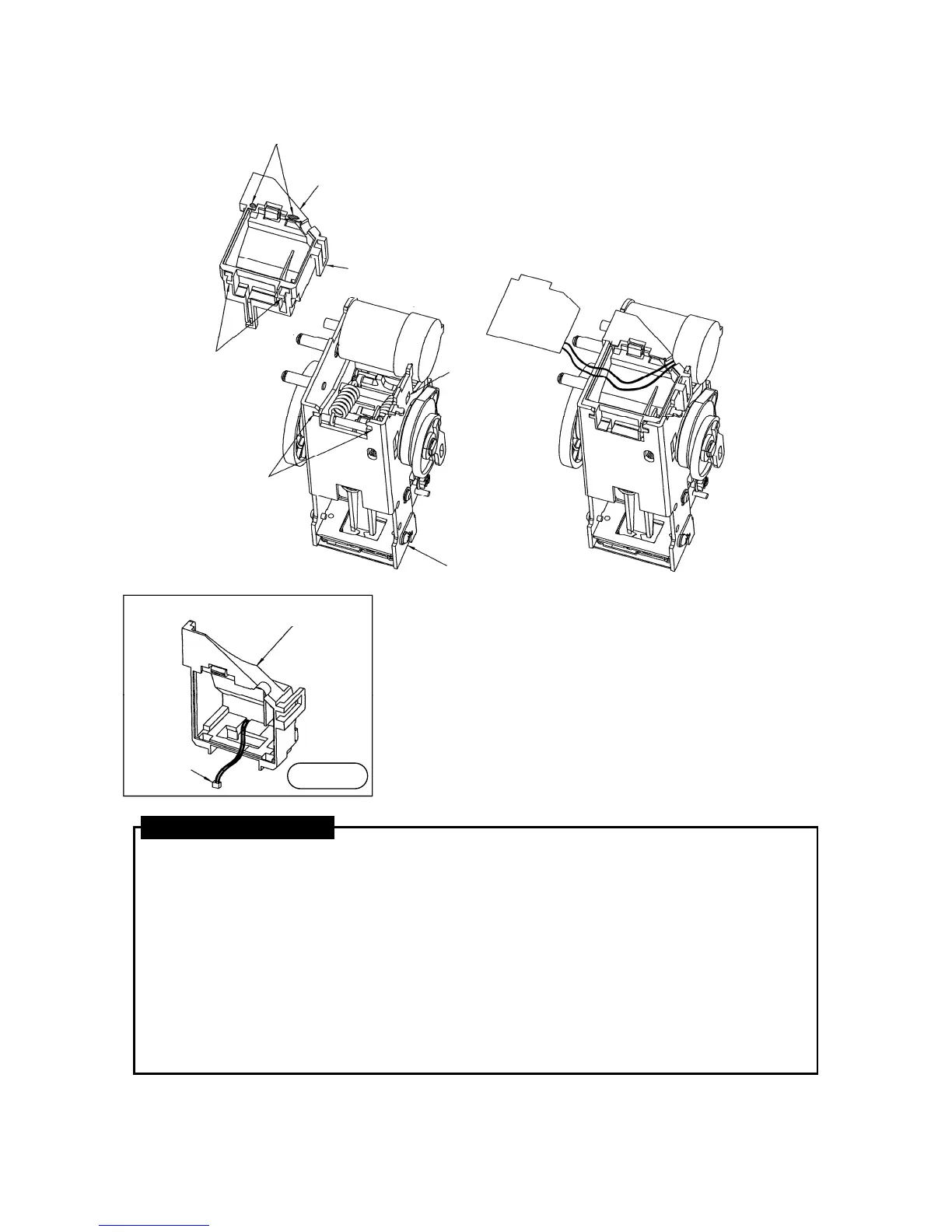
1. Pass the Wire (Staple Switch Harness) of the Staple Switch Harness Unit through the Wire Groove
in the lower part of the PWB Holder, and draw out the connector at the end of the wires so that the
connector is inside the space in the PWB Holder. (Refer to Diagram 1.)
2. While gently pulling on the wires from part 1, mount the PWB Holder by pressing it into the Main
Unit Assy.(2)
At this time, using the Link Assy. as the lower dead point, insert the PWB Holder from the base.
Match the cutouts on the lower surface of the Main Unit Assy.(2) with the projections on the PWB
Holder.
Then press on the top part of the PWB Holder to hook the PWB Holder Hook in to the Hook hole.
3. Insert the Connector (brown color) at the end of the wires of the assembly produced in part 1 into
the Connector Receptor (brown color) on the Main PWB Unit.
4. Matching the lower part of the Main PWB Unit with the PWB Holder, press the Main PWB Unit in to
the hooks on the top of the PWB Holder.
ASSEMBLY PROCEDURE
PWB Holder
Projections
Thin wall areas (Do not press strongly here.)
PWB HOLDER
(EH12306)
PWB Holder Hook
MAIN UNIT ASSY. (2)
Frame Lower Surface Cutouts
Hole for PWB
Holder Hook
PWB Holder
Connector
Diagram 1



 To Next Page