27
LCD Display Operations
Each LCD Display comes with a USB port attached to the bottom of the meter to charge your mobile devices.
After 5 minutes of inactivity, the LCD Meter will automatically turn off to conserve power.
When not riding the bike, you can turn off the meter by holding down the power button (M button) for several
seconds.
Hold “UP” & “Down” for 3 seconds to enter the setup interface. Single press “Mode” to cycle through the following
modes: “SET 1” - Set the Wheel size. “SET 2” - Set the Max speed.
“SET 3” - Set the Display light. “SET 4” - Set the Bike in either MPH or KPH
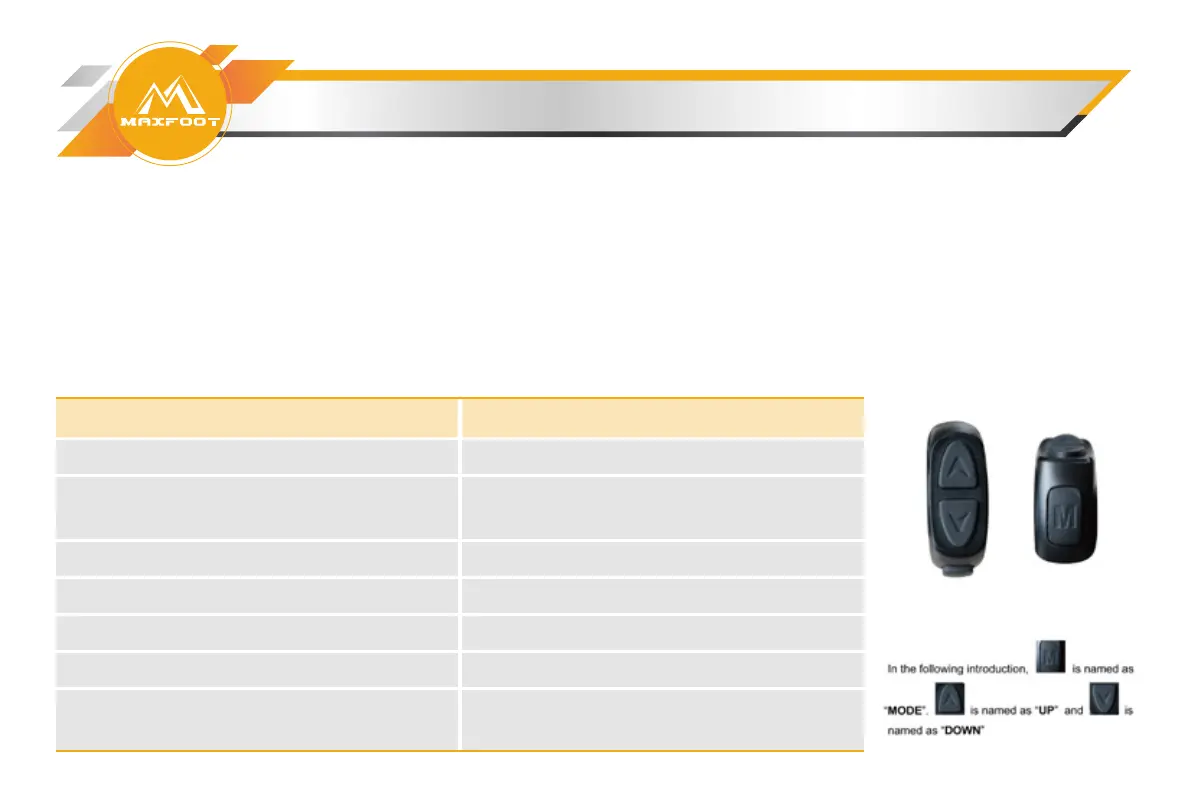
Using LCD Display
Operation
Turn on bike
Activate brake light
Increase pedal assist (PAS) level
Decrease pedal assist (PAS) level
Toggle odometer, trip odometer
Turn on headlight, taillight, and LCD
display backlight
Toggle current speed (“Speed”), average
speed, and max speed
Directions
Press and hold MODE until power engages
When bike is on, squeeze brake lever
Press and release UP arrow
Press and release DOWN arrow
Press and release MODE
Press and hold MODE and UP arrow until
light illuminates
Press and hold UP arrow until speed
display changes


 To Next Page