12
clear your browser cache
(You may opt to skip this step but however, it is recommended to clear your
cache for more accurate speed test result.)
To clear your cache:
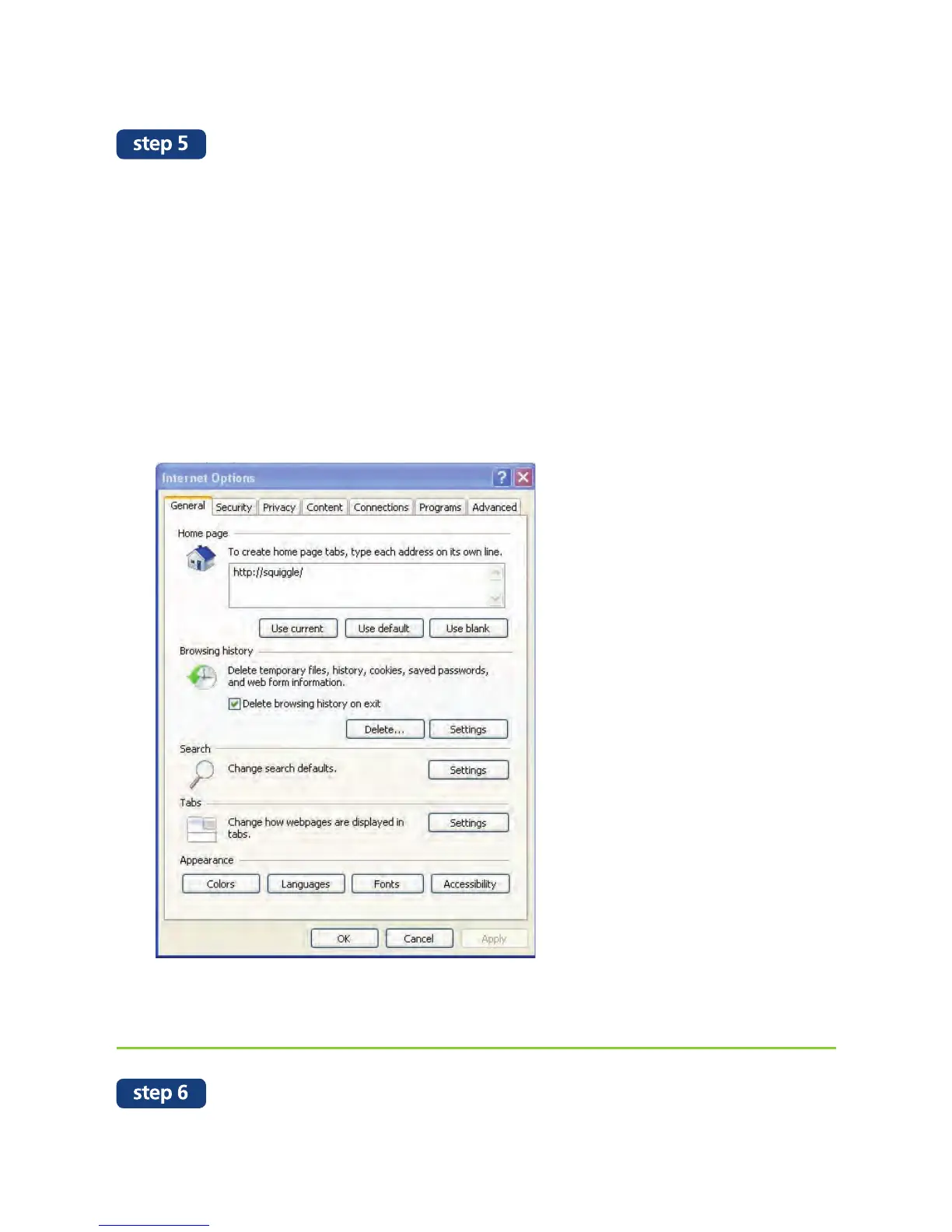
1) On the Internet Explorer Tools menu, click Internet Options.
The Internet Options box should open to the General tab.
2) Under the Browsing History section, click the Delete button. A Delete
Browsing History box should open. Click the box next to the Temporary
Internet files Delete button. This will delete all the files that are currently
stored in your cache.
3) Click OK, and then click OK again.
Go to speedtest.maxis.com.my and click on “Begin Test” button to perform speed test.


 To Next Page