14
Ethernet connection is normal.
Data is being transmitted through the Ethernet port.
Ethernet connection is not set up.
The device is powered on.
The device is powered off.
DescriptionStatusLED
On
Blinking
Off
Green
Off
Refer to table 2
Refer to table 2
LAN1 - LAN4
POWER
PON
LOS
Table 1: LED status indication 1
(PON - Passive Optical Network, LOS of Signal, LAN-Local Area Network)
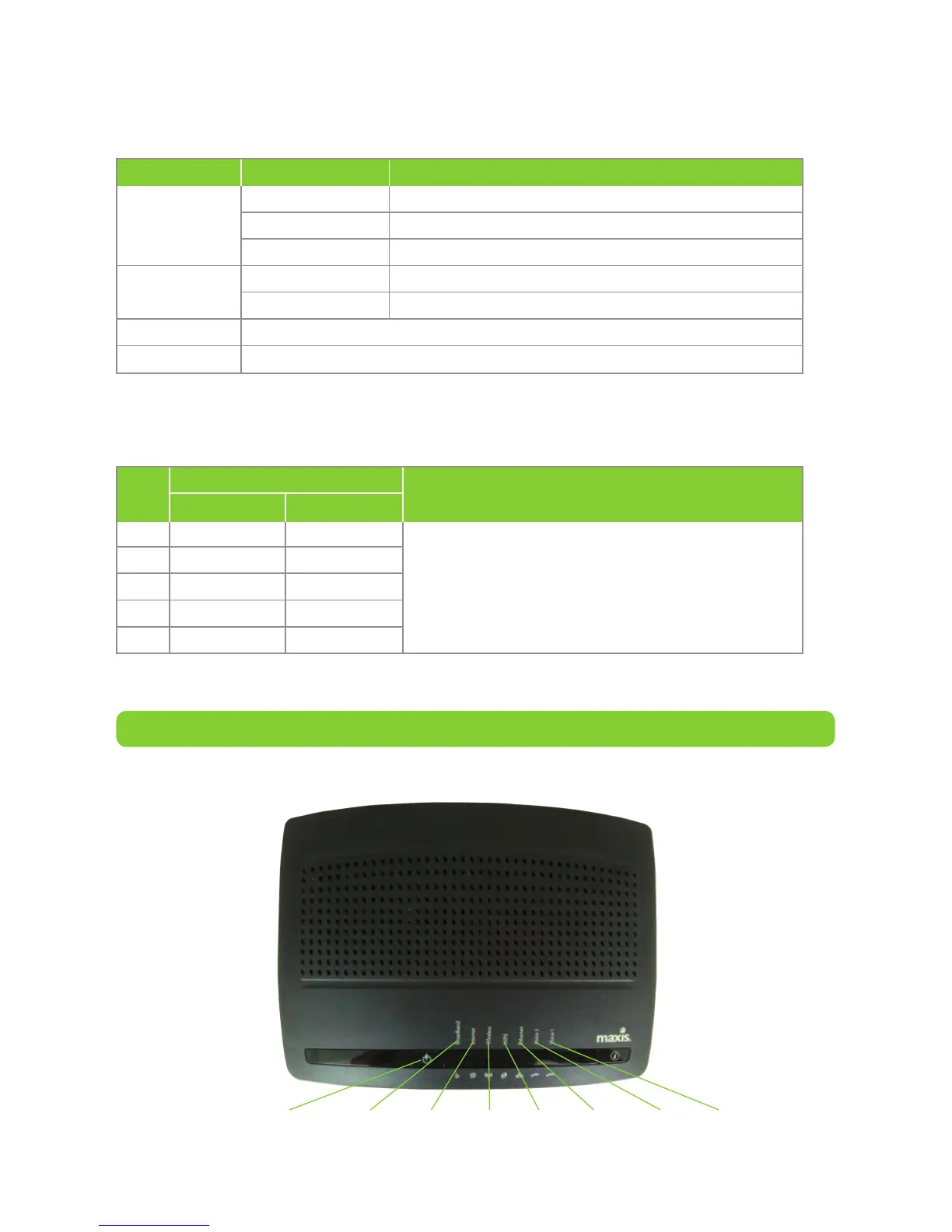
Figure 2: Top view of the Residential WiFi modem
As there are different models being used, your actual unit may differ from
visual below.
Residential WiFi modem
Service Broadband Internet Wireless WPS Ethernet Voice 1 Voice 2
For a successful connection, the “PON” has to
be On and the “LOS” has to be Off. Otherwise,
please contact our Customer Service.
Description
Status
No
LOSPON
Off
Off
Off
Blinking
Blinking
Off
Blinking
On
Off
Blinking
1
2
3
4
5
Model
TG784nv3
Table 2: LED status indication 2
(PON - Passive Optical Network, LOS - Loss of Signal)


 To Next Page