8
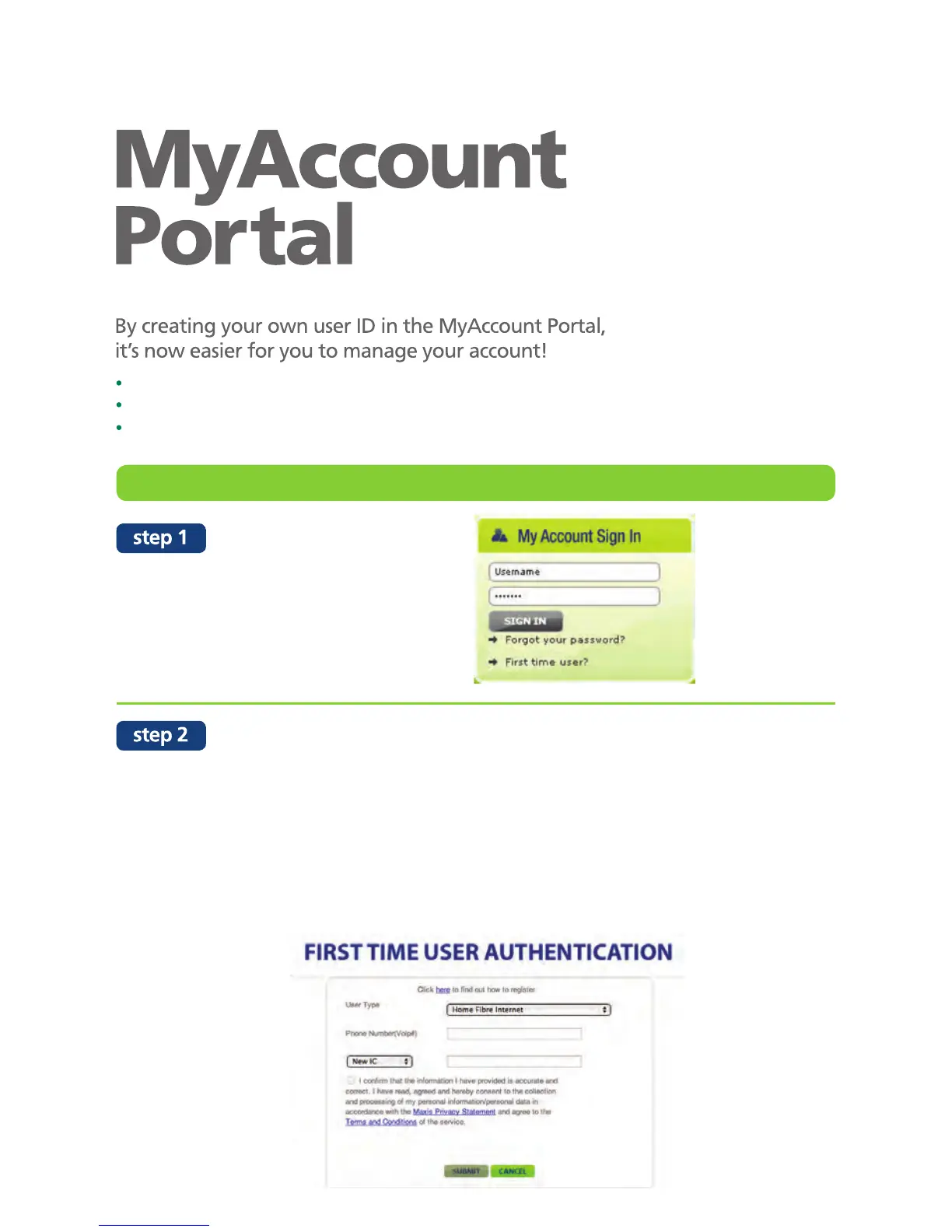
Log on to MyAccount Portal at
maxis.com.my/myaccount
Click on “First time user”
Key in the following details:
User type : FTTH
Phone Number : Your Maxis Fibre Voice number (provided by a
Maxis representative once you have confirmed your
installation date)
ID type : Select “New IC/Old IC” (which was used when registering
with Maxis) for verfication purposes.
Click Submit
manage your profile
track your internet data usage
view, pay and track your bills
how to create your personal MyAccount ID and password


 To Next Page