17 / 20
© 2019 Mertik Maxitrol GmbH & Co. KG, All Rights Reserved.
ENGLISH
OPERATING INSTRUCTIONS FOR OEM USE ONLY
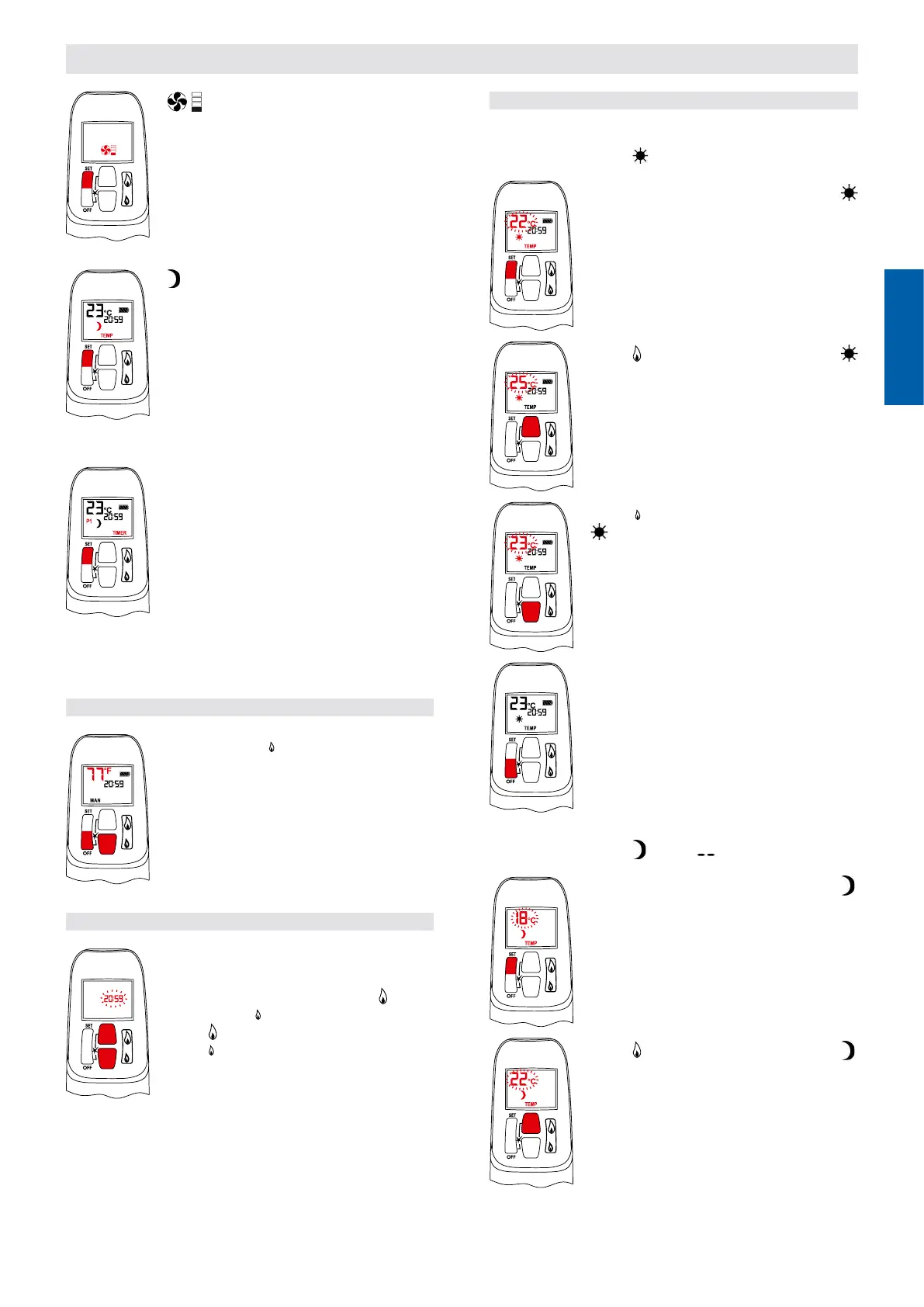
▪ Circulating Fan Setting Mode
Turns circulating fan ON and OFF and ad-
justs fan speed.
▪ – Nighttime Setback Temperature
Mode
(Appliance must be in standby mode; pilot
ignited)
The room temperature is measured and
compared to the Nighttime Setback Tem-
perature. The ame height is then auto-
matically adjusted to achieve the Nighttime
Setback Temperature.
▪ TIMER – Timer Mode
(Appliance must be in standby mode; pilot
ignited)
The Timers P1 and P2 (Program 1, Pro-
gram 2) each can be programmed to go ON
and OFF at specic times. For instructions
see Timer Programming Mode.
NOTE: The display shows the set tempera-
ture every 30 seconds.
SETTING °C/24 HOUR OR °F/12 HOUR CLOCK
▪ Press OFF and (small ame) button until
display changes from Fahrenheit/12 hour
clock to Celsius/24 hour clock and vice ver-
sa.
SETTING THE TIME
▪ The Time display will ash after either:
a) Installing the battery or
b) Simultaneously pressing the
(large
ame) and
(small ame) buttons.
▪ Press
(large ame) button to set the hour.
▪ Press
(small ame) button to set the min-
ute.
▪ Press OFF or simply wait to return to man-
ual mode.
SETTING THE ON/OFF TEMPERATURES
Setting the “DAYTIME” Temperature
DEFAULT SETTINGS:
TEMP, 74 °F / 23 °C
▪ Briey press SET button to scroll to
TEMP. Hold the SET button until the TEMP
ashes.
▪ Press (large ame) button to increase
Daytime Set Temperature.
▪ Press (small ame) button to decrease
Daytime Set Temperature.
▪ Press OFF or simply wait to complete pro-
gramming.
Setting the “NIGHTTIME SETBACK” Temperature
DEFAULT SETTINGS:
TEMP, “ ” (OFF)
▪ Briey press SET button to scroll to
TEMP mode. Hold the SET button until the
Temperature ashes.
▪ Press (large ame) button to increase
Nighttime Setback Temperature.


 To Next Page