
 Need help?
Do you have a question about the Maxkon WS-1081PC and is the answer not in the manual?
This document describes the MAXKON WS-1081PC Touch Screen Weather Station, a professional device designed for accurate weather readings and precise radio-controlled time information. It comprises a base station (receiver), a transmitter unit, a wind direction sensor, a wind speed sensor, a rain gauge, a USB cable, and a PC software package on CD-ROM.
The WS-1081PC weather station provides comprehensive weather monitoring capabilities. The base station features a touch screen LCD monitor that displays a wide variety of time and weather data. This includes indoor/outdoor temperature and humidity, wind and rain measurements, a weather forecast (tendency), air pressure and air pressure history, and time and date information, along with memory data usage. An added feature is the ability to read out all measured and displayed time and weather data on a PC, allowing for detailed analysis and storage.
The device measures barometric pressure, which is the pressure of the air. It distinguishes between "relative air pressure," a combination of absolute air pressure and altitude, and "absolute air pressure," which is the actual air pressure without regard to altitude. Measurements can be displayed in inches of mercury (inHg) for the United States or hectopascals (hPa) for the International System.
The weather station also includes alarm functions for various parameters, such as indoor/outdoor temperature (high and low), indoor/outdoor humidity (high and low), wind speed (high), and wind direction. Users can set thresholds for these alarms, and a speaker icon will indicate when an alarm is enabled.
The weather station is designed for user-friendly operation via its touch screen. All actions and functions are initiated by lightly touching the related areas on the screen. Flashing icons like "+", "ON/OFF", or "☐" indicate interactive elements for selection or value adjustment. A tone sounds, and the backlight illuminates for a few seconds each time a programming step is activated. If no input is received for 30 seconds, the LCD automatically reverts to the normal display mode.
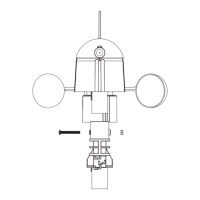
The setup process involves connecting the various sensors (wind direction, wind speed, rain gauge) to the thermo-hygro sensor and then inserting batteries into the transmitter and base station. The wind direction sensor requires careful adjustment to match real-world directions for accurate readings.
The PC software, "EasyWeather," allows for comprehensive data management. It displays current weather data with graphic symbols, stores history data sets (up to 4080 sets internally, limited only by PC memory when uploaded), and enables printing. The software also allows users to set storing intervals for data sets (from 5 to 240 minutes). Settings made on the base unit are mirrored in the PC software, and vice-versa, with changes refreshing on the base station at the next full minute. The software also supports uploading data to websites like www.wunderground.com or custom servers.
The manual emphasizes the importance of proper battery selection, especially for outdoor use in cold temperatures. For outdoor temperatures below -20°C, specific battery types are recommended to ensure proper device function, as normal alkaline batteries' discharging capability is significantly reduced in such conditions.
For data management, users are advised to upload weather history data to the PC periodically, especially before the base station's memory is full, to prevent data loss. If the memory is cleared manually on the base station, any history data since the last upload will be permanently lost. The PC software also offers options to clear the data base or create backup files of the "EasyWeather.mdb" file before clearing.
The manual also provides troubleshooting steps for the PC software's graph function, which is a common issue. This involves registering a specific graphic driver file ("easyweather.ocx") to ensure proper display of historical data graphs.
The device is designed for permanent mounting, and users are advised to verify that all components work correctly at their chosen locations before final installation. Radio communication range is up to 330 feet in open fields, but potential interference from buildings, trees, vehicles, high voltage lines, PC screens, radios, or TV sets should be considered when selecting mounting locations.
The manual also includes legal notes regarding copyright and intellectual property, stating that the software products are protected by law and that printed materials should not be copied. It also mentions that the publisher reserves the right to delete or change any uploaded images and accepts no liability for technical mistakes or printing errors in the handbook.
 General
| Brand | Maxkon |
|---|---|
| Model | WS-1081PC |
| Category | Weather Station |
| Language | English |

 To Next Page