- 16 -
4.0 Basic Settings of the “EasyWeather” Software
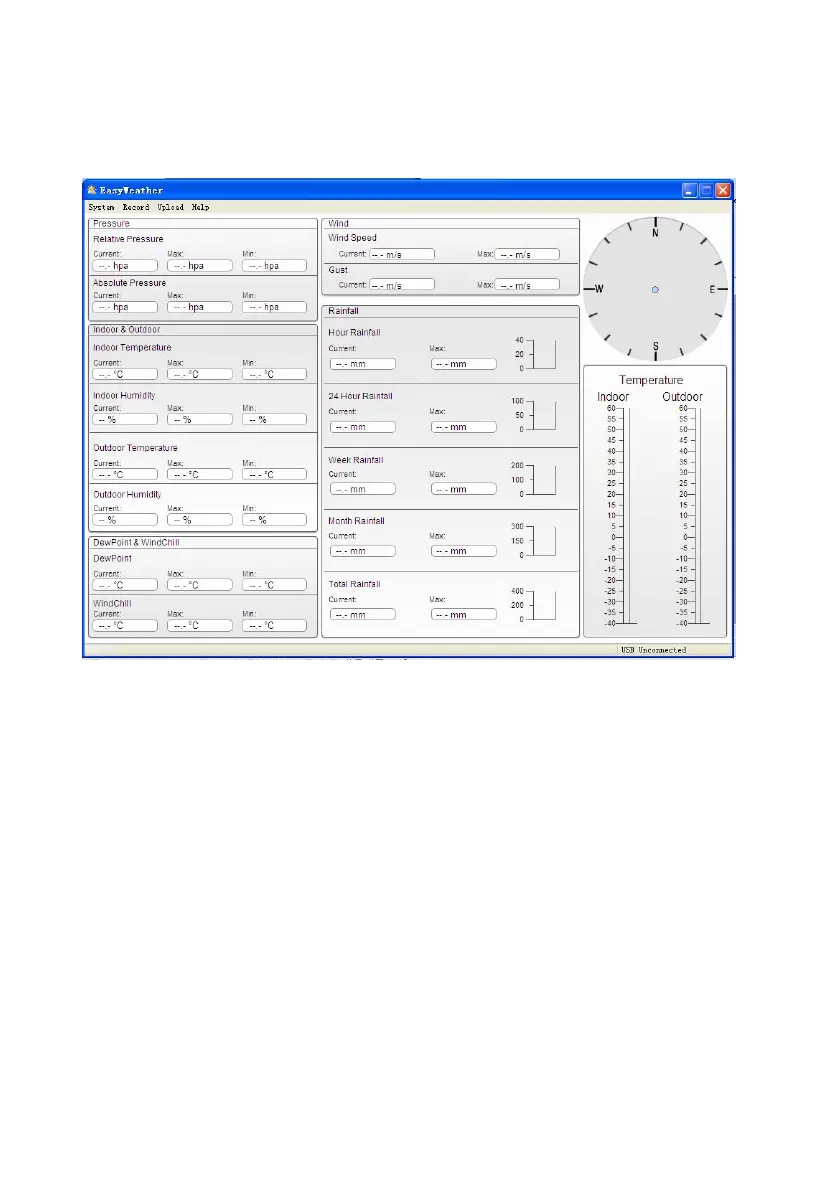
After the “EasyWeather.exe” program has been started, the following main window will appear on the
PC screen:
All the settings from the base unit is mirrored into the PC software, so once you have done your
setting on the base unit, then you don’t need to make any setting changes on the PC software.
However you can still easily make any setting changes you wanted from the PC and download the
changes into the base station(the setting change will be refreshed when next full minute arrives on the
base station).
When base unit is connected to PC, it shows “USB Connected” at the bottom of screen. If no base
station is connected, it shows”USB Uncnnected”.
Tool Bar:
The tool bar at the top of the screen has 4 options; System, Record,upload and Help.


 To Next Page