- 22 -
What to do if graph function is not working
This is the most encountered problem with this software. To make the graph function working properly,
please check the following step:
1, find the folder where the “EasyWeahter.exe” file is located
2. Create a file name “reg_graph.bat” file with wordpad or notepad editor program
3. Type “regsvr32 easyweather.ocx” and save the reg_graph.bat file
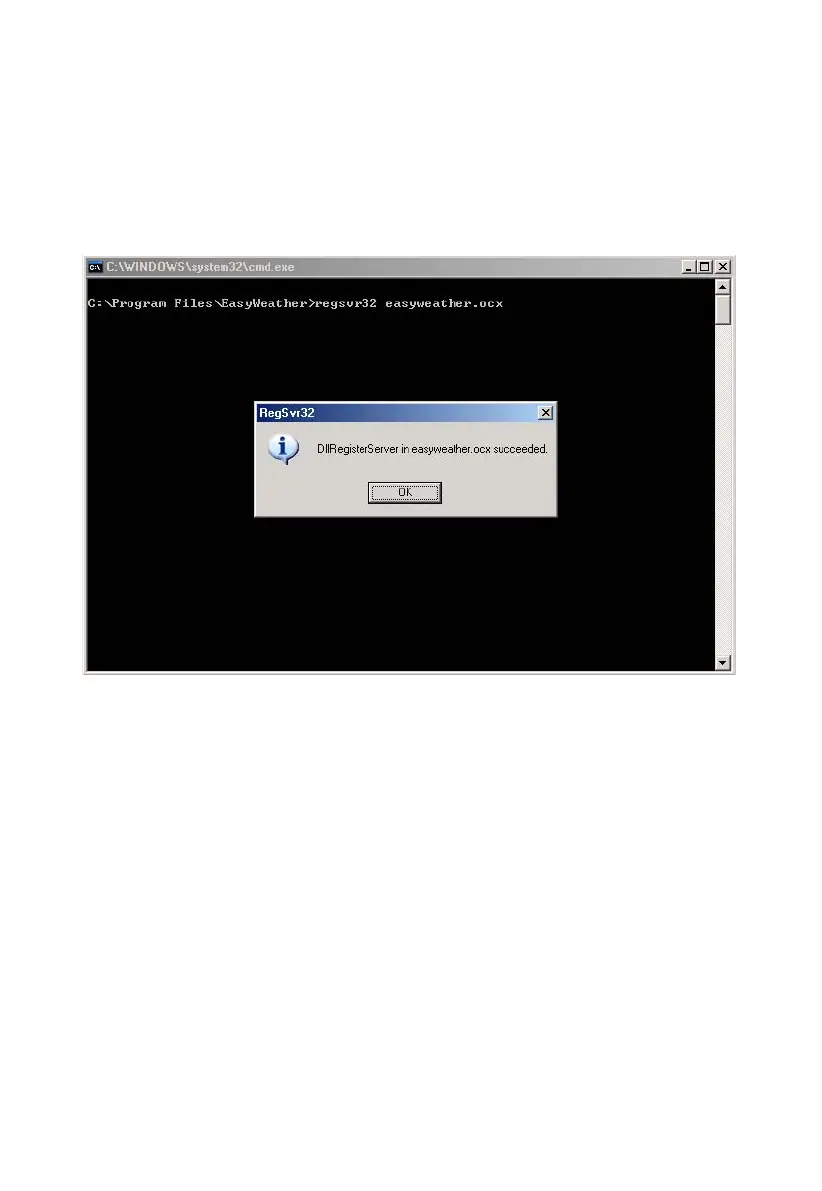
4. Double click “reg_graph.bat” file and it should register the graphic driver again. If successful,
then the following window will be displayed:


 To Next Page