- 23 -
4.3 Upload option
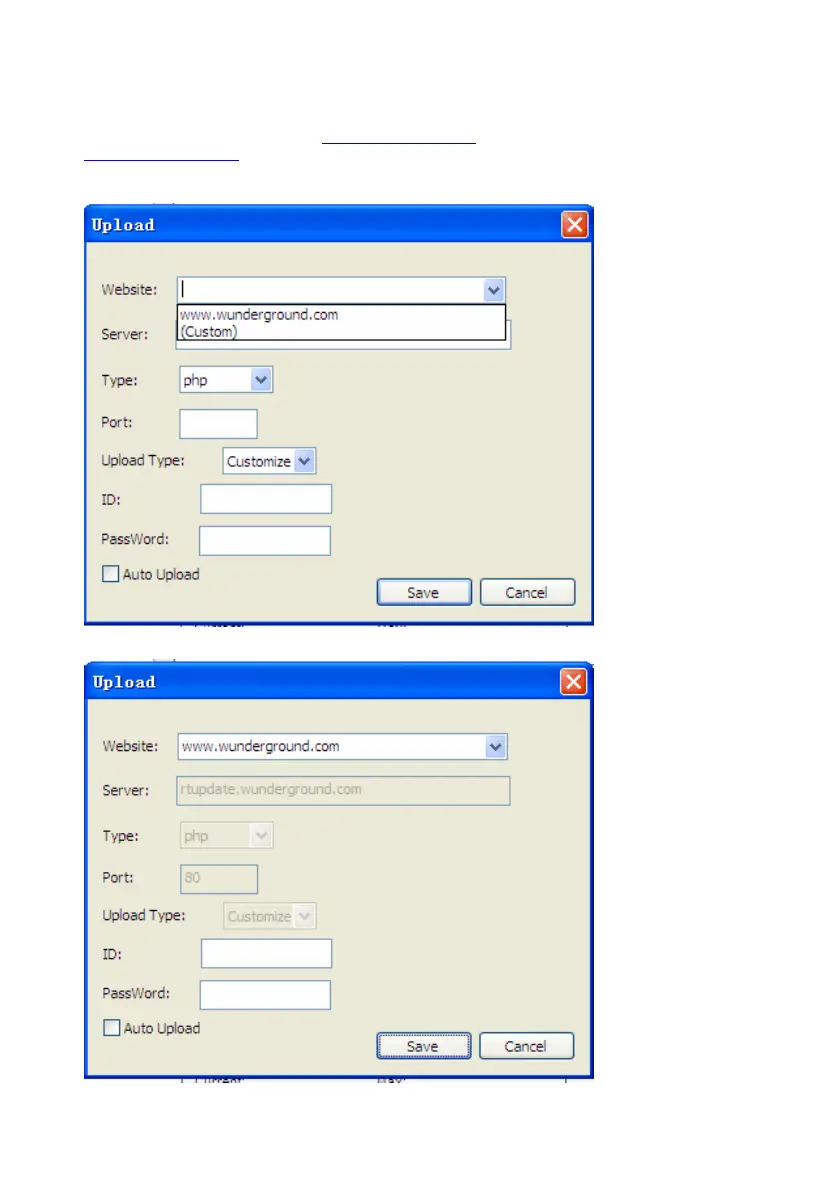
4.3.1 Click Upload button, enters the upload menu
User can upload data to website. www.wundergound.com
or their own website. If user choose
www.wundergound.com
, he do not need to set the server, server type and port. If user choose custom,
he need to set the server, server type and port.


 To Next Page