- 18 -
4.1.2
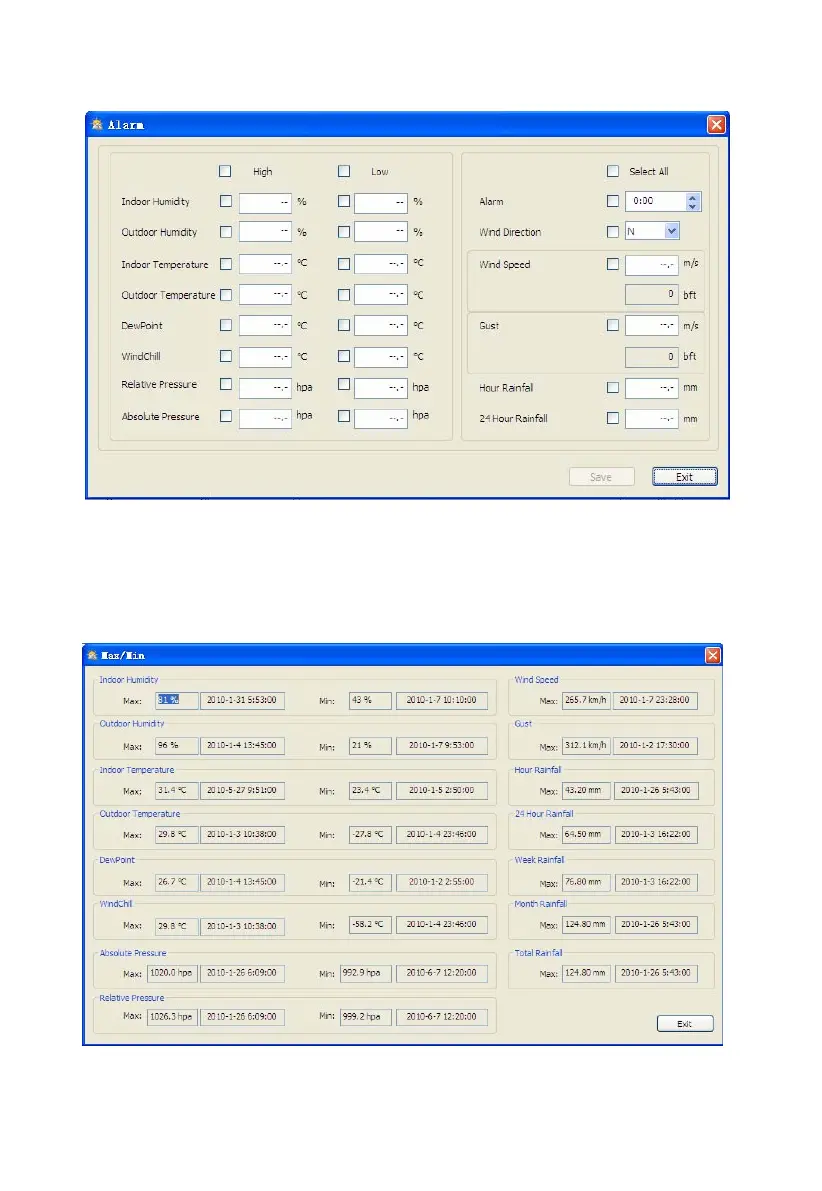
Click Alarm button, enters the Alarm menu
This section is used to set the desired time, high or low alarm value for the base unit, as well as able
or disable the corresponding alarm function. Once you made your choice, choose Save to make the
setting effective. If you don’t want to make any change, just press Cancel and exit without change.
4.1.3 Click Max/Min button, enters the Max/Min menu
This section is used to display the recorded min and max value recorded with time stamp. Min/Max
reset can only be done through key operation on the base station.


 To Next Page