150Mbps Wireless N-Lite PCI-E Adapter
6
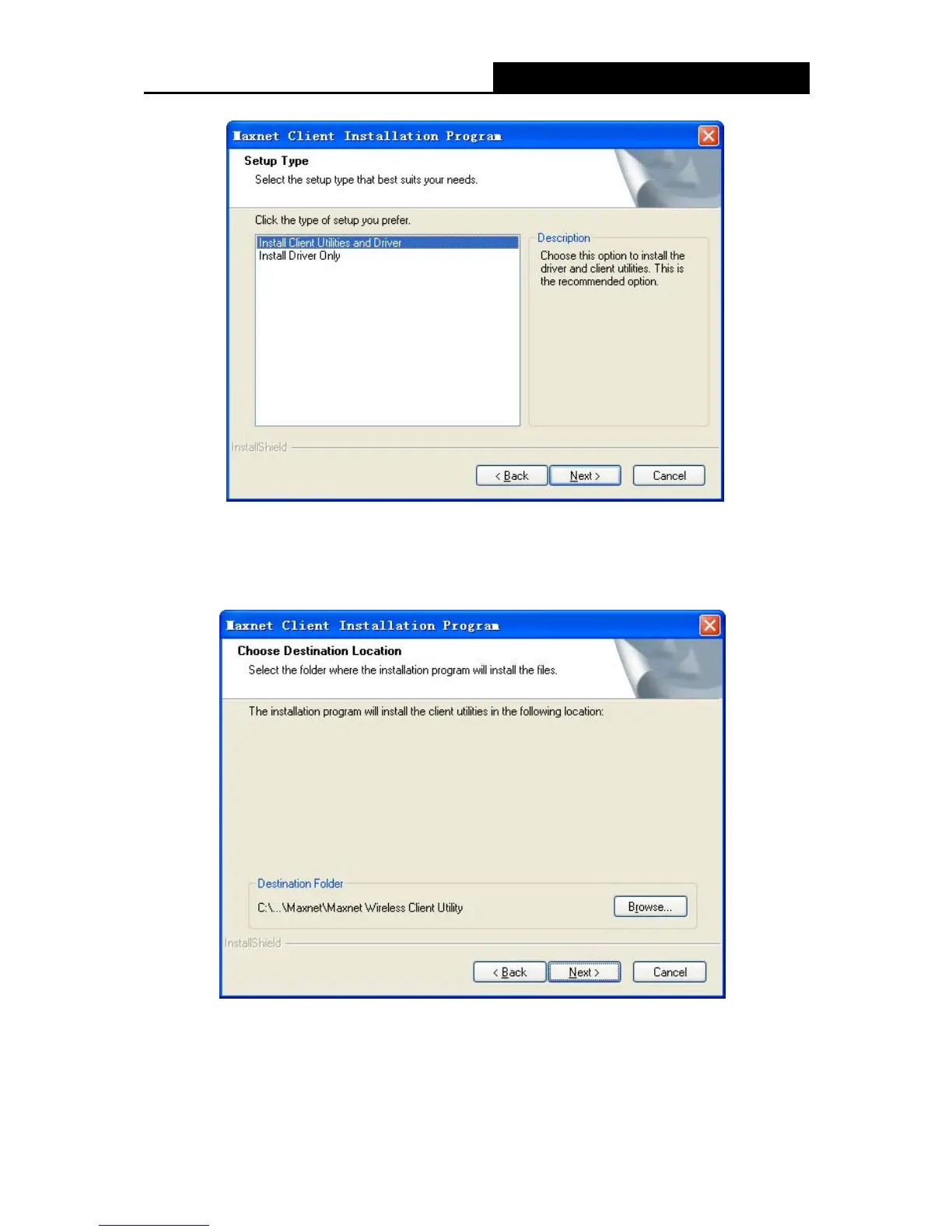
Figure 2-3
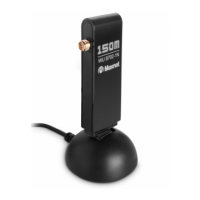
4. Click Browse to change the destination location for the software, then click Next in the screen
below (shown in XFigure 2-4).
Figure 2-4
5. After that, select the program folder, you should create a new folder name or select one from
the Existing Folders list. It is recommended that you keep the default setting. Click Next to
continue the installation.


 To Next Page