150Mbps Wireless N-Lite PCI-E Adapter
21
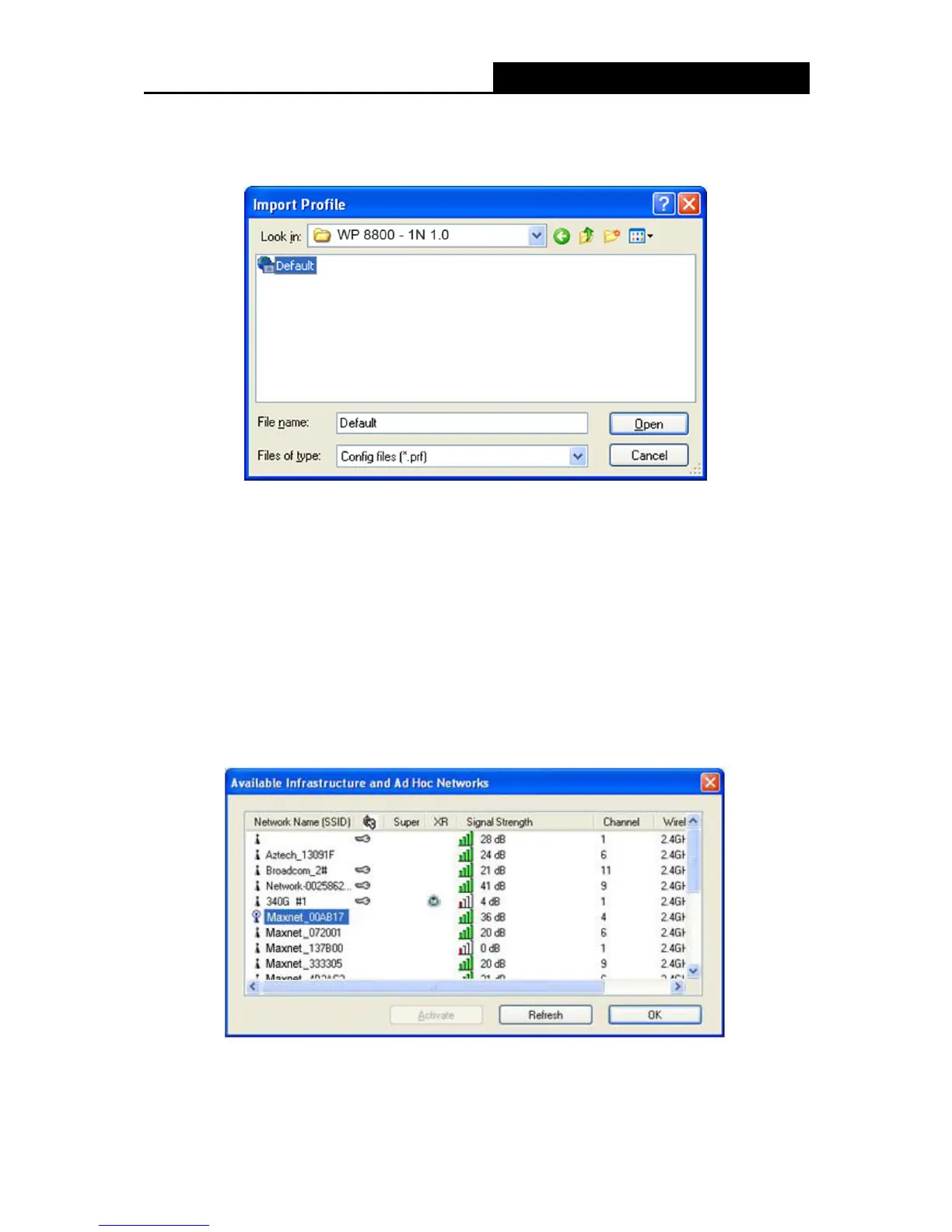
3. Highlight the profile name.
4. Click Open, the imported profile will then appear in the Profiles List.
Figure 3-9
3.2.6 Scan Available Networks
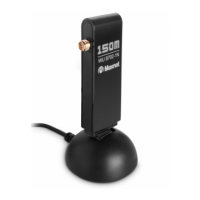
1. Click Scan on the Profile Management screen (shown in XFigure 3-2X), the Available
Infrastructure and Ad Hoc Networks window will appear below.
2. Click Refresh to refresh the list at any time.
3. Highlight a network name and click Activate to connect to an available network. If no
configuration profile exists for that network, the Profile Management window will open the
General tab screen. Fill in the Profile name and click OK to create the configuration profile for
that network.
Figure 3-10


 To Next Page