150Mbps Wireless N-Lite PCI-E Adapter
29
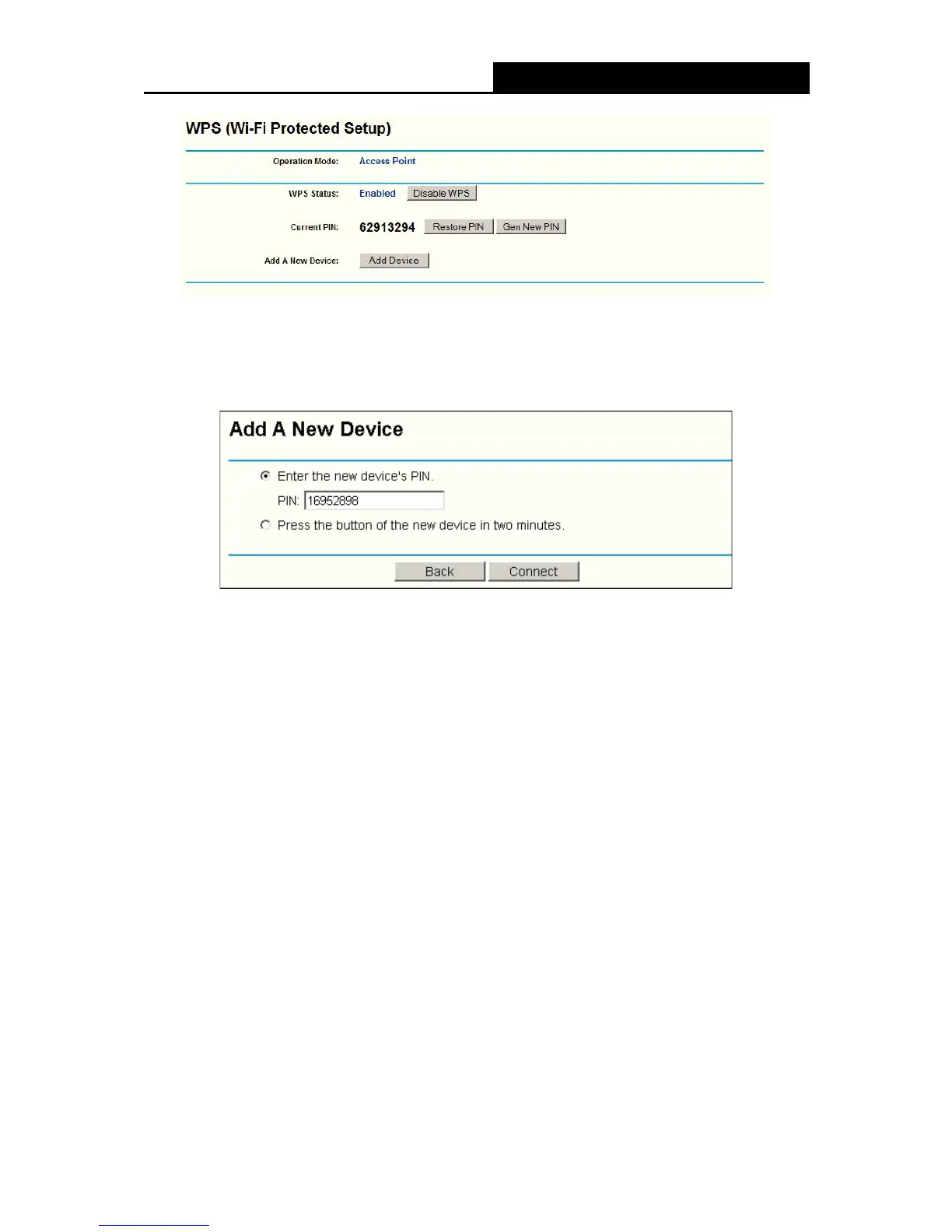
Figure 4-7
3. Click Add device, then you can see XFigure 4-8. Select Enter the new device’s PIN and
enter the PIN value of the adapter shown in Figure 4-9, click Connect.
Figure 4-8
4. When Figure 4-5 appears, the WPS configuration is complete.
4.2.2 Enter the PIN from your AP device
1. Open the WPS Utility and you will see Figure 4-3 . Click Next to continue. Then Figure 4-9will
appear. Select the third option and enter the PIN value which is labeled on the bottom of the
Router. Click Next.


 To Next Page