10
OPERATING INSTRUCTIONS
1) Turn the power on and adjust to a comfortable
volume level.
2) Select any one of the 40 channels by pressing
the channel up/down buttons.
3) Adjust the squelch control knob to reduce
any undesirable background noise. To do this,
select a channel where no signals are present
or wait until signals cease on your channel.
Then, rotate the squelch control knob clock-
wise to a point where the background noise
ceases.
When the squelch is set properly, the speaker will
remain quiet until a signal is received. Do not set
the squelch too high, or you will not be able to
receive weaker signals.
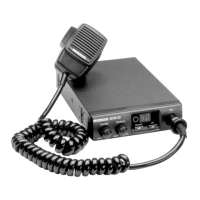
To Transmit: Hold the transceiver microphone area
2-3 inches from your mouth and press the push-to-
talk (P-T-T) bar located on the side of the transceiver.
Speak into the microphone slowly and in a normal
tone of voice. When transmitting, the TX LED will
glow.
To Receive: Release the push-to-talk bar.


 To Next Page