OPERATION
STOPPING THE INVERTER
Normal Operation
During normal operation, use the following steps
to stop your inverter:
1. Remove any connected loads from the control
panel receptacles.
2. Allow the inverter to run at "no load" to reduce
and stabilize engine and alternator
temperatures.
3. Move the engine control switch to the OFF
position (see Figure 9).
OFF
RUN
CHOKE
Figure 9: Turn Engine/Fuel Switch to OFF Position
During an Emergency
If there is an emergency and the inverter must be
stopped quickly, move the engine control switch
to the OFF position immediately (see Figure 9).
USING EFFICIENCY MODE
The inverter is equipped with an efficiency mode
switch to minimize fuel consumption. In efficiency
mode, the inverter will sense the load and adjust
the engine RPM to the current load requirements.
Efficiency mode should be used only after the
inverter has been warmed up to operating
temperature.
1. To turn on the efficiency mode, press the switch
to the ON position).
2. If no load is present, the inverter RPM will drop
down to an idle speed.
3. As a load is applied, the inverter will sense the
load and engine RPM will increase according to
the load applied.
4. To run the inverter at maximum power and RPM,
press the efficiency mode switch to the OFF
position.
RESETTING THE RESET BREAKER
The inverter will trip the breaker and automatically
disconnect from the load when the controls sense a
predetermined overload condition. The inverter
engine will continue to run, but there will not be any
electrical output.
1. Turn off all devices and unplug them from the
inverter;
2. Determine the wattage required from the devices
being powered by the inverter Make sure the
wattage required does not exceed the maximum
output of the inverter.
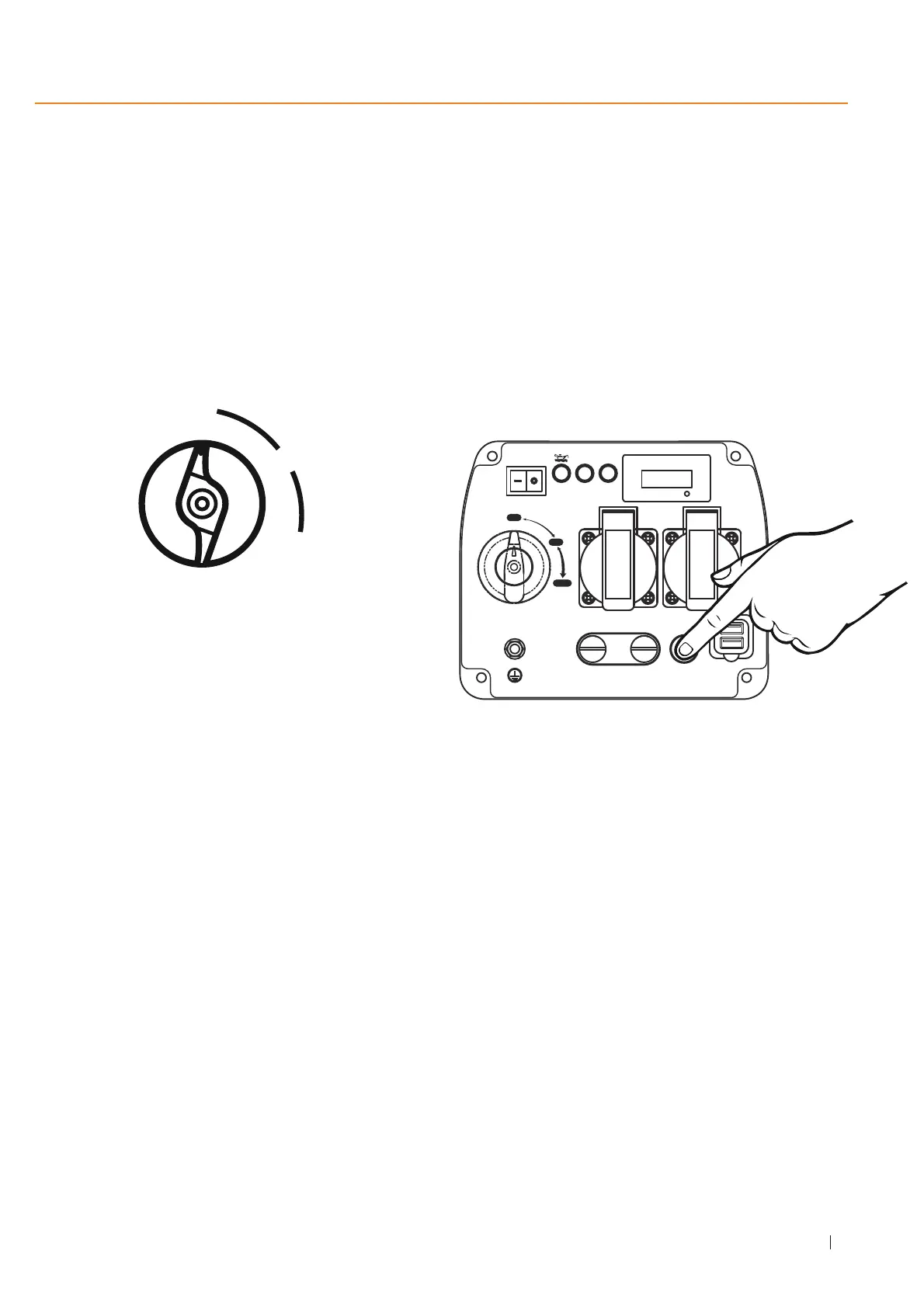
3. Press in the reset breaker to reset it (see Figure 10).
Figure 10: Press in reset breaker
4. Plug the devices in to the inverter.
5. Turn on the devices as needed.
15
MAXPEEDINGRODS
ECO SW.
OVERLOAD AC
ON
OFF
V. HZ . H
OUTPUT
AC 230V
AC RESET
USB
1A
2.1A
PARALLEL CONNECTORS
OFF
RUN
CHOKE


 To Next Page