10
After Sales Support
UK/N.IRELAND HELPLINE N
O
:
REP.IRELAND HELPLINE N
O
:
WEBSITE:
EMAIL:
01270 508538
1800 995 036
www.quesh.co.uk
enquiries@quesh.co.uk
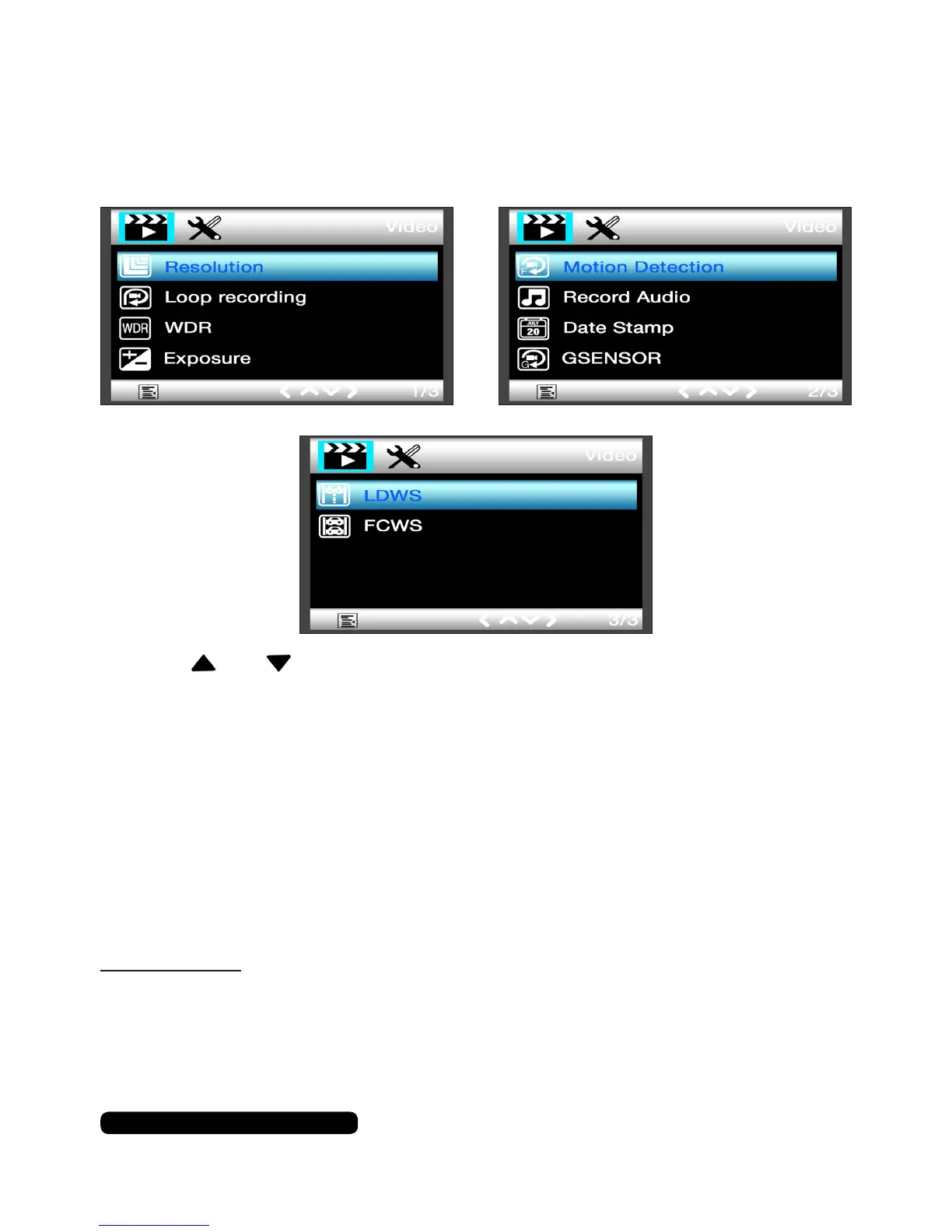
Video Options
Video Options Menu
Pressthe‘Menu’buttononcetoaccesstheavailablevideooptions.
Usetheandbuttonstonavigatethroughtheoptionsandpress
the‘REC’buttontoselectanoption.
Resolution
Thisoptionwillallowyoutoselecttherecordingresolution.
Options:
1080FHD 1920x1080
720P 1280x720
VGA 640x480
Please Note:
A3minute1080FHDvideolewilluseapproximately290Mb.
Recording at720P orVGAwillreducethelesizerequiredtothe
recordavideo.



 To Next Page