19
After Sales Support
UK/N.IRELAND HELPLINE N
O
:
REP.IRELAND HELPLINE N
O
:
WEBSITE:
EMAIL:
01270 508538
1800 995 036
www.quesh.co.uk
enquiries@quesh.co.uk
Playback Options
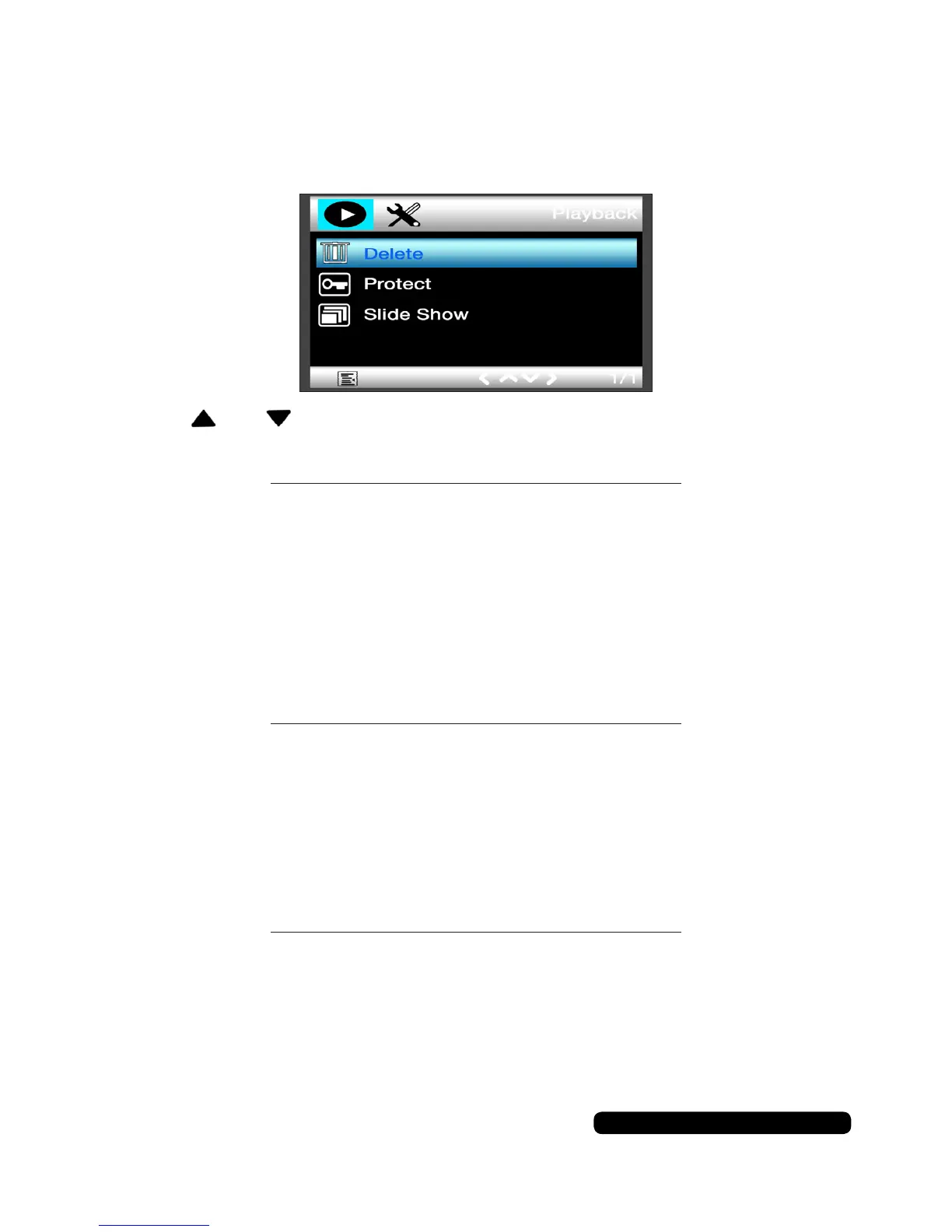
Playback Options Menu
Pressthe‘Menu’buttontoaccesstheavailablesetupoptions.
Usetheandbuttonstonavigatethroughtheoptionsanduse
the‘REC’buttontoselectanoption.
Delete
With this option you can choose whether to delete the currently
viewedleordeletealllesonthecard(exceptthelockedones).
Youcanselectfromthefollowingoptions:
Delete Current Options: Cancel > Ok
Delete All Options: Cancel > Ok
Protect
With this option you can choose whetherto(un)lockthecurrently
viewedleor(un)lockalllesonthecard.
Youcanselectfromthefollowingoptions:
Options: Lock Current > Unlock Current > Lock All > Unlock All
Slide Show
Withthisoptionyoucanchoosehowlongyouwanttoseeaphoto
beforeitmovestothenext.Thisoptionwillplayallthevideoand
imagelesavailableonthecard.
Youcanselectfromthefollowingoptions:
Options:
2 Seconds > 5 seconds > 8 Seconds
Press‘REC’tostopthecycle.



 To Next Page