After Sales Support
UK/N.IRELAND HELPLINE N
O
:
REP.IRELAND HELPLINE N
O
:
WEBSITE:
EMAIL:
01270 508538
1800 995 036
www.quesh.co.uk
enquiries@quesh.co.uk
8
Installing The Card
To install a micro SD card, lift up the dust cover to reveal the
micro USB port and the micro SD card slot. Insert the card contact
side rst with the contacts facing the light. Push the card down to
just below the edge of the port until it clicks and lock into position.
Removing The Card
To remove the micro SD card, press the card down into the slot
until it clicks and release. The card will spring up so you can
remove it.
Repairing The Card
If in the event the card becomes corrupts or doesnt play/record
please format the card directly with a PC/Laptop. This can be done
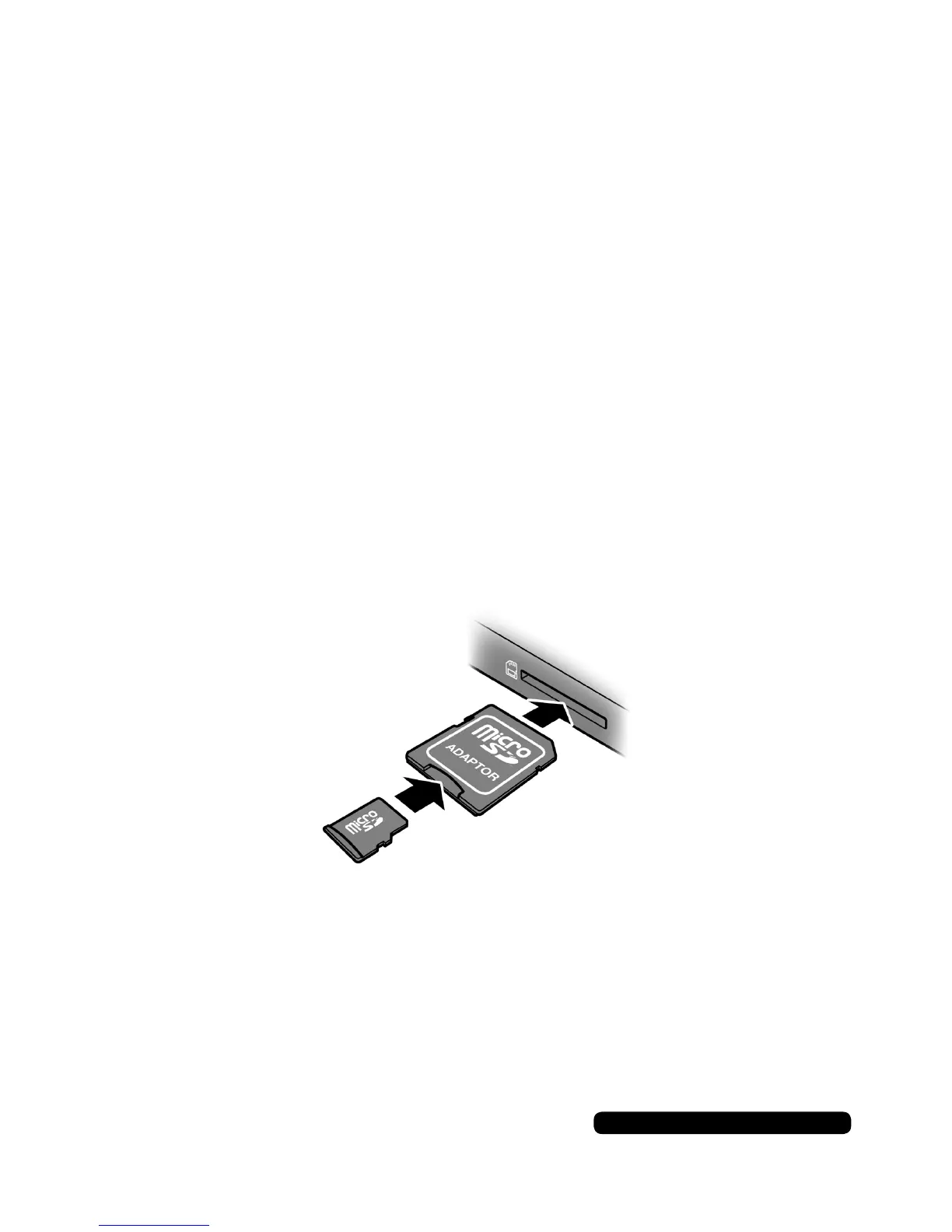
with the use of a Micro SD Adaptor (Not supplied).
Micro SD Card
When formatting the card, always format the card in FAT32.
Please Note:
For a more complete formatting of your micro SD card, please download
‘SDformatter’ from the following link:
https://www.sdcard.org/downloads/formatter_4


 To Next Page