11
Specification
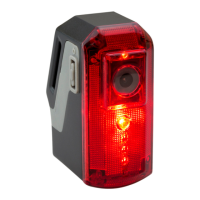
HD Camera Bike Light
Solution:
Sensor Type:
Video Resolution:
Frames Per Second:
Viewing Angle:
Aperture:
Minimum Focus Distance:
Maximum Focus Distance:
Video Output Size:
Video Format:
Active Use:
Charge Time:
Battery:
Minimum Charge Requirement:
Maximum Charge Requirement:
Weight:
Size:
After Sales Support
UK/N.IRELAND HELPLINE N
O
:
REP.IRELAND HELPLINE N
O
:
WEBSITE:
EMAIL:
01270 508538
1800 995 036
www.quesh.co.uk
enquiries@quesh.co.uk
Jieli
CMOS
1MP
25
100°
F2.4
50mm
Innity
1080P
AVI
Up to 6 Hours
4.5 Hours approximately
2600mAh rechargeable lithium
3.7V / 300mAh
5V / 1000mAh
150g approximately
38mm x 63mm x 88mm
Reset
Resetting The Camera
Under the dust cover there is a reset pin hole. When the camera is
on, insert a paperclip to depress and hold the reset button for
10 seconds and release. This will reset the camera.


 To Next Page