Light Modes
There are 3 light modes. Press the button to change between:
• Constant
• Strobe 1
• Strobe 2
Dim Modes
There are 4 dim modes. Press the button to change between:
• Low
• Medium
• High
• Off
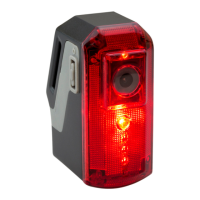
Rear Light
Setting Date/Time
Setting The Date And Time
Windows OS system only: You can set the date and time for the
camera via a ‘txt’ le in the root directory of the micro SD card.
These les will automatically be transferred when the card is
inserted, including brief instructions.
• Open the mirco SD card directory.
• Open the le ‘CONFIG’.
• Modify ‘0’ to ‘1’.
• Modify ‘YYYY-MM-DD HH:MM:SS’ to the correct date and time.
• Save le.
• Turn off and then on the camera or insert the micro SD card and
turn on the camera.
After Sales Support
UK/N.IRELAND HELPLINE N
O
:
REP.IRELAND HELPLINE N
O
:
WEBSITE:
EMAIL:
01270 508538
1800 995 036
www.quesh.co.uk
enquiries@quesh.co.uk
10


 To Next Page