PAGE 5
MAXTOR ONETOUCH III TURBO EDITION
MACINTOSH INSTALLATION
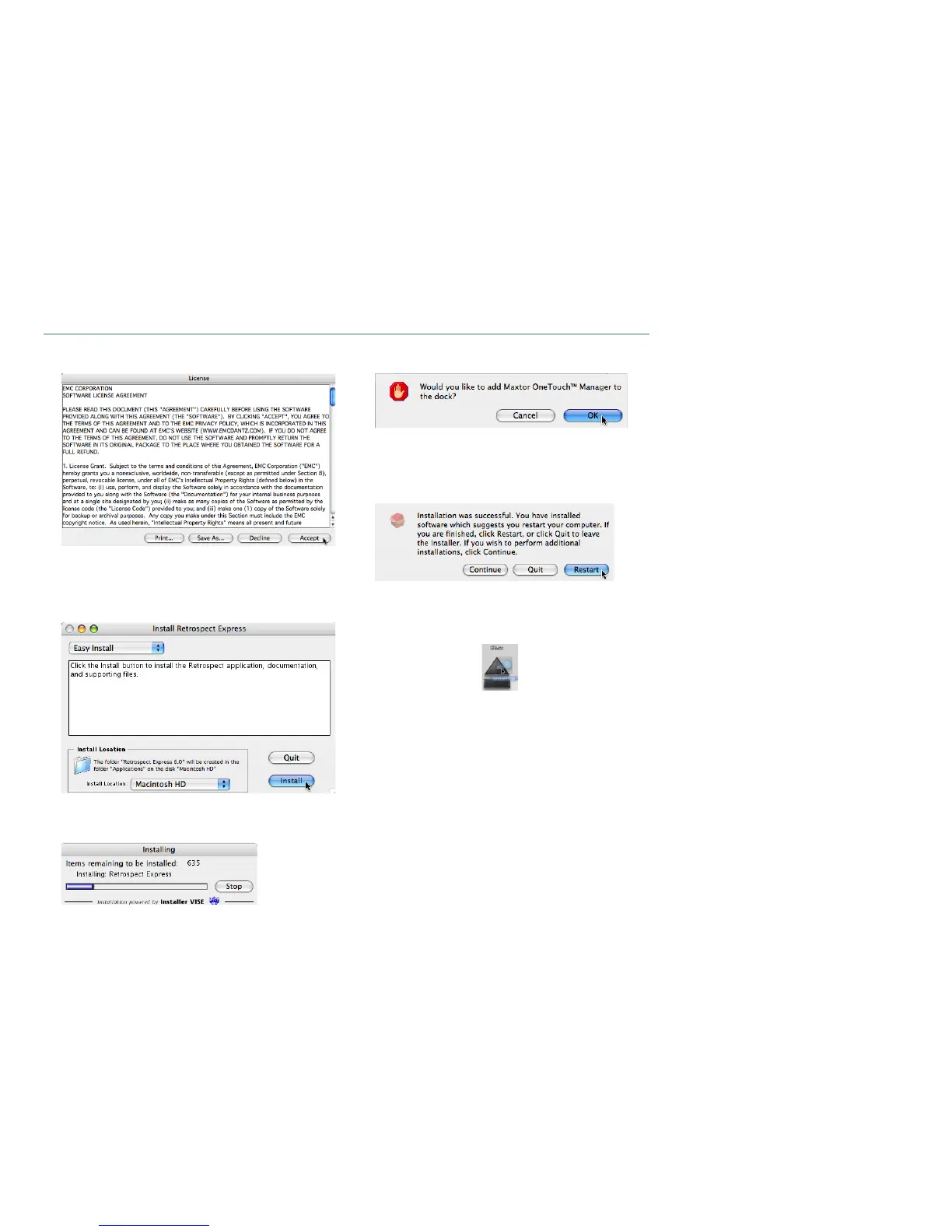
6. The
License Agreement
screen will appear.
After reading the License Agreement, click
Accept
.
7. The
Install Retrospect Express
screen will appear.
Maintain the
Easy Install
and
Install Location
as their
default settings.
When you are ready, click
Install
.
8. The
Setup Status
window will appear briefly.
9. During the installation, you will see the following:
Click
OK
to add the
OneTouch Manager
to your Mac’s dock
or click
Cancel
if you wish not to do so.
10. When finished, you will be notified that the installation
was successful.
Click
Restart
.
11. After restart,
eject
the
Maxtor Install CD
from your
computer.
12. Proceed to Step 2 – Connect the Drive.











 To Next Page