PAGE
4
MAXTOR ONETOUCH III TURBO EDITION
MACINTOSH INSTALLATION
Installing the OneTouch III
NOTE:
Please install the Maxtor OneTouch software
before
connecting the OneTouch III drive to your computer. You must
first install this software in order to use the OneTouch button
and other OneTouch III features.
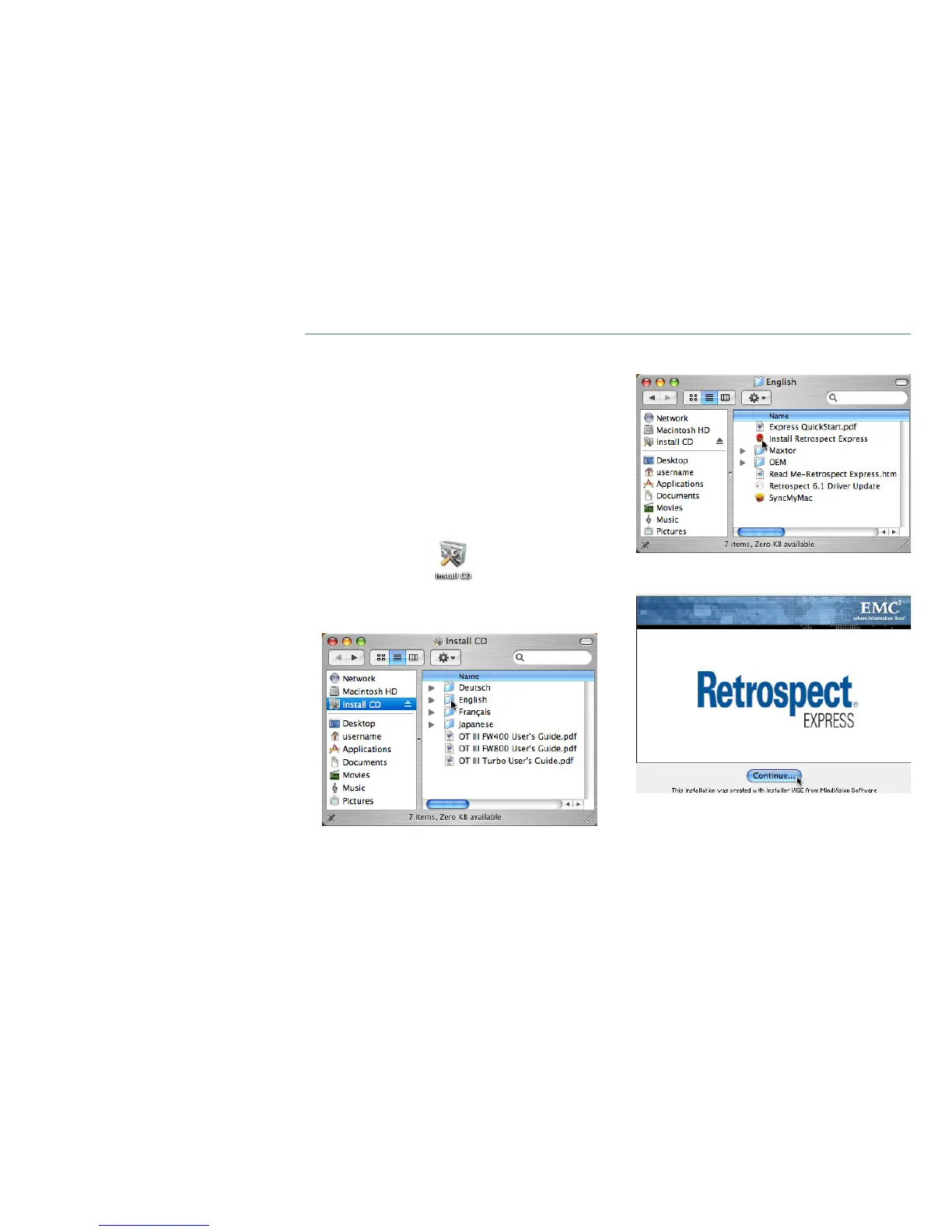
Step 1 – Install the Software
1. Turn on your computer.
2. Insert the
Maxtor Installation CD
into your CD-ROM drive.
After a few seconds, the Install CD icon will appear on
your desktop.
Double-click this icon to get started
3. Select your
language
.
4. Double-click
Install Retrospect Express
.
5. If prompted, enter your
Username
and
Password
to
authenticate.
Click
Continue
.






 To Next Page