PAGE 70
MAXTOR ONETOUCH III TURBO EDITION WINDOWS INSTALLATION
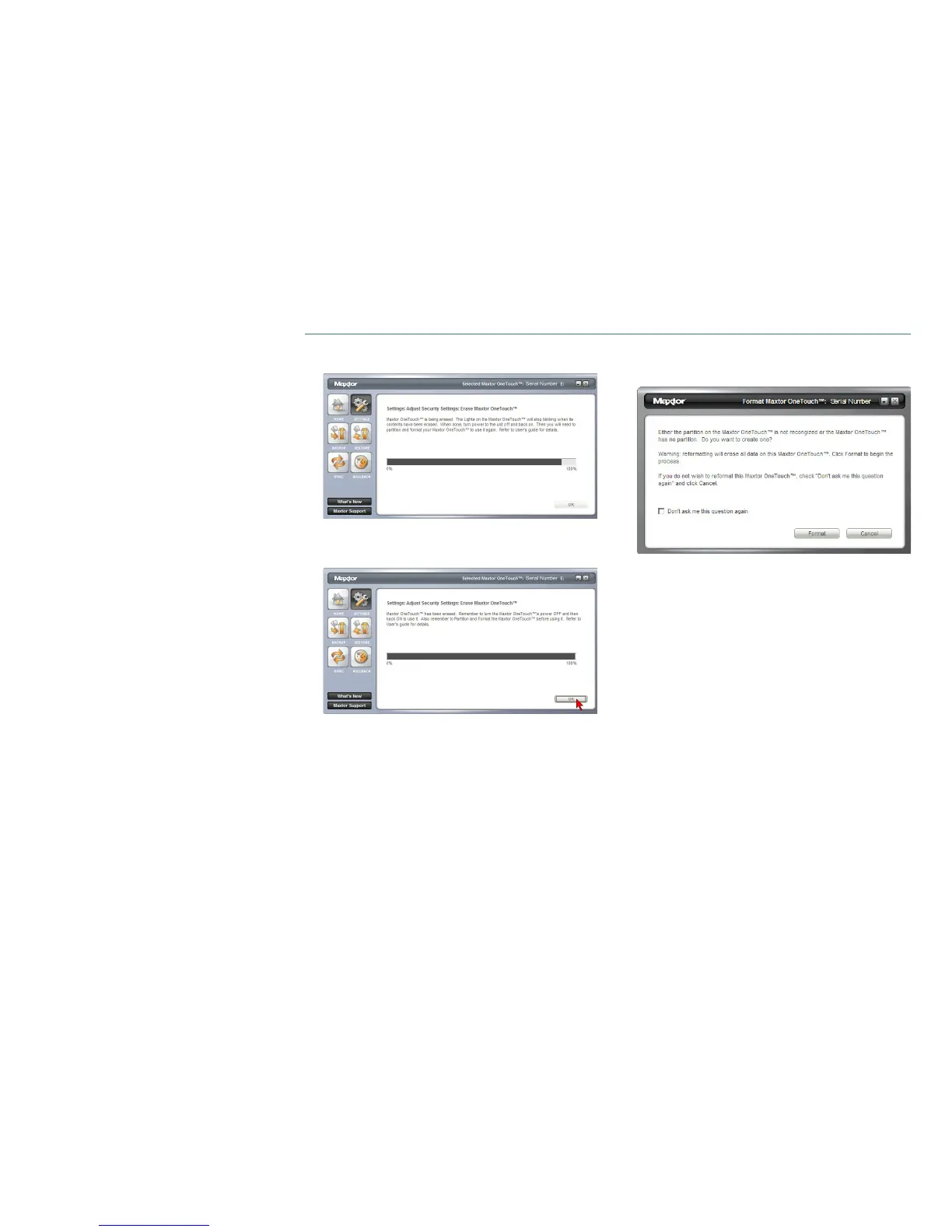
Click Yes to start the Erase process.
NOTE: This process can take up to 3 hours to complete.
5. When finished, you will be notified that the drive is erased.
Click OK.
6. Remove and reapply power to your Maxtor OneTouch III.
Upon doing so, you will be prompted to Format the drive.
NOTE: Refer to Formatting Procedures for more
information.











 To Next Page