PAGE 75
MAXTOR ONETOUCH III TURBO EDITION WINDOWS INSTALLATION
Checking the Status of Your Sync
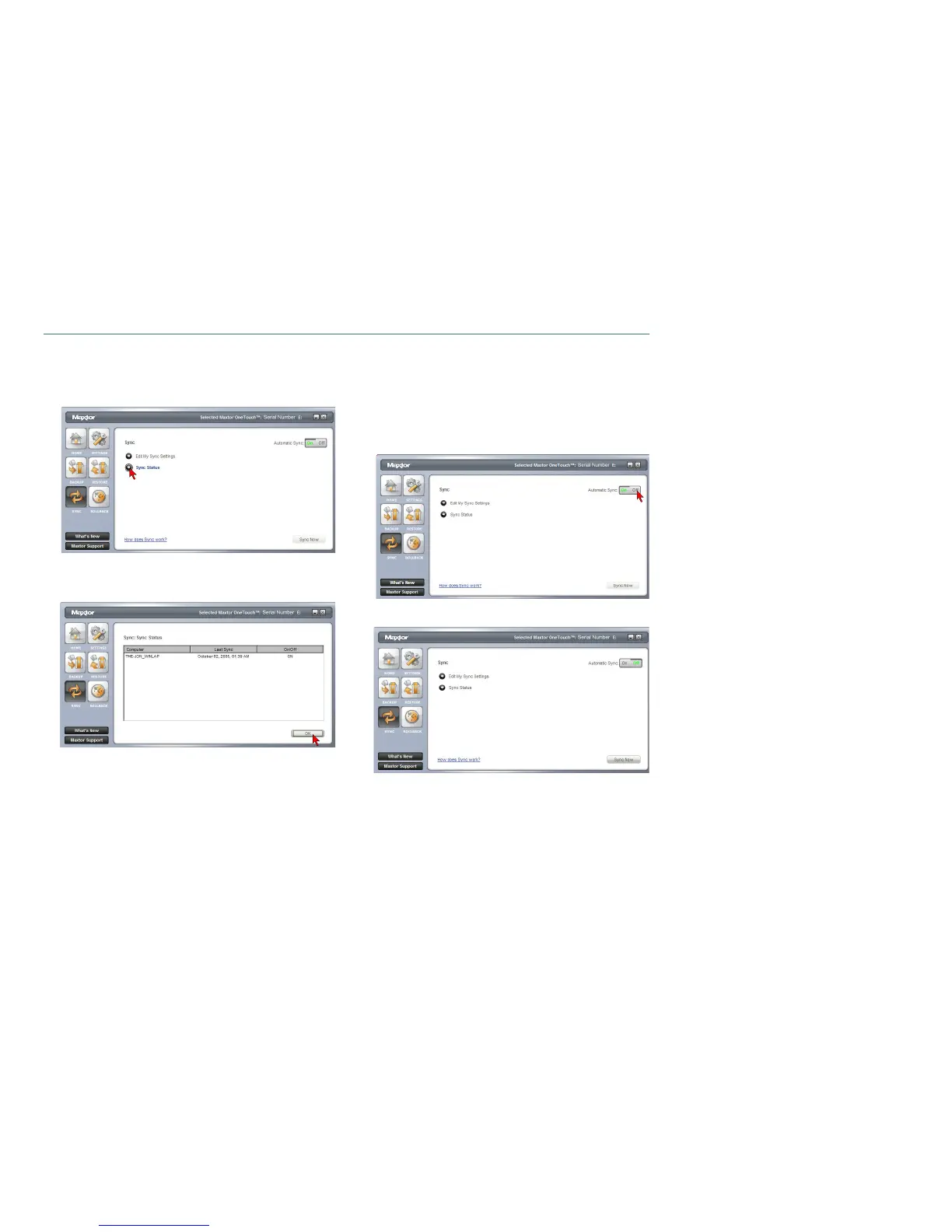
Click the Sync button.
You will see the following:
Click Sync Status.
The status of your last Sync will be displayed.
Click OK.
Automatic Sync
The Automatic Sync feature can be turned on or off. By
default, this setting is On.
To turn Automatic Sync Off
Click the Sync button then click the Off button in the
upper right corner of the Sync screen.
Automatic Sync is now Off.





 To Next Page